01
/
context
Problem & Hypothesis
The Problem
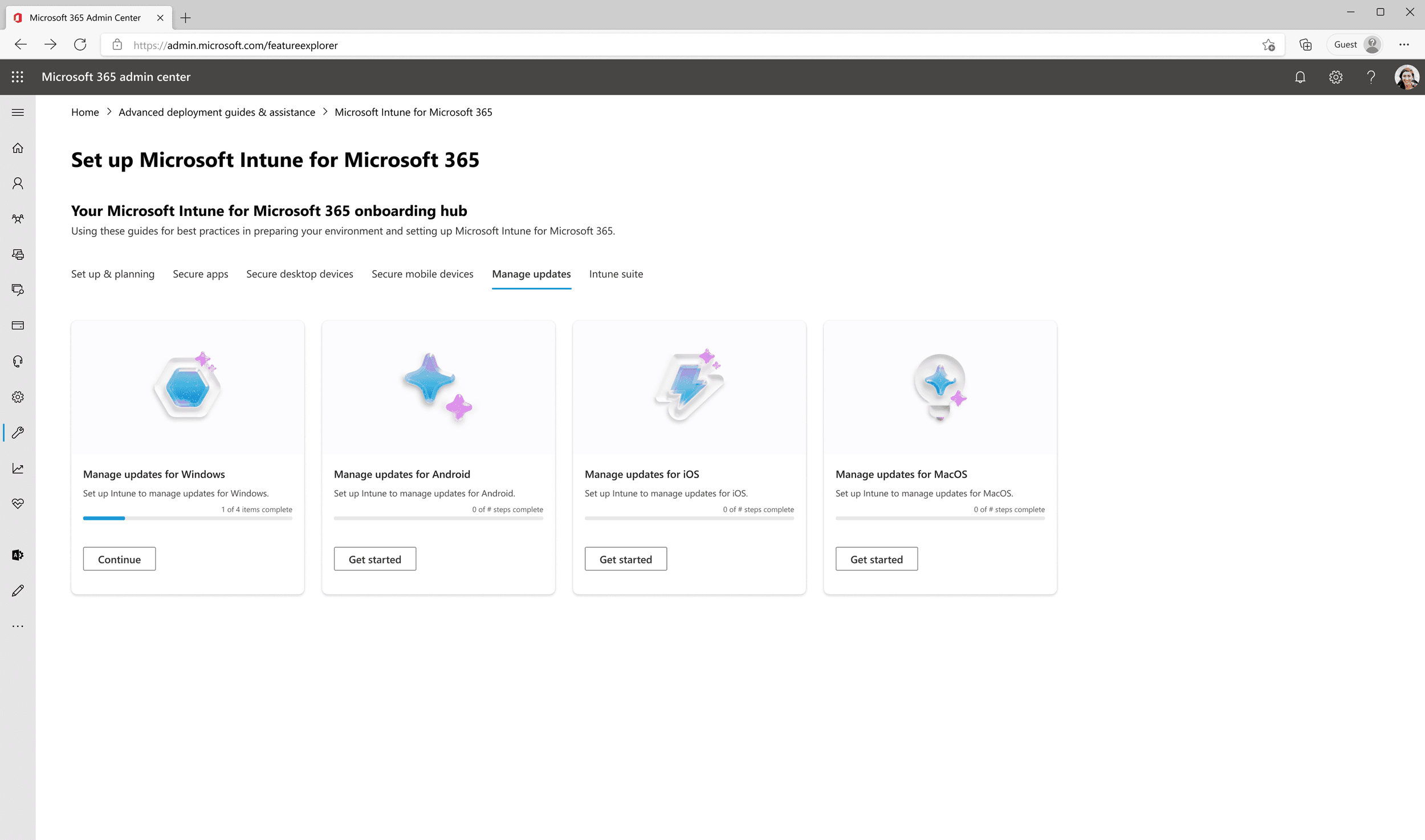
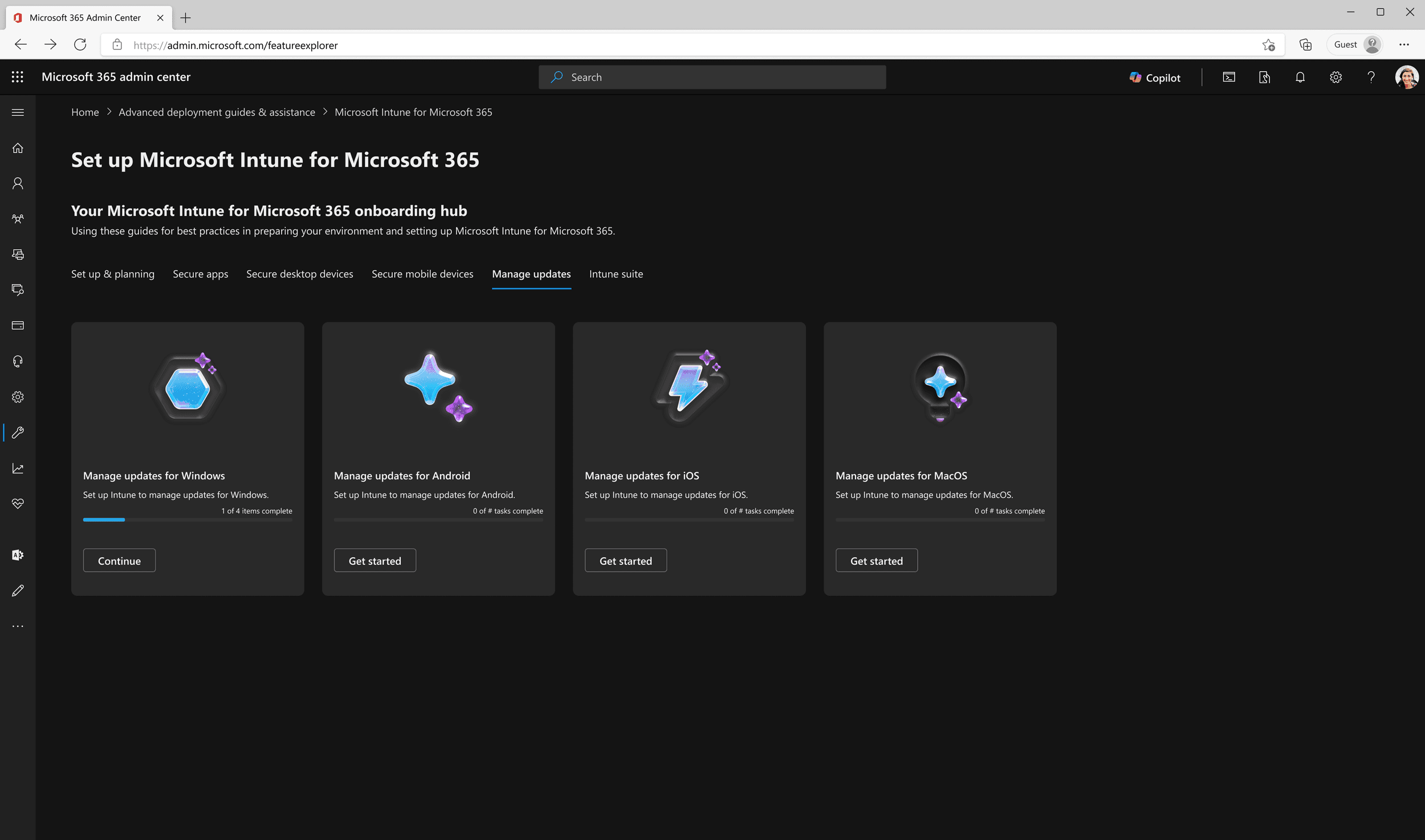
The existing Fluent 2 card component in the design system proved to lack the flexibility and functionality that was needed from the ever-evolving Fluent design system. From an aesthetic perspective, the component was also missing what was needed from the new look and feel of Microsoft (post-Copilot).
The Hypothesis
If the Fluent 2 card component in the design system proved to have the aesthetic, flexibility, and functionality that’s needed from the ever-evolving Fluent design system then users would be able to attain higher levels of success in their Jobs-To-Be-Done because the component offers them accessible and delightful designs that sincerely understands and assists them in achieving their goals.
02
/
Definition
The Definition + Scope Setting
Discuss with designers what is needed from the new iteration of the component, both for the end-user, but also functionally, as a component of the design system.
Bring this new project to PMs and establish timeline of project, resources needed, and basic requirements that will show the component to be complete.
03
/
PROCESS
The Working Sessions
Discussions with other designers in the Microsoft Admin Center and Fluent design systems spaces to analyze flexibility and scalability of the Fluent 2 card.
Voting and decision-making backed by research done before the component went back into an iterative design process (e.g.: deciding on how many lines of text exist with or without a progress bar; purpose of primary vs secondary CTAs; maximum character counts for each text element; etc.).
Feedback sessions consisted of constructive conversations around form and function of each visual and interactive element on the Fluent 2 card.
04
/
DESIGN
The Design
Light Theme
Dark Theme
The Progress States
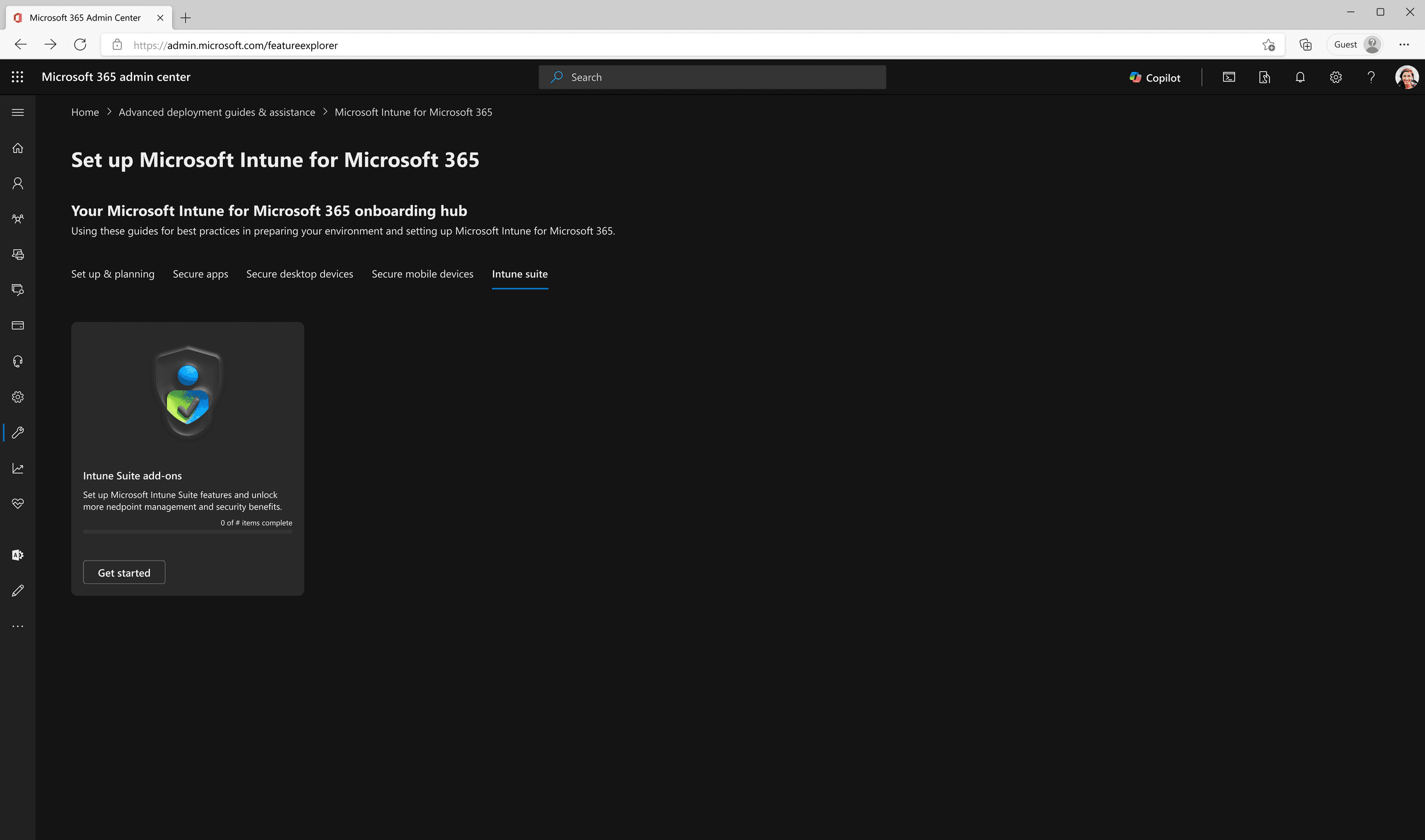
Fluent 2 updated card component for Microsoft Intune (secondary) Dashboard showing “not started” state.
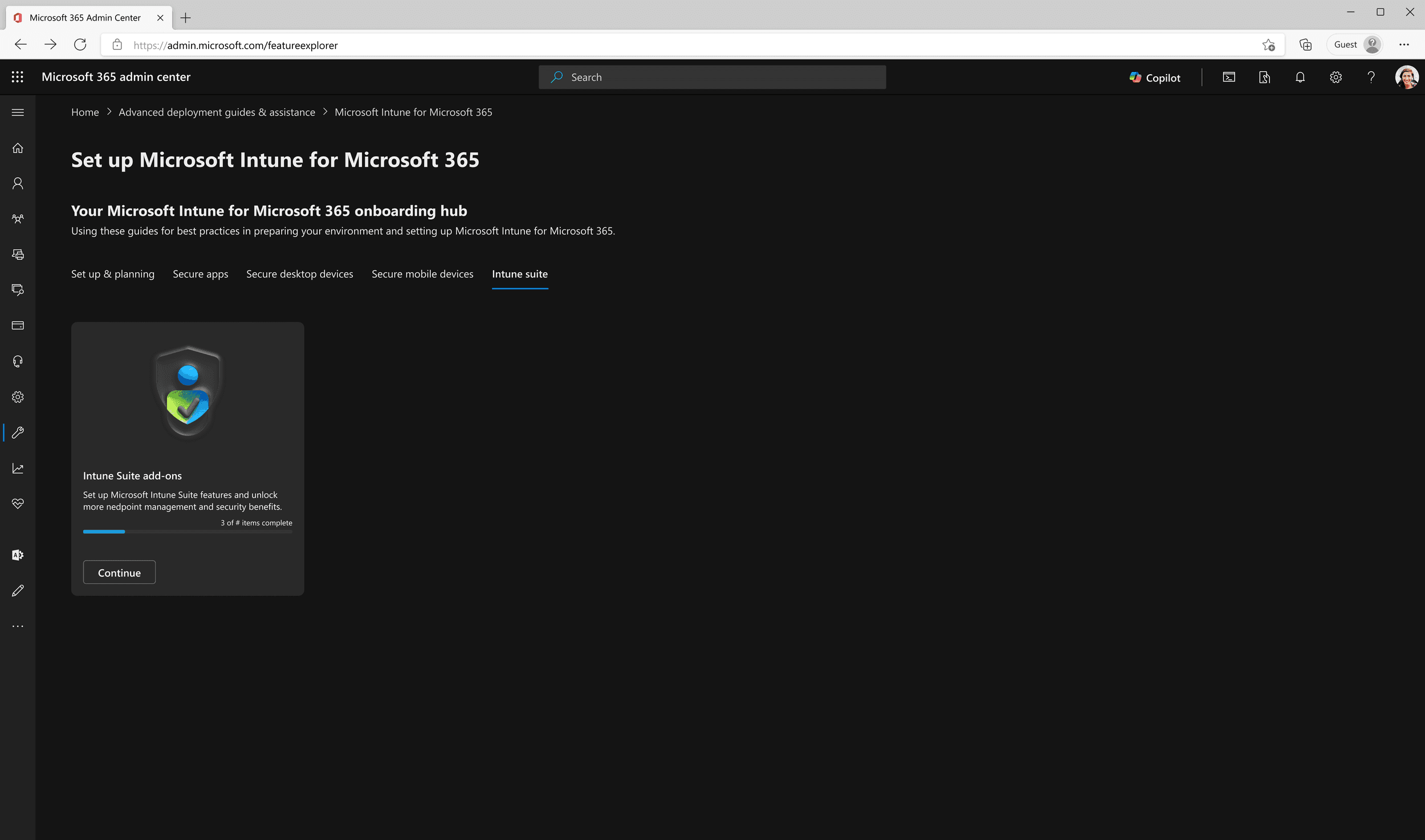
Fluent 2 updated card component for Microsoft Intune (secondary) Dashboard showing “in progress” state.
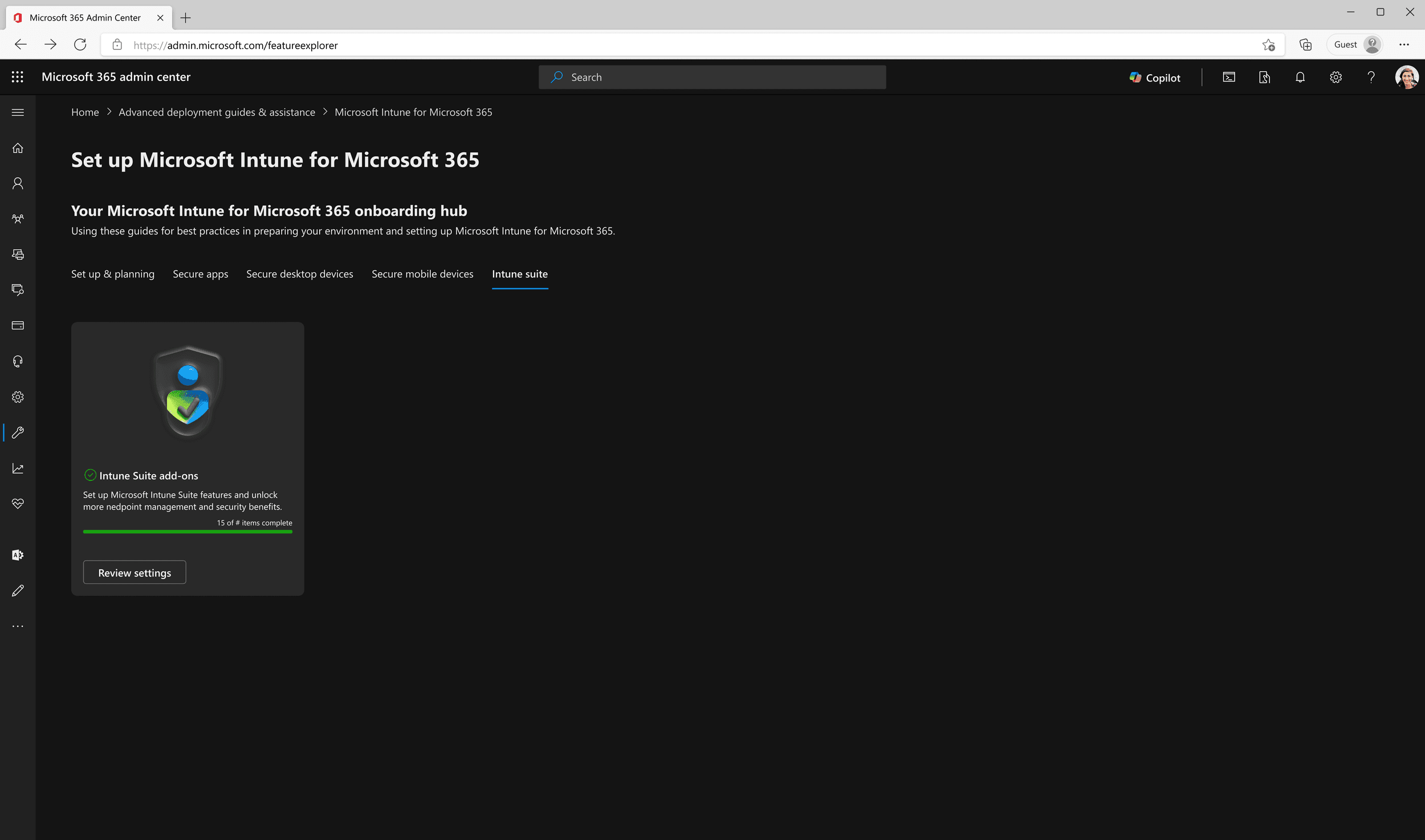
Fluent 2 updated card component for Microsoft Intune (secondary) Dashboard showing “completed” state.
05
/
Decision
Final decisions + Tradeoffs
Ultimately, the pivotal decision points that benefited the outcome of the component are listed below
Progress bar vs no progress bar
As a result of no progress bar, 4 lines of descriptor text
06
/
learnings
Learnings
Component function and scalability as high-priority design system principles.
Clarity, precision, and organization as means of communication.
Deliberately taking charge and deciding to take a lead designer role for the project instead of being afraid of stepping on toes.