01
/
context
Problem & Hypothesis
The Problem
Microsoft Viva Topics customers’ administrators need a way to integrate Topics-eligible data connectors from their own databases with M365 products in order to optimize their tenants’ Topic discovery and general usefulness.
The Hypothesis
The goal is to create a series of screens for Microsoft Viva Topics admin center which enable Viva Topics administrators to allowlist Viva Topics-eligible data connectors for use in M365 product use and Topic discovery within the customer’s tenant.
02
/
Decision
Final decisions + Tradeoffs
The “inactive connectors” design was rejected due to the lack of budget and inconsistencies within the Microsoft M365 admin center that this would uncover. Many other products and features within the M365 admin center had requests from customers to include some sort of “inactive” list, thus with the circumstance of lack of budget to revamp these features, it was decided to remove this part of the design completely.
PM eventually discovered that many customers’ admins who would be utilizing this feature (to turn connections on or off) likely wouldn’t know the difference between a Generic connector or a Knowledge-base connector as this is the knowledge that a Global admin typically has for their tenant (in a larger organization the Global admin role and Topics admin role would be separate).
03
/
Outcome
The Outcome
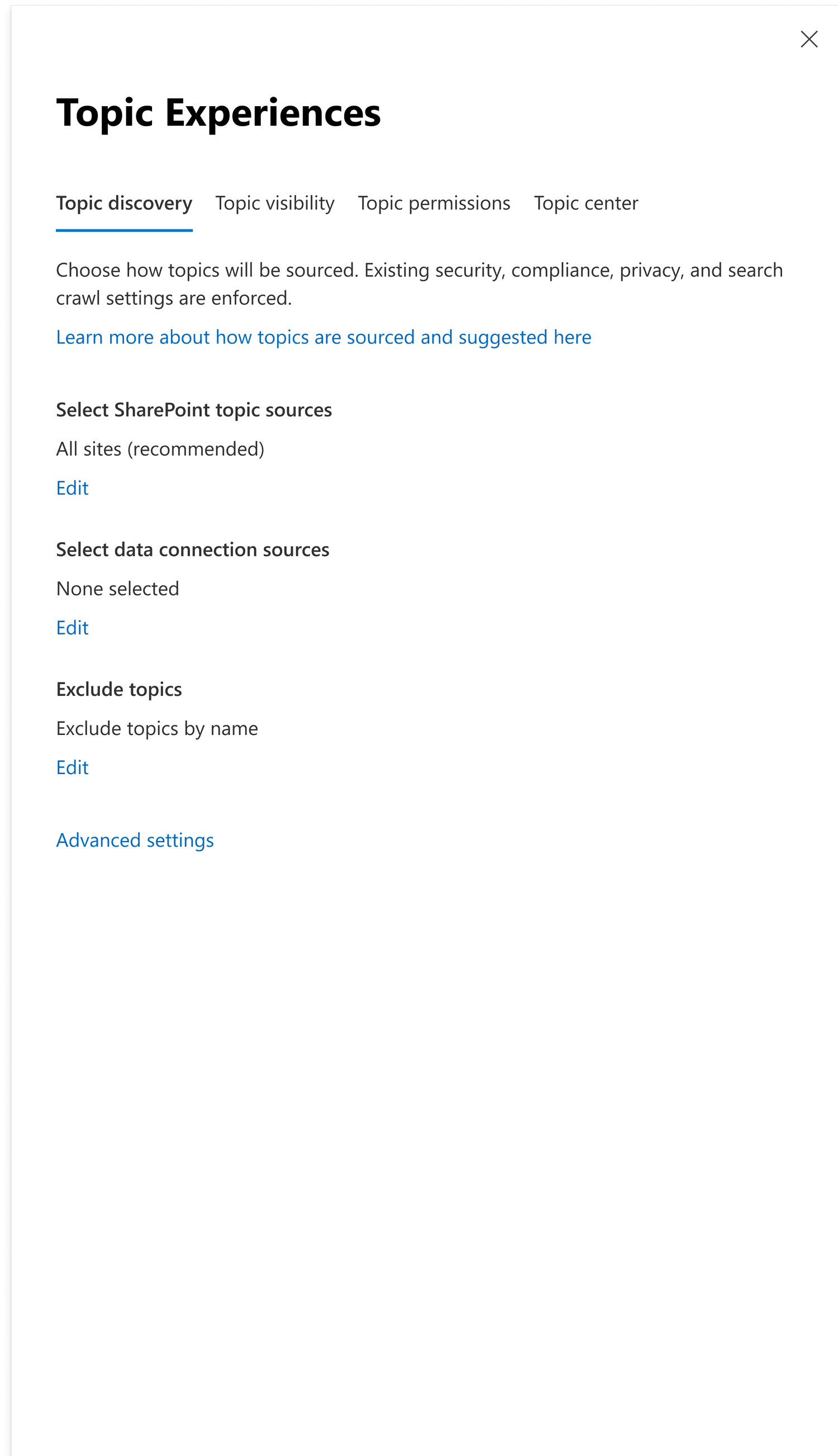
User edits data sources via “Topic experiences” settings panel level 1
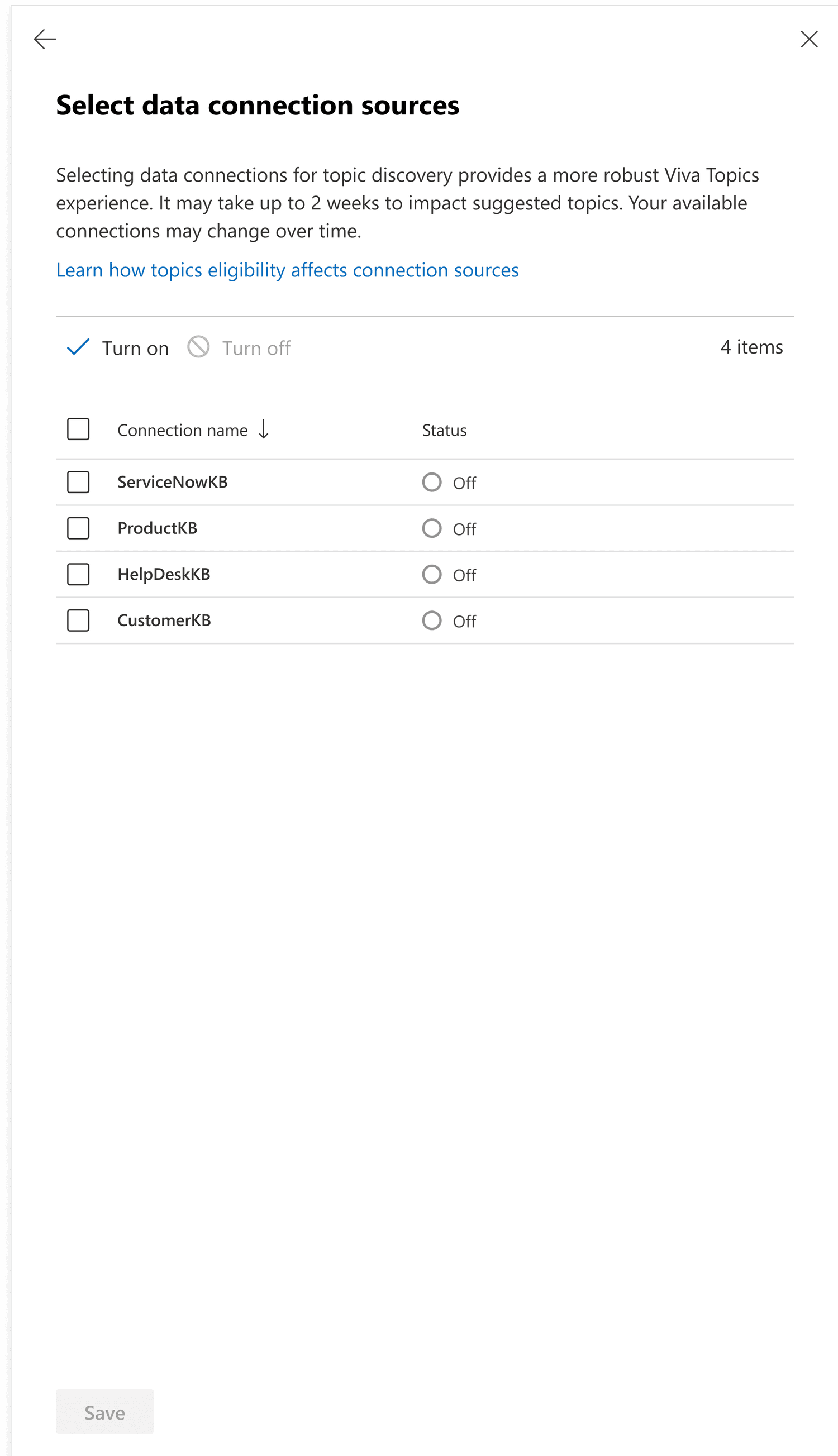
Settings panel level 2: User selects “ServiceNowKB” data connection
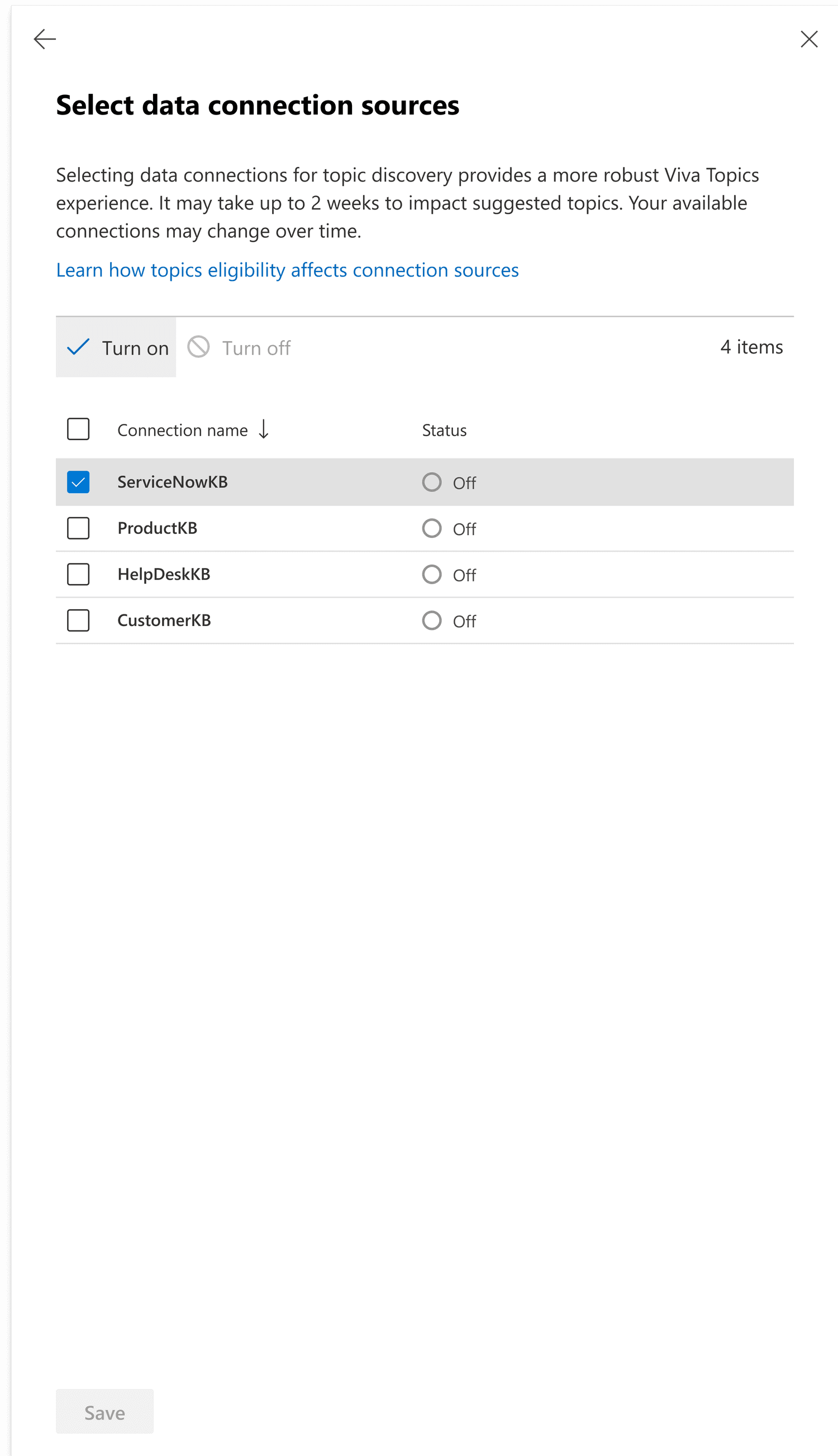
User turns on “ServiceNowKB” data connection
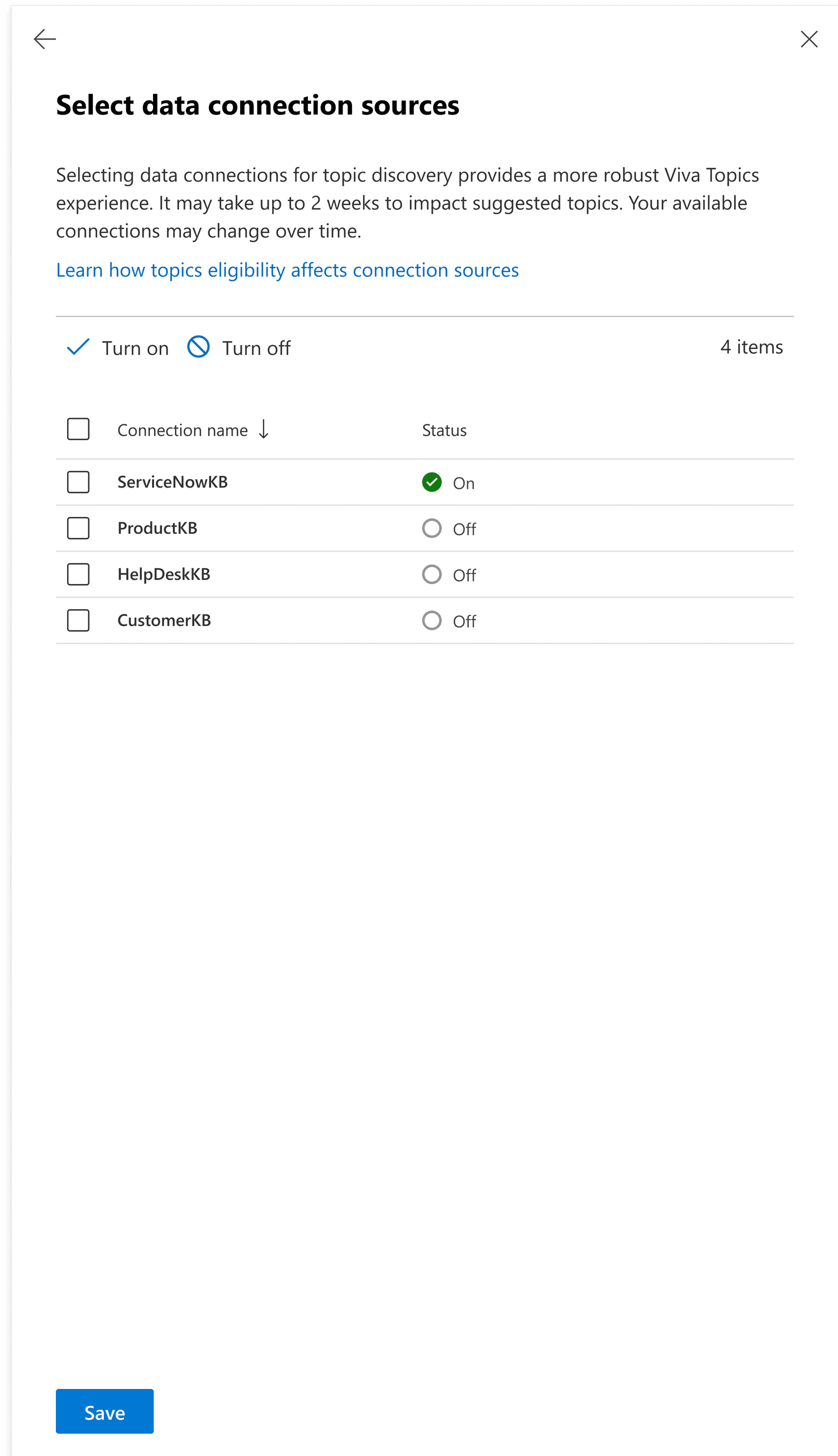
User saves changes to activate
data discovery via “ServiceNowKB”
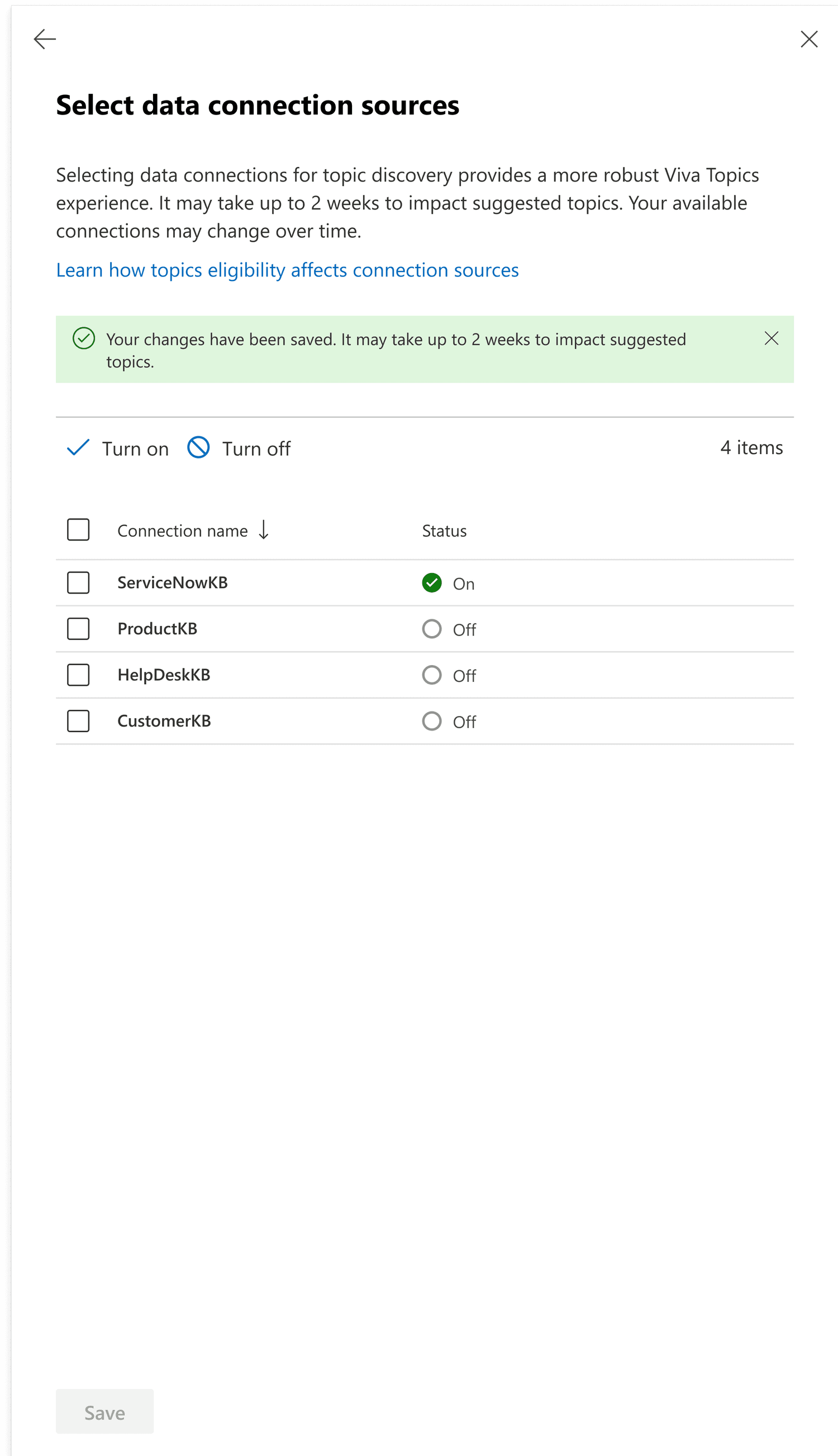
User clicks back button to go back to settings panel level 1
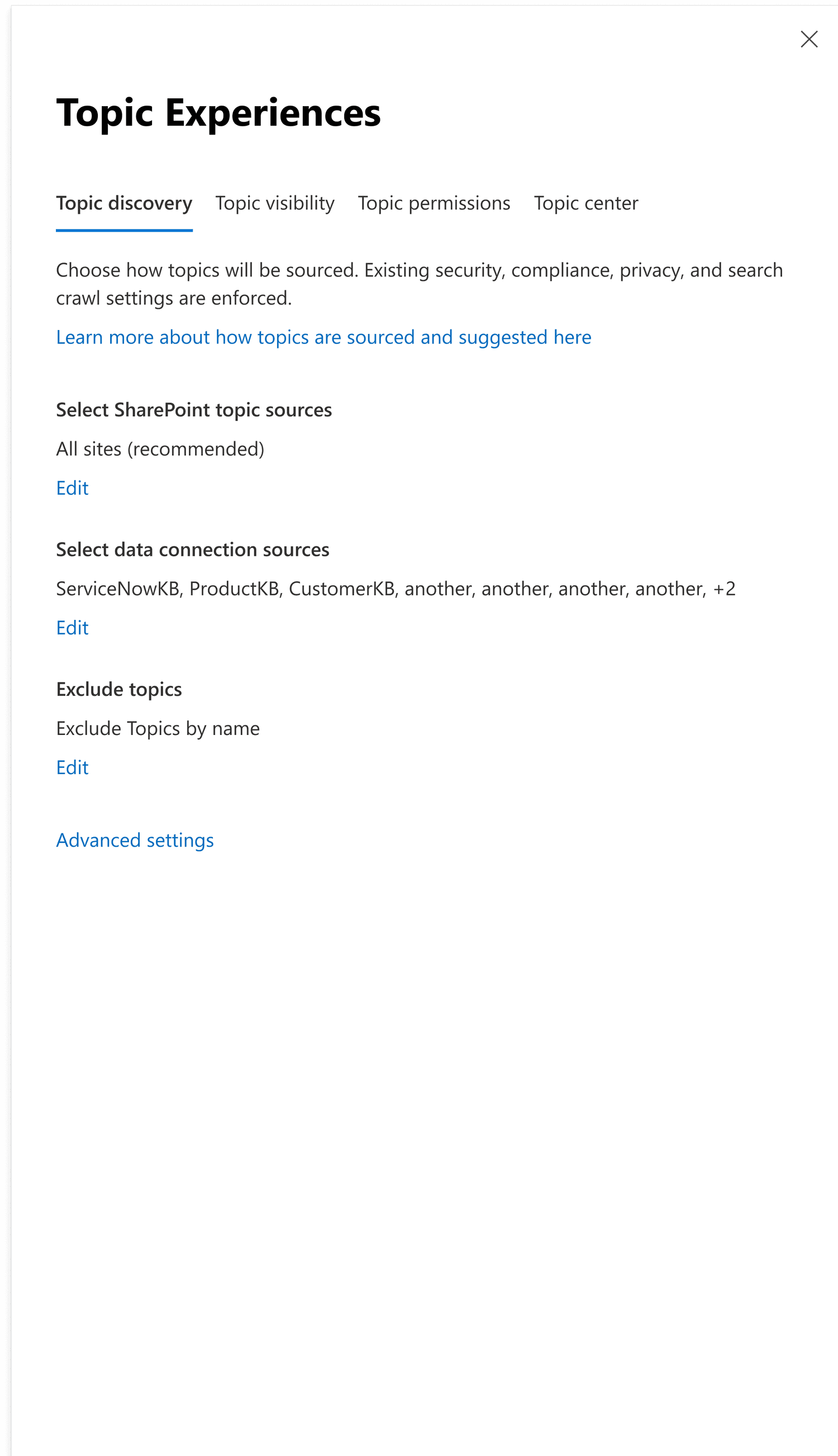
Updated settings in “Topic experiences” settings panel level 1