01
/
problem
Problem
As of late March, 70% of the schools across the US have closed due to COVID-19. This situation has created more stress for college students who are now trying to adjust to a range of uncertainties while attending classes virtually.
02
/
Solutions
Designing a Mobile App
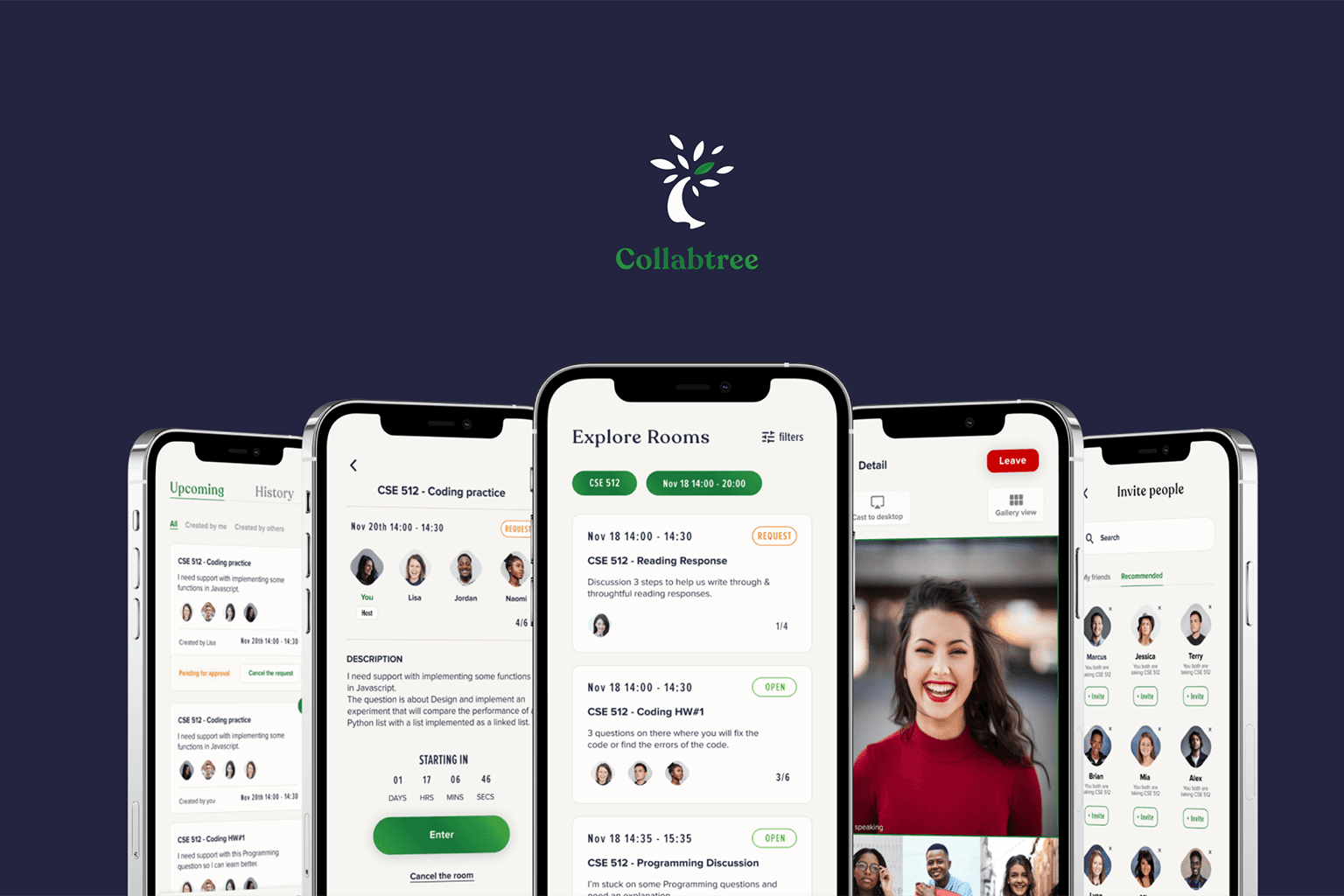
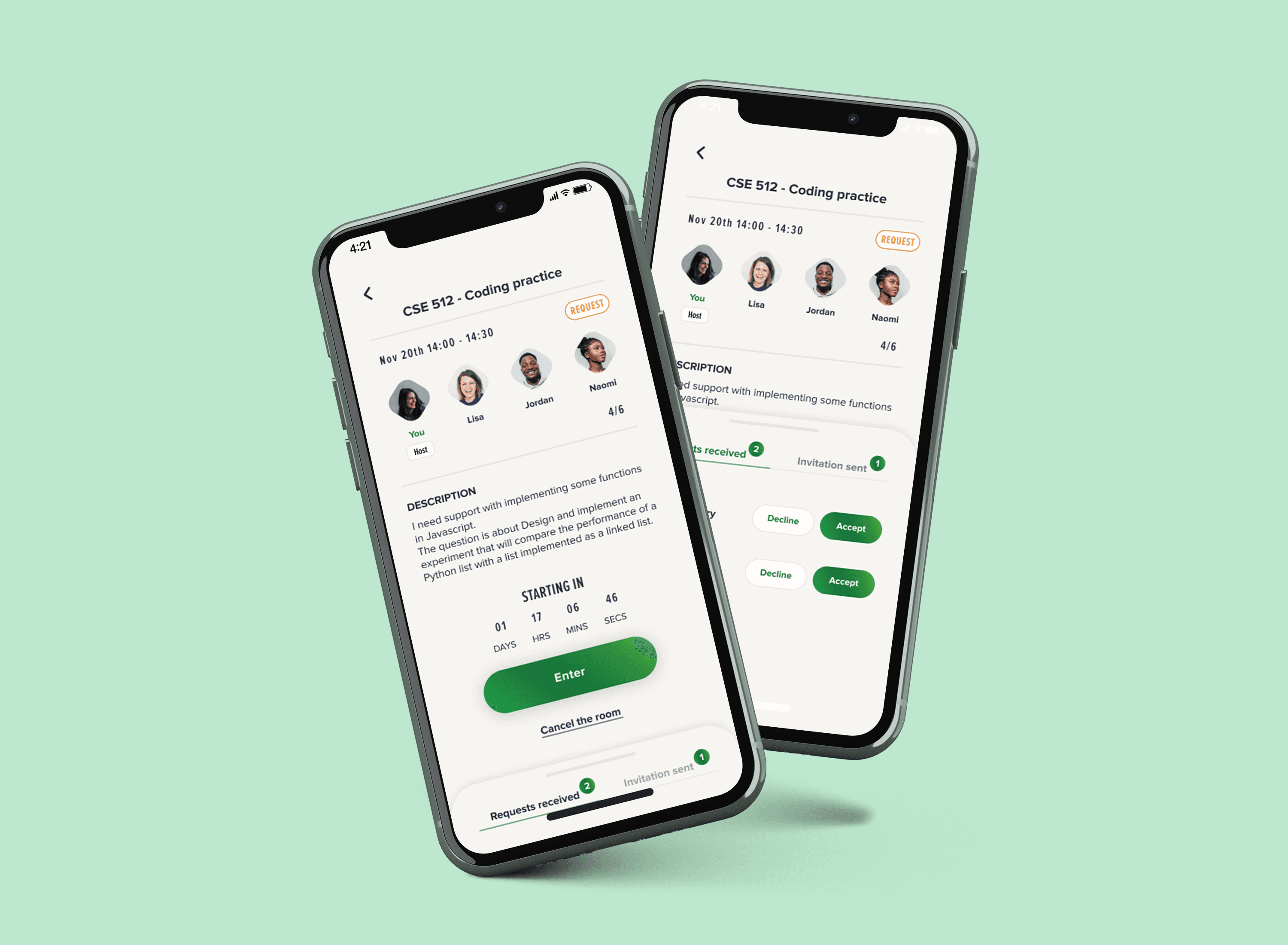
We designed “Collabtree” - a mobile application which helps graduate students form online discussion with peers in a fun, interactive, flexible, and collaborative way.
03
/
Process
Research and Design
From early user research to iterative prototyping and evaluation, this process ensured design decisions were grounded in real insights and tested across multiple fidelity levels.

Research
Online Survey
Interviews

Ideation
Divergent Designs
Storyboards

Prototype
Low fidelity
High fidelity

Evaluation
Expert Based Testing
User Based Testing
04
/
Research
Understanding our users and their need?
1. Project kickstart and 1:1 meetings
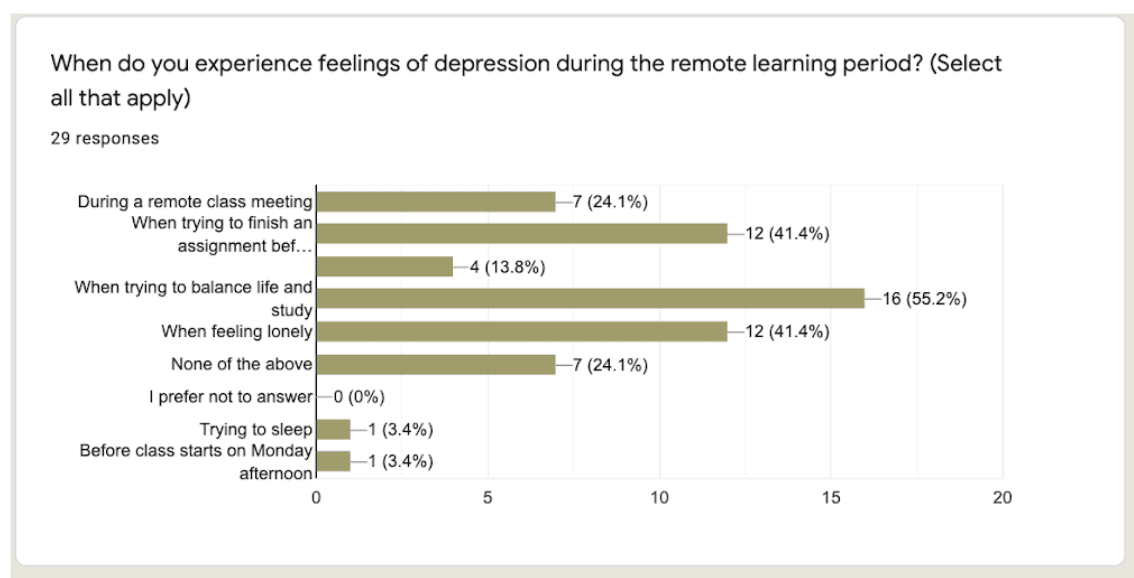
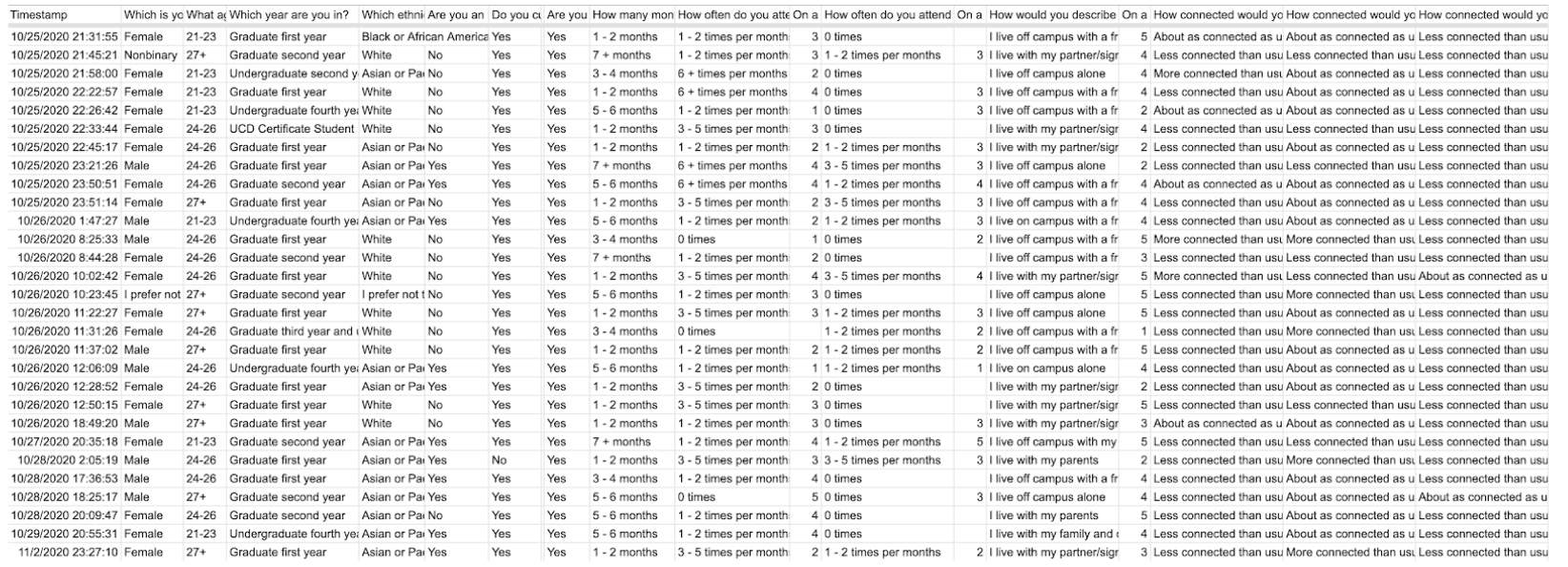
We took the preliminary data from the survey to form open-ended questions that are more “personal” in our semi-structured interview. We chose semi-structured interviews because it gave us some room to let the conversation flow, at the same time, had a structure of goals that we were looking for in the interview.
2. Research the scope of the project
To understand user needs, I interviewed some people, used a keyword research tool to see users' preferences and read past research work. It helped us learn existing information about challenges in remote learning and understand the importance of collaborative learning environments for college students.
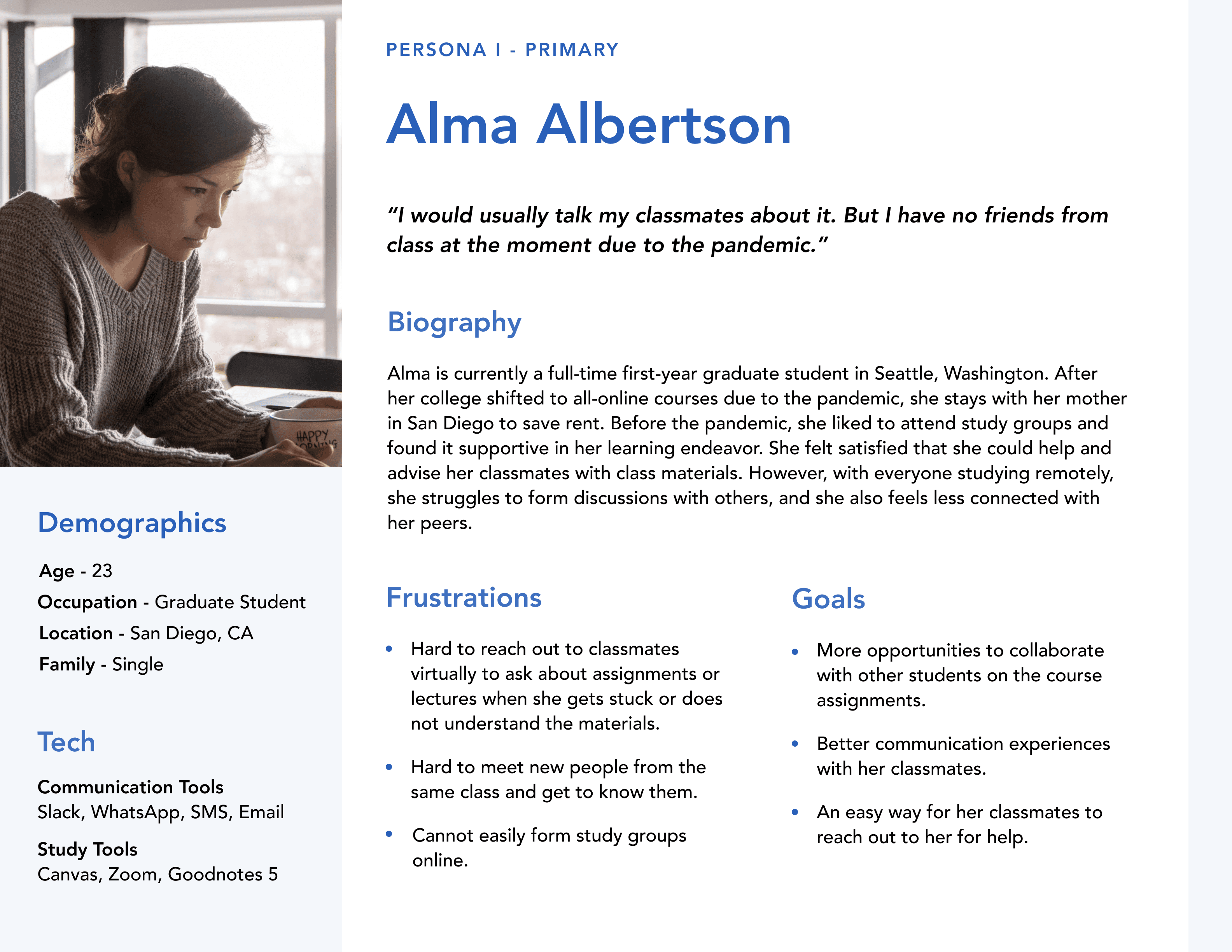
Who are our users?
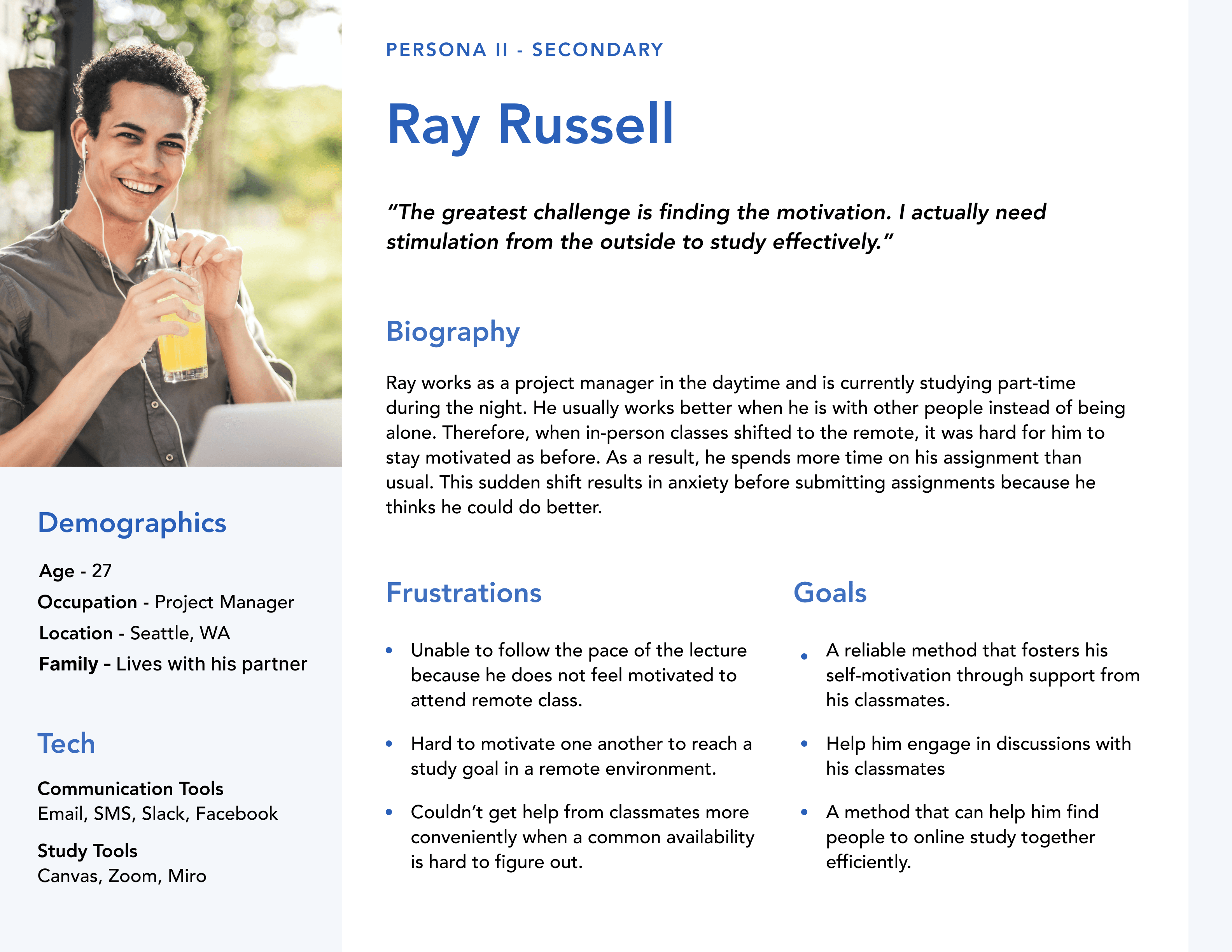
Based on the 1:1 interviews with 6 people who are currently FT master students and adopt the virtual learning environment. We basically divide them into 2 groups: students who want to have better communication with their teammates and more social interaction with their classmates, and students who want to have support from other students to help them feel motivated to learn remote.
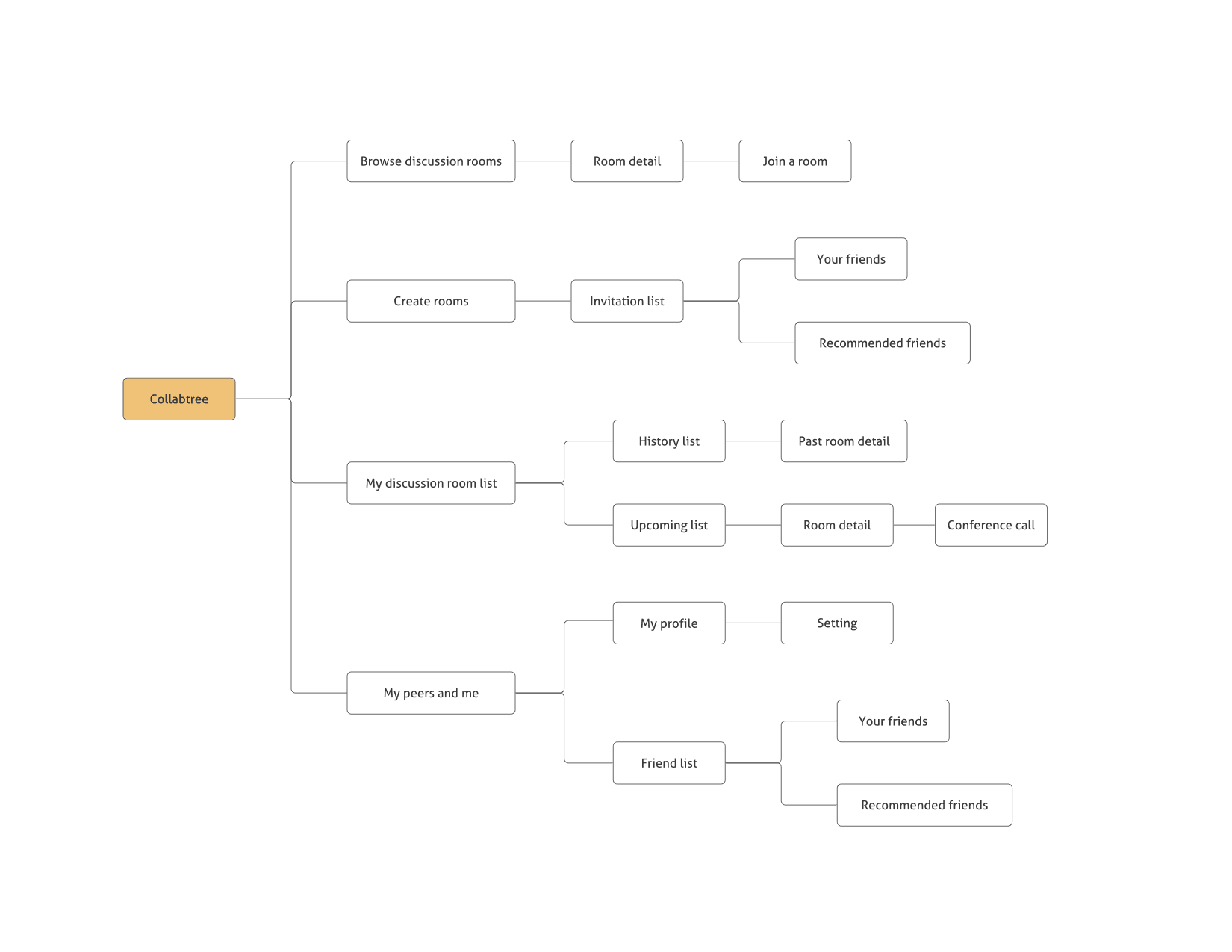
Information Architecture
Based on the research my team and I have done previously, me and my teammates defined 5 main features: collaborative learning environments, knowledge-sharing, online study groups, community, social networking of practice for our solution.
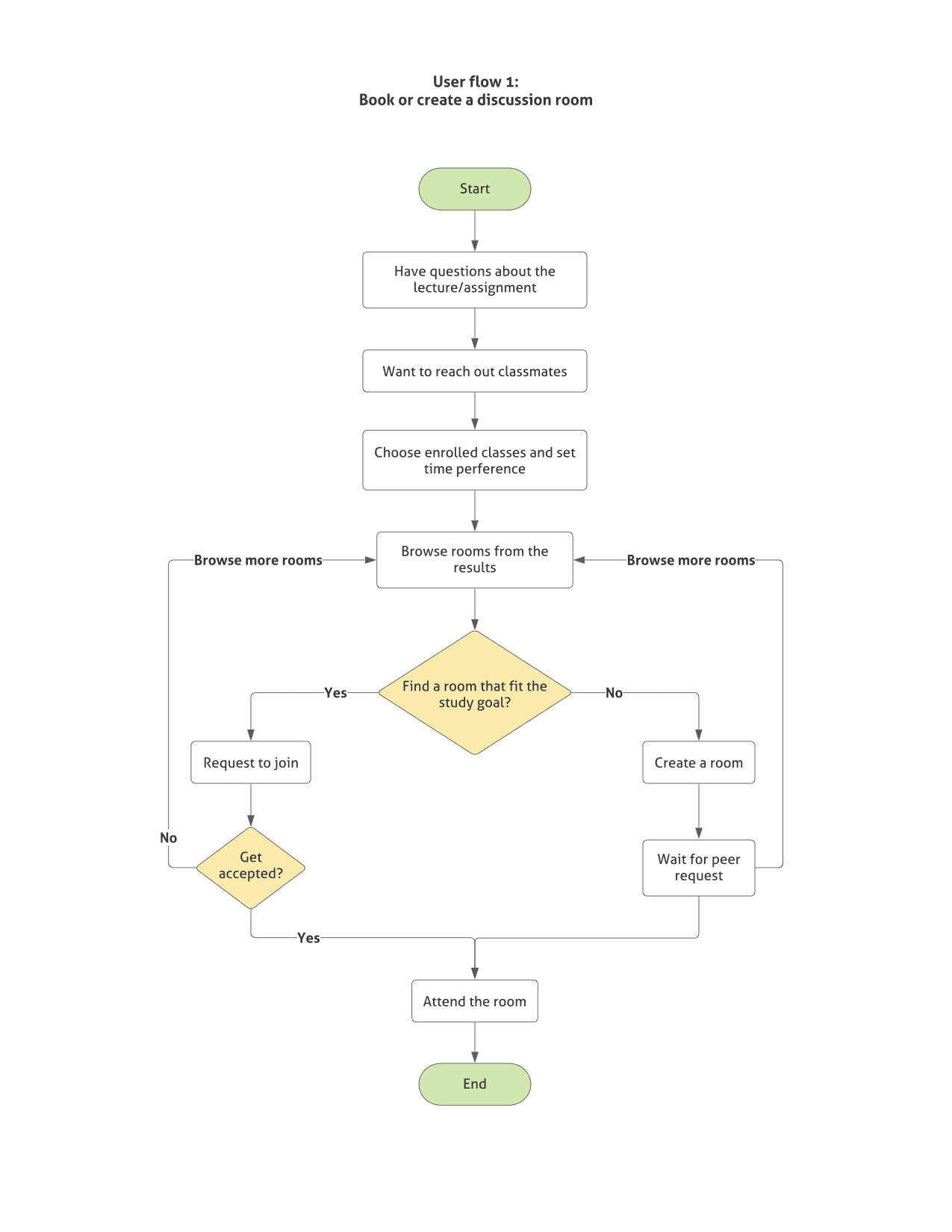
User Flow
To further define users’ actions, we created user flows for different features to gain a better understanding of how users interact with each other.
05
/
Ideation
Understanding our Users and their need?
Design Goals
We set up the basic design goals based on users’ feedback. The general goal here was to design an engaging, efficient, and easy-to-use collaborative learning environment and social networking platform.
Knowledge
- Sharing and learning
- Forming a study group
- Asking and answering questions
Networking
- Connect with others who share the same interests
- Engaged more with various of social events
Intuitive for students to start
- provide resources which allow students to feel well equipped for class and have the flexibility to get information easily
Divergent Design
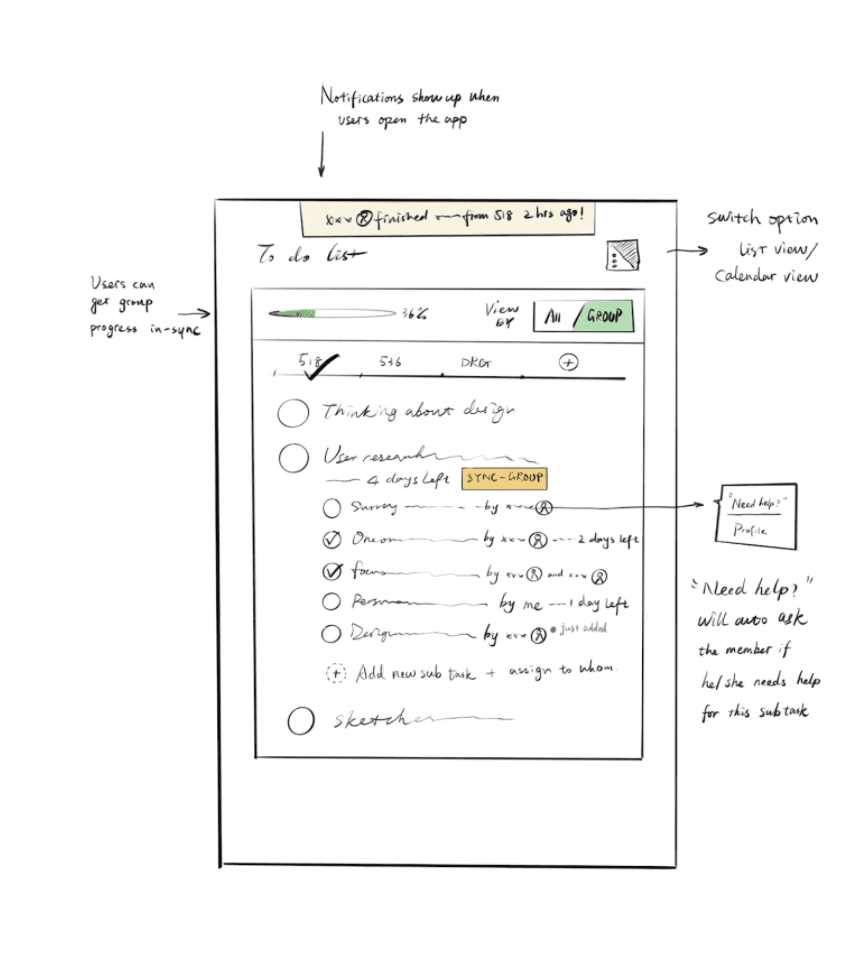
We came up with 3 designs that could be easily implemented with existing and available technologies, and which could quickly meet the needs of students and professors as soon as possible. The designs were also app-based, making them accessible to most virtually.
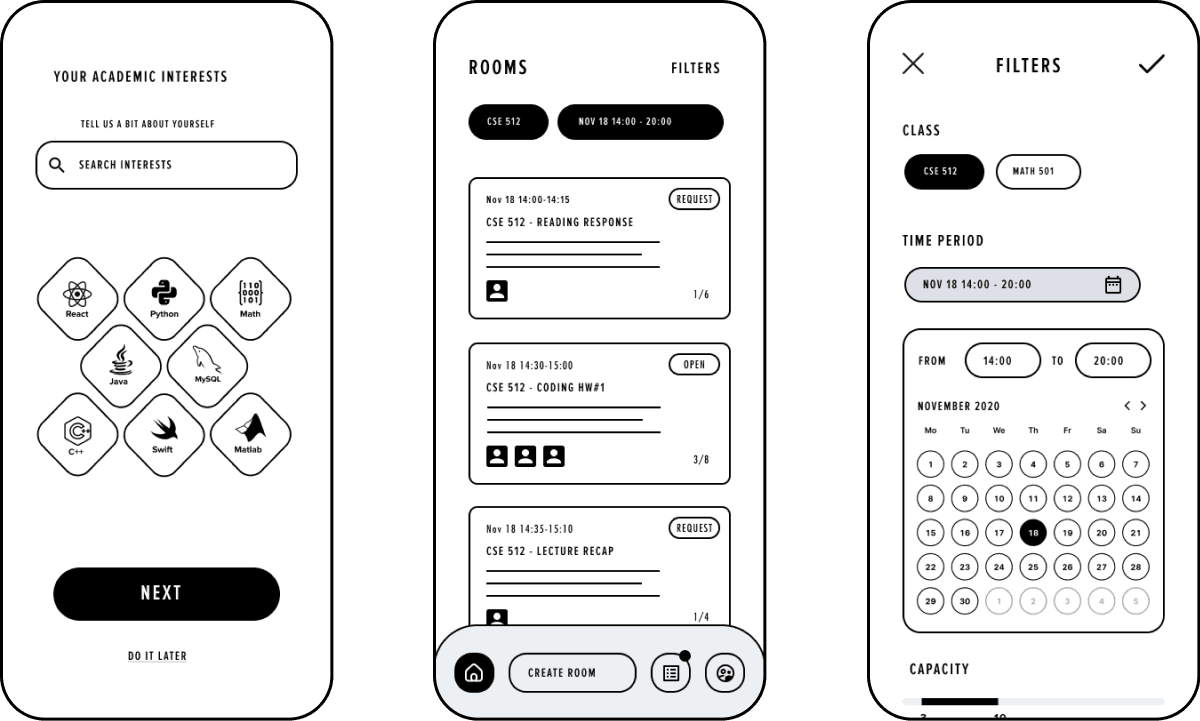
Design 1: Matching
Our primary persona is college students who want more opportunities to collaborate with other students on the course assignments and have a dynamic relationship with their classmates which allows them to easily give and receive help.This option offers them a convenient way to create and form group discussions with their peers. Students can join and ask and answer questions from all their peers.
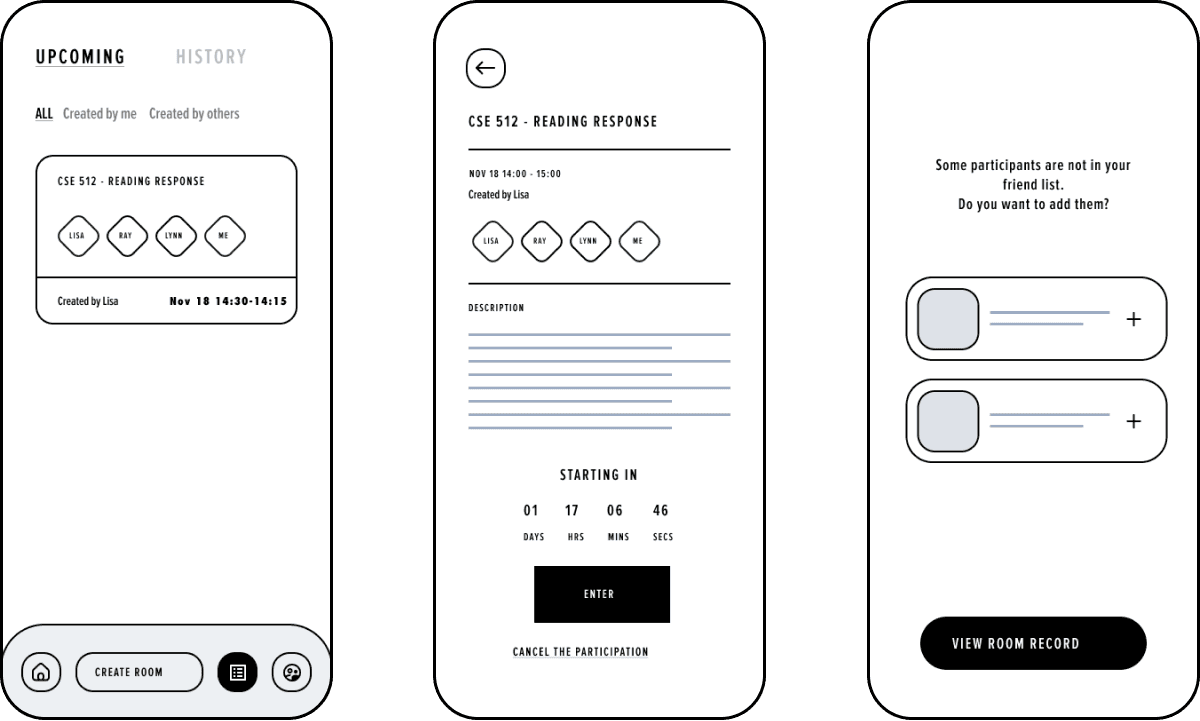
Design 2: Peer to Peer
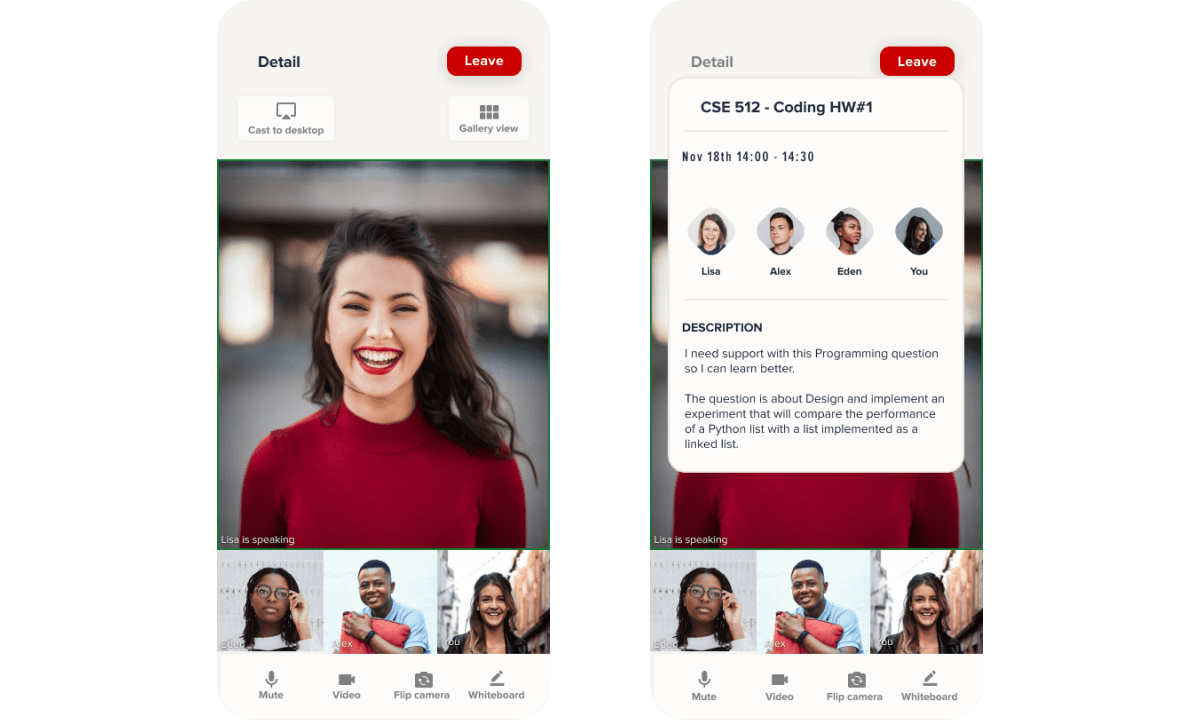
During the discussion, students can check the room description which functions as the agenda to keep everyone on the right track.
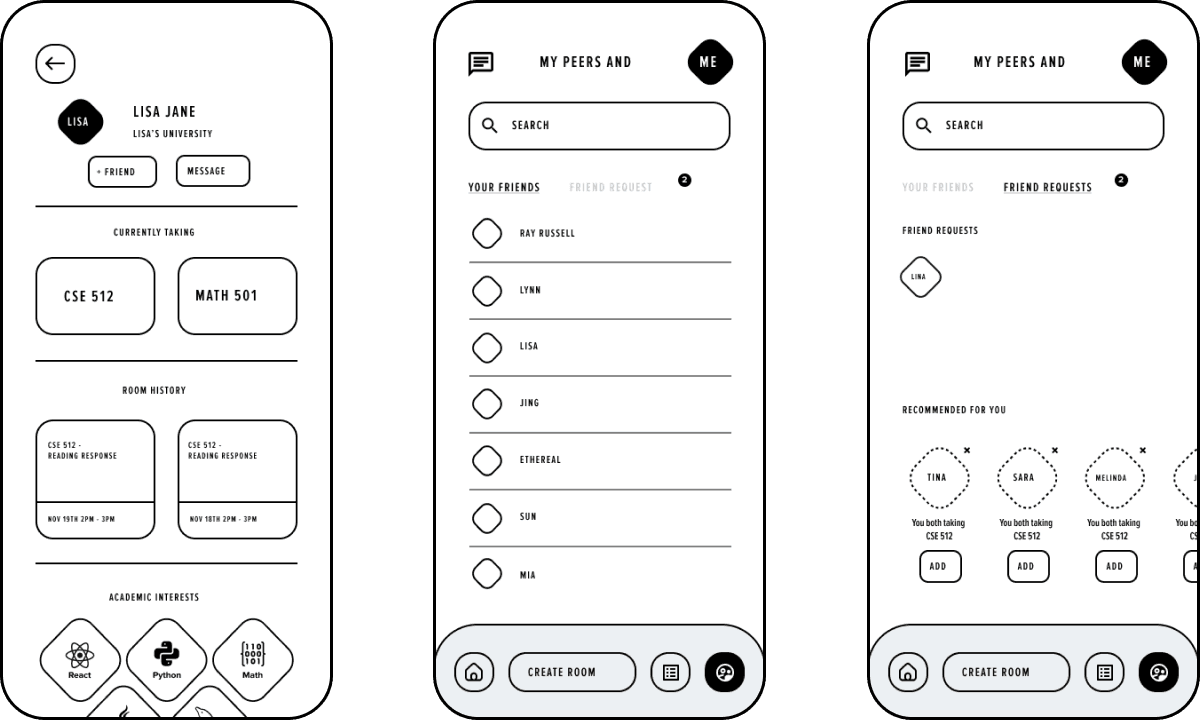
Design 3: Connection
After the discussion, not only can students get answers to their questions, but they can also form new connections so that they can reach out to their peers in the future for help.
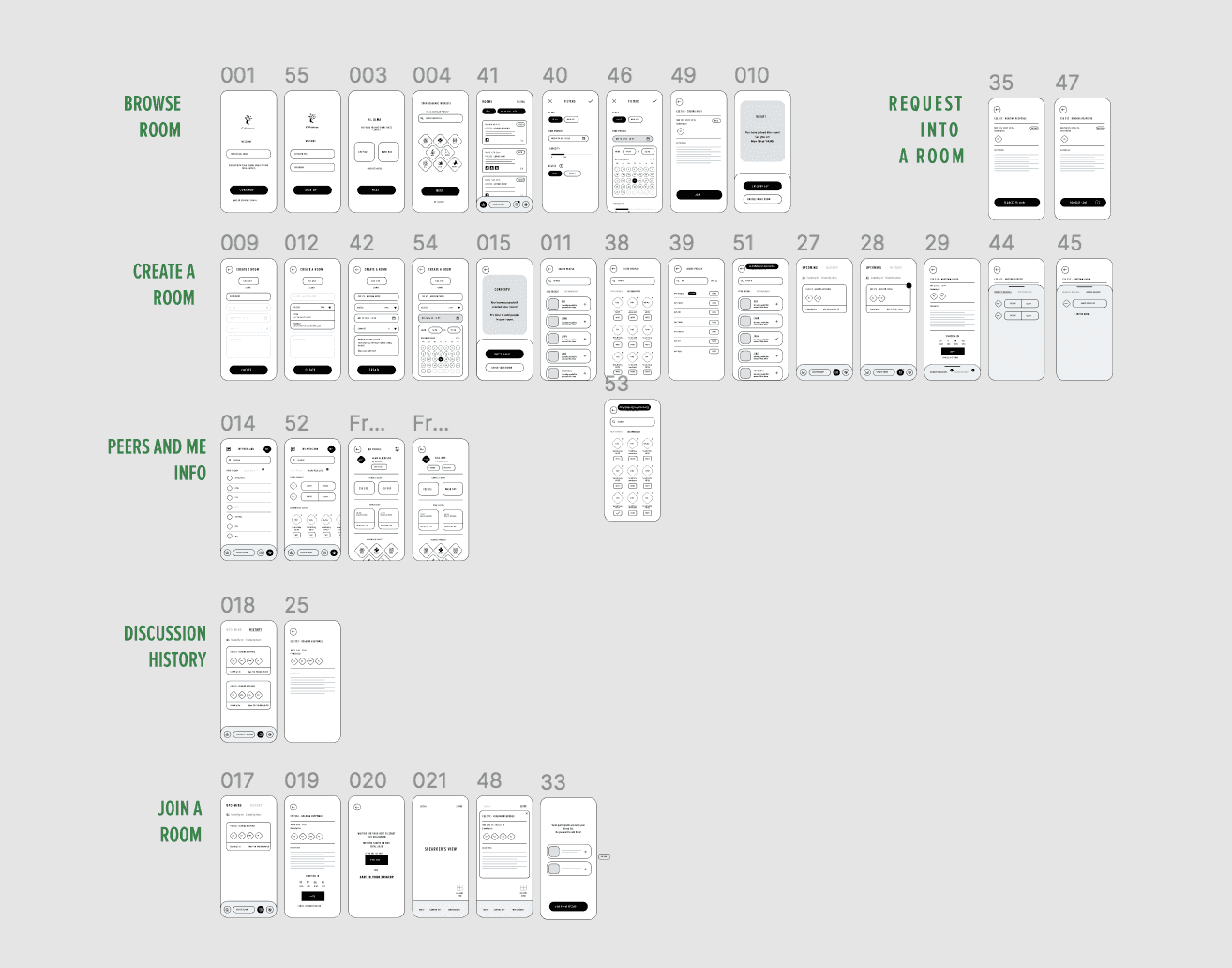
Wireframes
At this stage, we used wireframes to conduct the usability testing with our potential users and we go through what kind of information they would wish to have on this platform. We created most of the pages based on this information architecture.
06
/
Prototyping
Designing our Product
We had a poster session in which we received feedback from our peers and experts on each of our designs. We received valuable feedback which showed us which features our users liked and which features our users did not like.
The design that we settled on after evaluating the advantages and disadvantages of each of the three designs is “Collabtree”. To restate the premise of our app, Collabtree, in a nutshell, is a platform that allows college students to form discussion groups and conduct collaborative study sessions remotely.
On-boarding
Provide sign up and login pages for new users and old users.
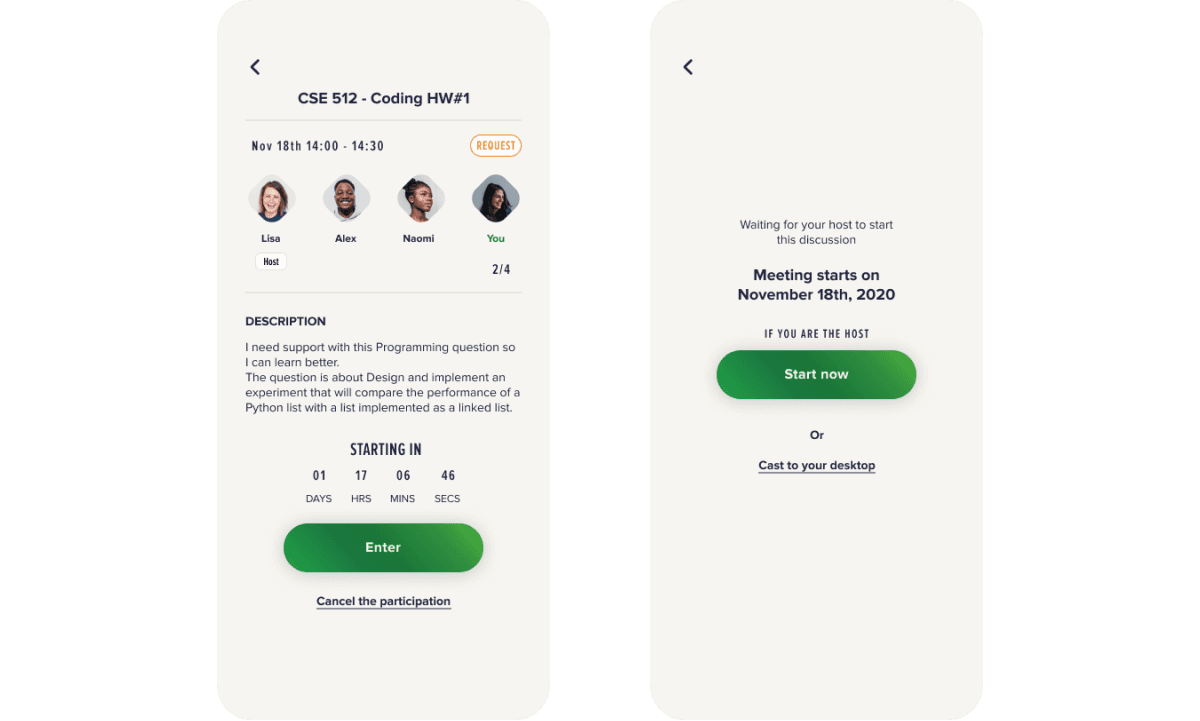
How to Explore New Friends
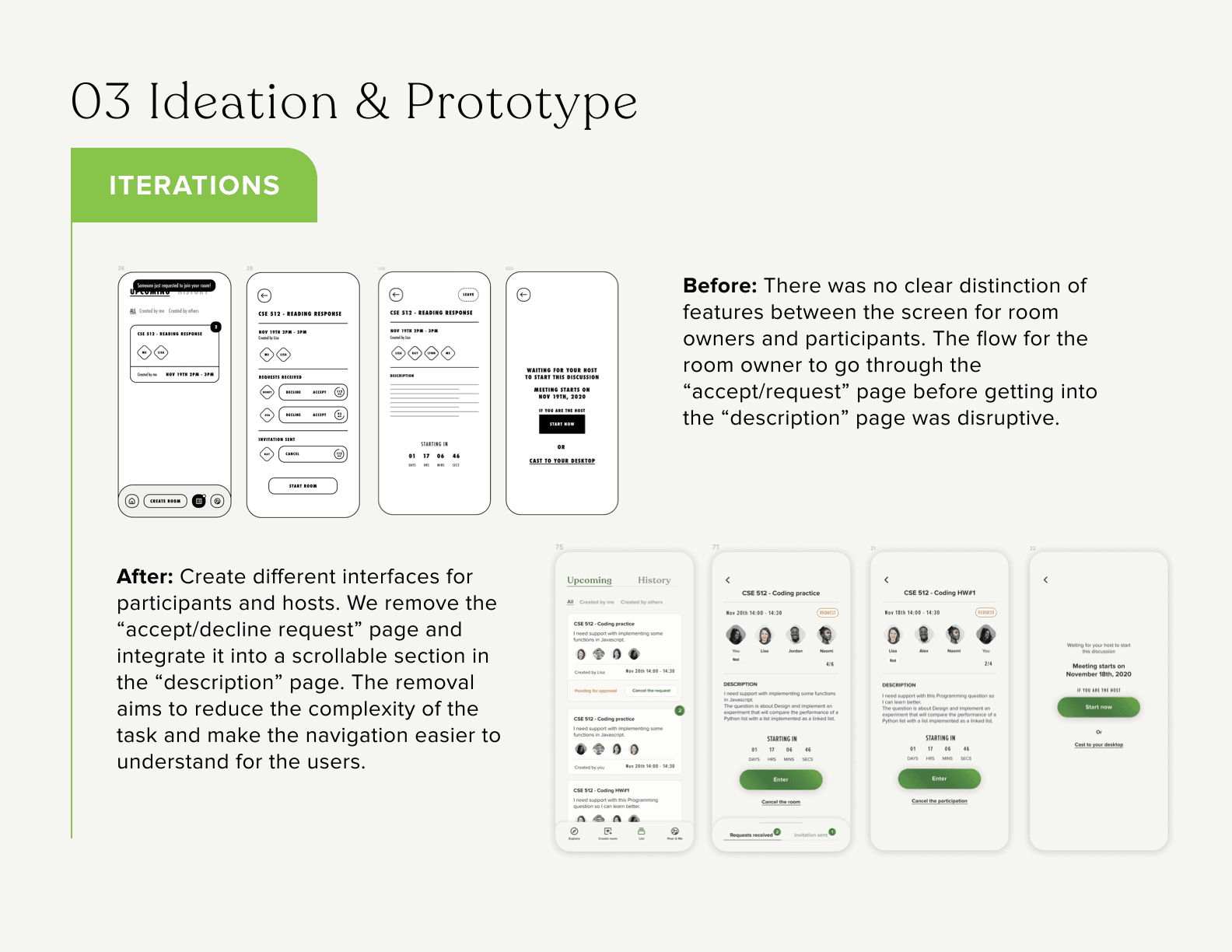
Create different interfaces for participants and hosts.
Recording Features
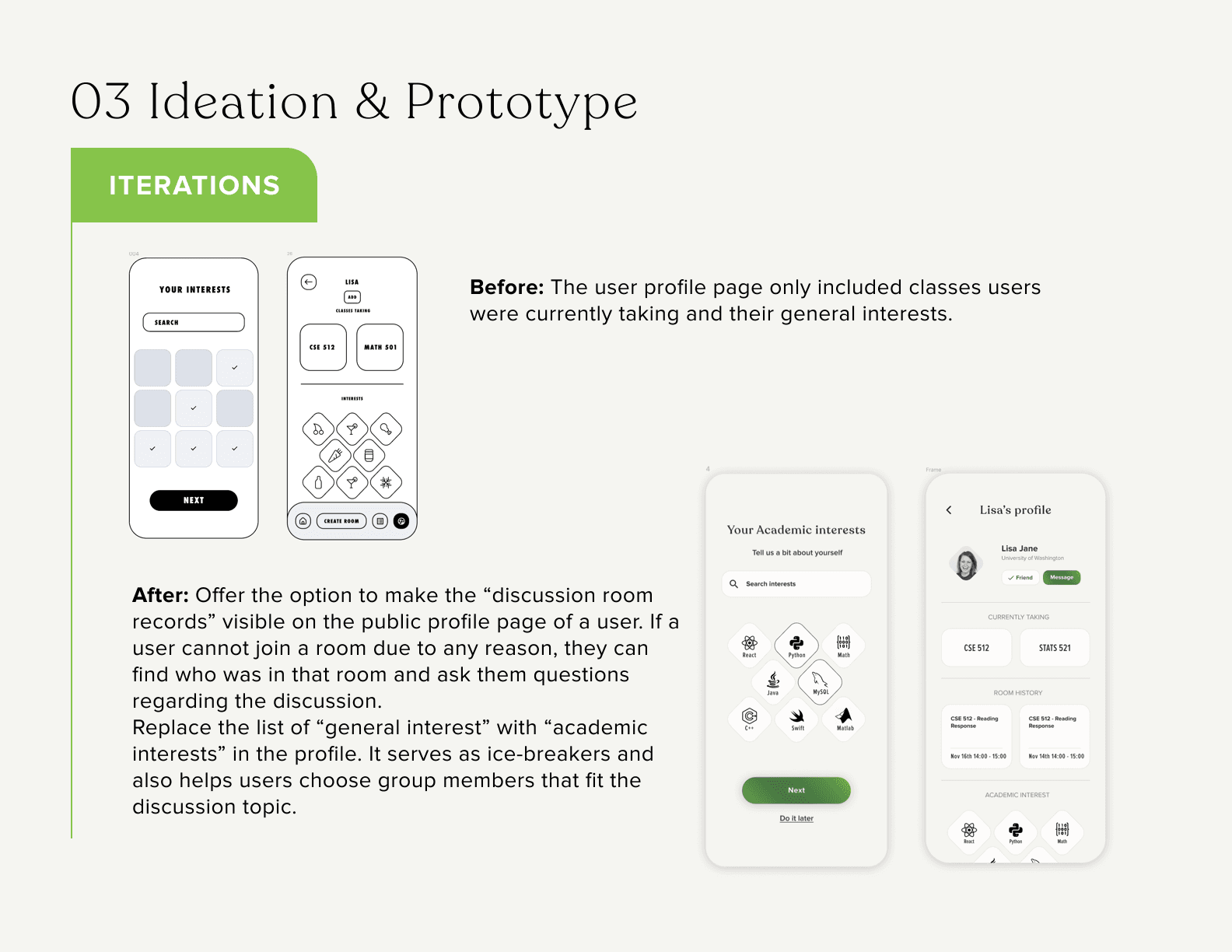
Offer the option to make the “discussion room records” visible on the public profile page of a user. If a user cannot join a room for any reason, they can find out who was in that room and ask them questions regarding the discussion.
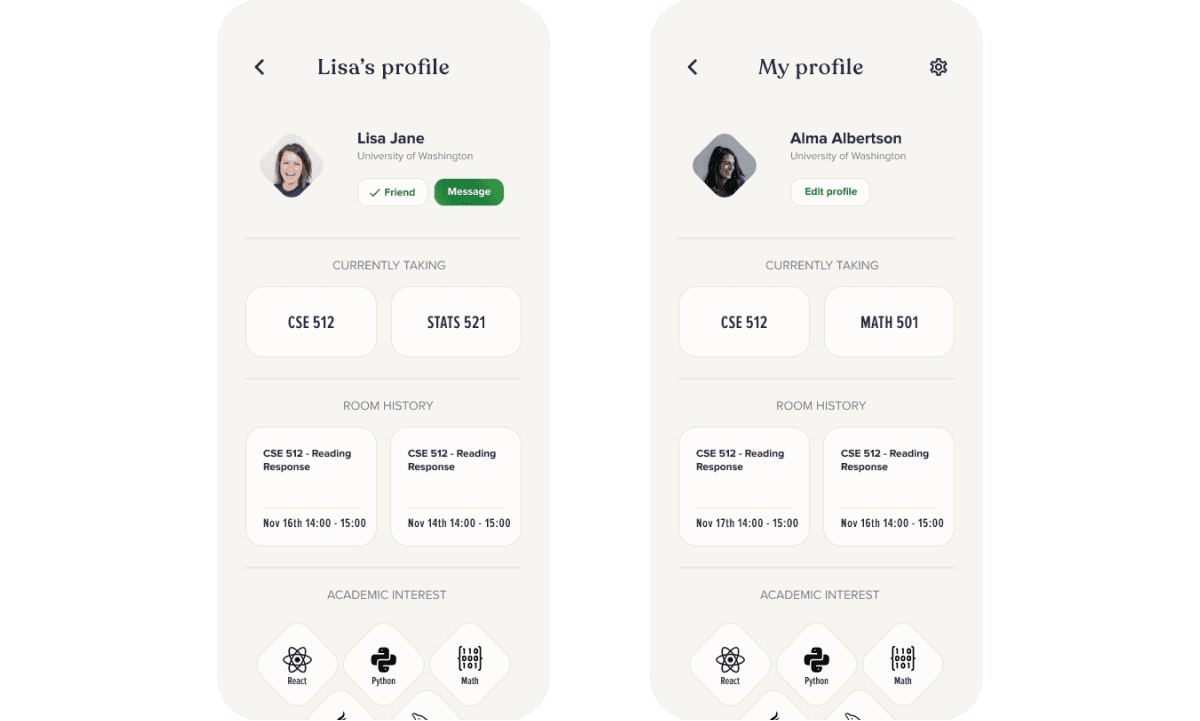
Profile
Add description to indicate who might be available around the discussion time so users do not have to scroll through the long lists.
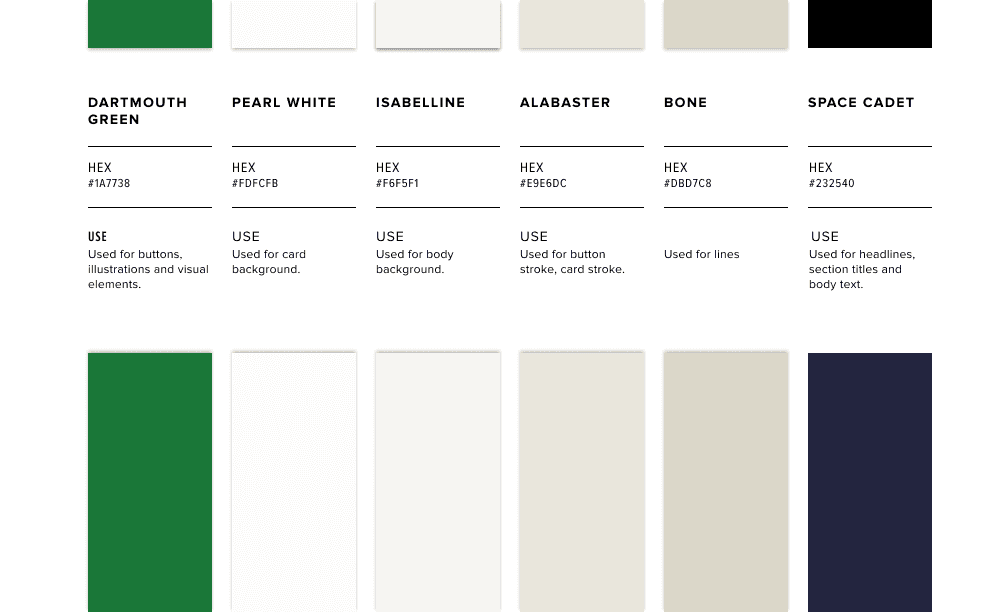
Branding & Identity
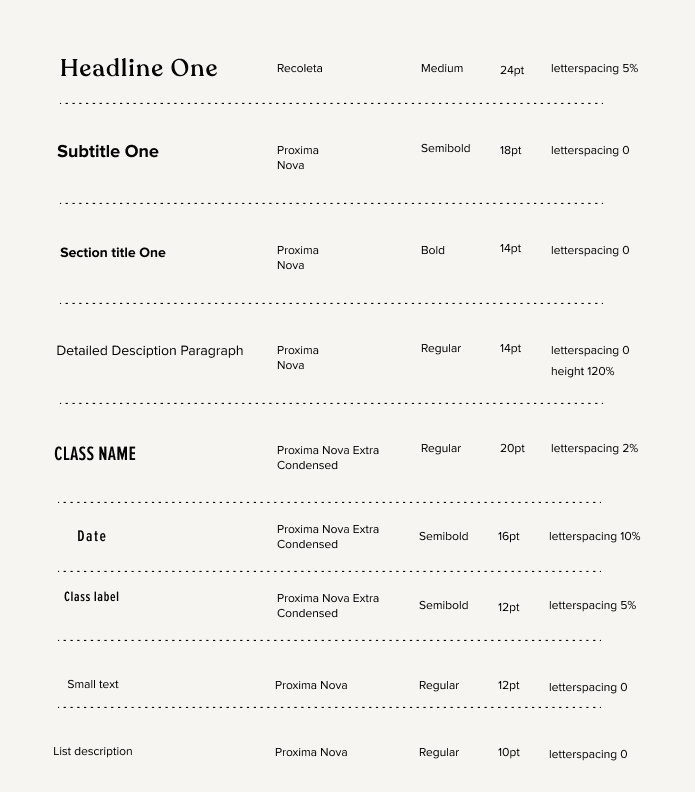
Considering that this project is associated with technology and also considering that our users would like to seek a collaborative learning experience, we decided to go for green which symbolizes a strong tree supporting students' learning journey. We planned to create a detailed visual guideline for the next phase.
07
/
Evaluation
Usability Testing
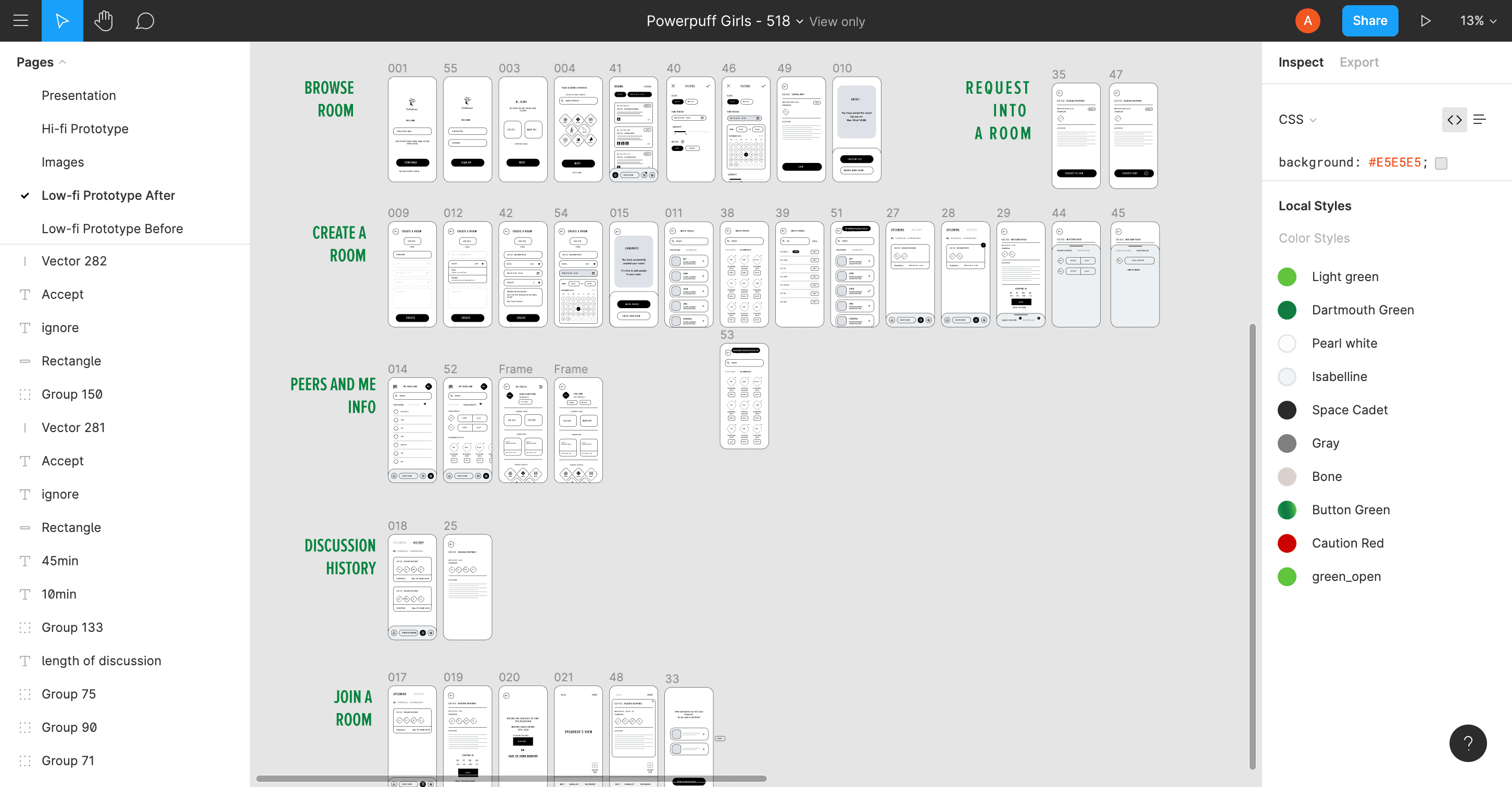
Focus group and 1:1 interviews with primary users
In this stage, my team and I conducted focus group interviews along with 1:1 interviews and learned more about users' needs. As a moderator in the focus group session, this is a good opportunity for me to share our design with the UW community and talk to them about.
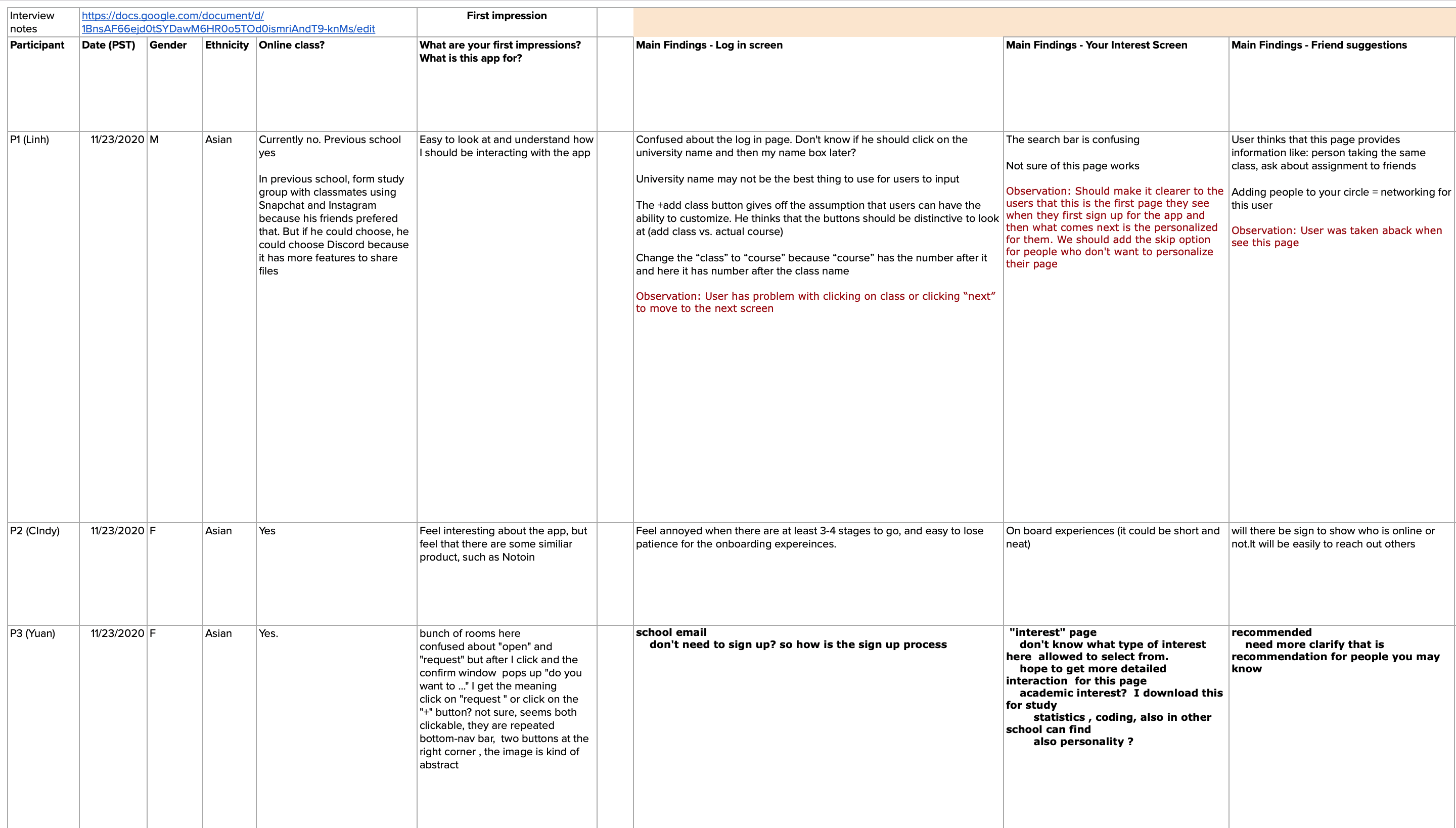
Design Iterations
According to our feedback from 1:1 interviews, we gained helpful feedback and then iterated design based on it. Here are some important design improvements, and then connect a rich text element to that field in the settings panel. Voila!
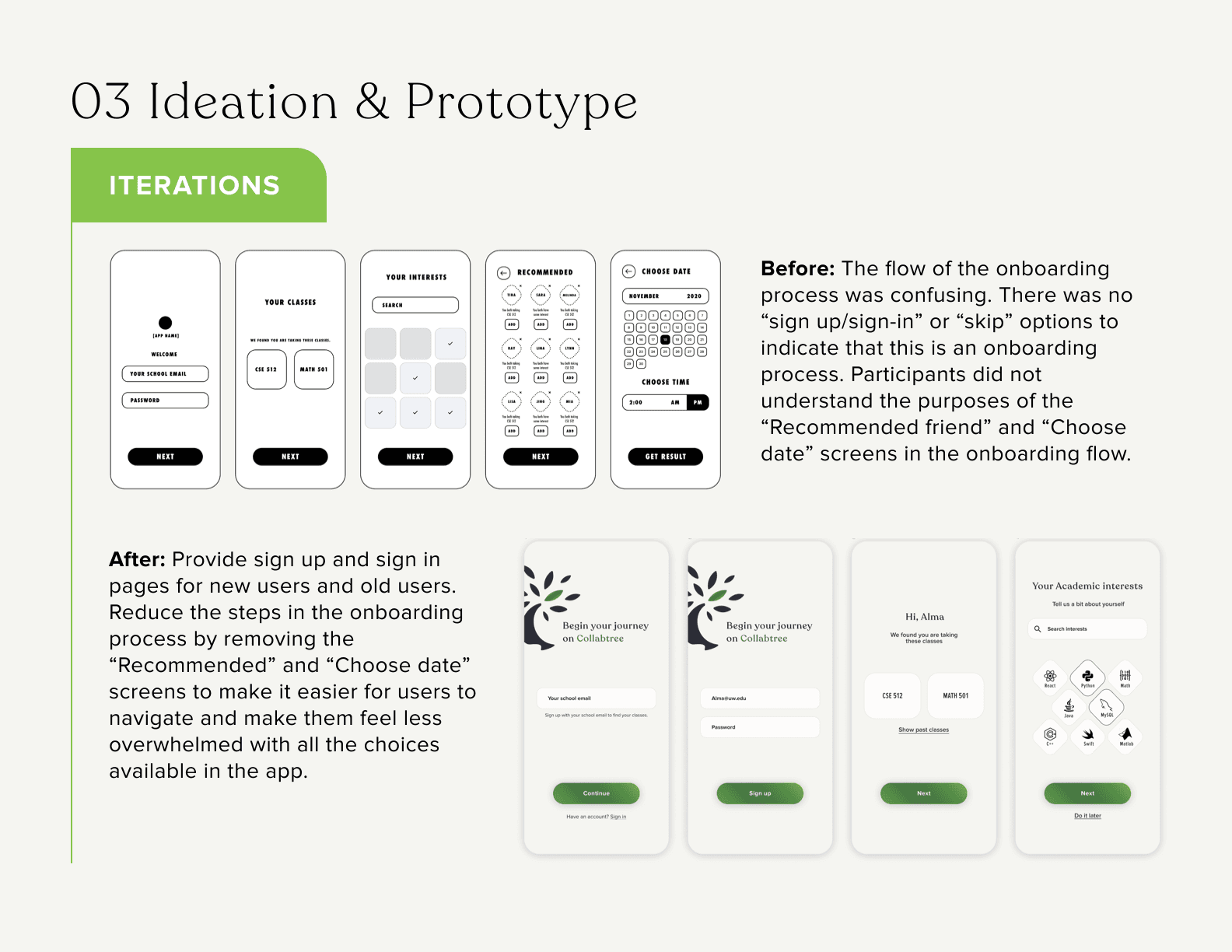
Final Design
Headings, paragraphs, block quotes, figures, images, and figure captions can all be styled after a class is added to the rich text element using the "When inside of" nested selector system. After usability testing, we improved the design based on their feedback.
We identified five core tasks we wanted to test in our usability testing session:
Browsing and join a room Create a room
Inviting friends to a room
Entering a discussion room
Reviewing upcoming and history lists
Through our tests, we identified five usability findings and a brief list of recommendations for improving the usability of the product.
08
/
Takeaways
Takeaways and Future Work
Further usability studies will be conducted to evaluate the effectiveness of the redesign.
Would like to think of ways to transform the interactive learning experiences into an analytics page.
Build on the app’s facilitation of existing communities by allowing mentors to add events to the platform that may not appear on the university calendar- giving students the “inside scoop” of campus.

Research
Our group planned well in advance (recruiting, testing environment) then choose the best work style that generated excellent collaboration.
We delegated tasks among team members well and maximized testing efficiency.
Ideation
It would have been better if we had had a standardized set up flow before each testing session. This would have helped us save time and made sure every piece of research was on the same page.
Testing with more participants and simulating the real testing conditions as much as possible.
The ideation & research methods could have been used throughout the whole design process when needed.