Microsoft
A collection of UX/UI projects focused on Copilot and learning experiences across Microsoft 365.
My Role
Product Designer
Tool Used
Figma
Timeline
3 years
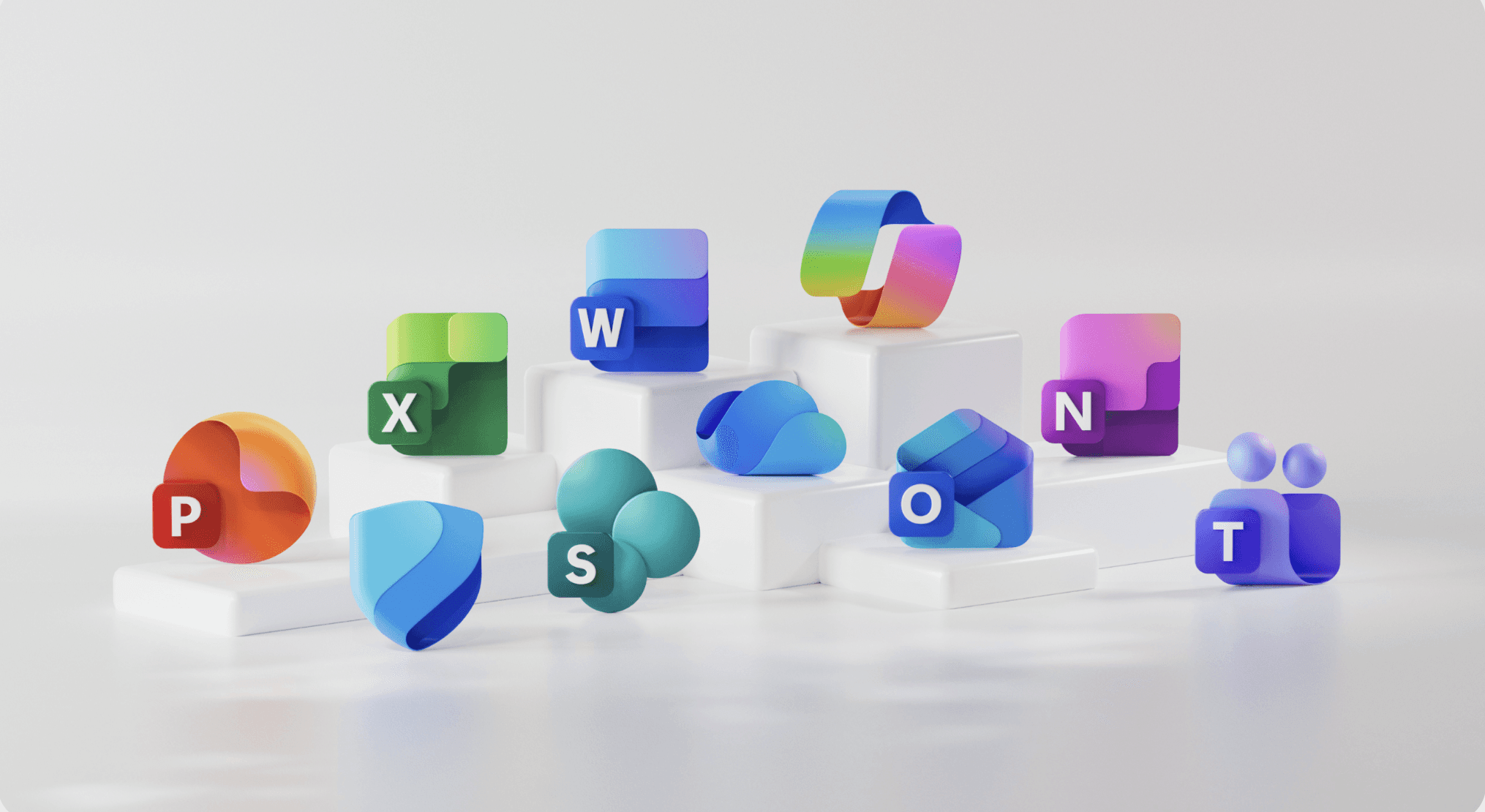
At-A-Glance
This is an overview of the projects I contributed to as a contract Product (UX/UI) Designer from 2022 to 2025, with a primary focus on Copilot experiences across Microsoft 365. My work spanned the Copilot Prompt Gallery Website and Help & Learning experiences in Teams, Word, PowerPoint, Excel, OneNote, and Outlook.
Microsoft Projects Overview

Microsoft Office
Helping Microsoft office new users get the most out of their subscriptions
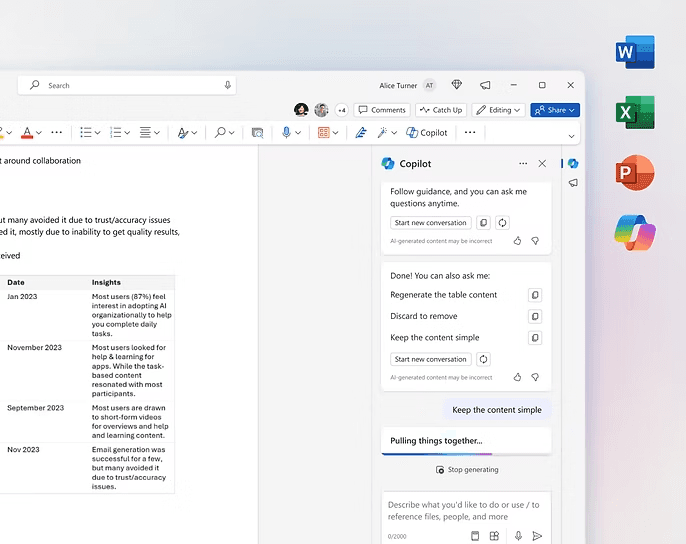
M365 Copilot Experience
Deliver personalized and learning hubs focus experiences to end users that increase awareness of key features to improve the perception of value.
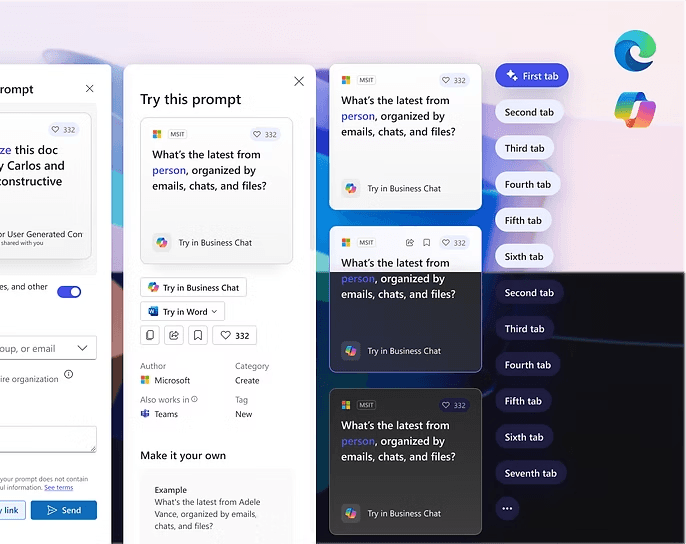
Copilot Prompt Gallery UI Library
A UI Kit was created for the Copilot Prompt Gallery website, covering key components for both web and mobile platforms in light and dark modes.
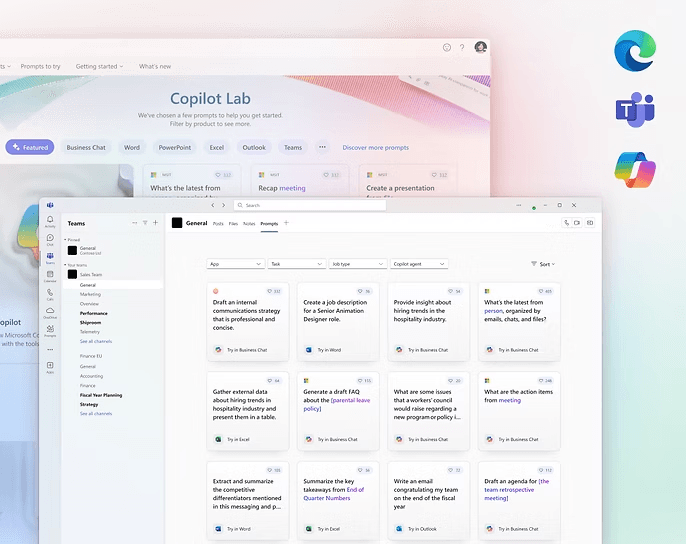
MetaOS Concept
Conceptualization of MetaOS, focusing on the design of an integrated operating system to support seamless cross-platform experiences and optimized workflows.
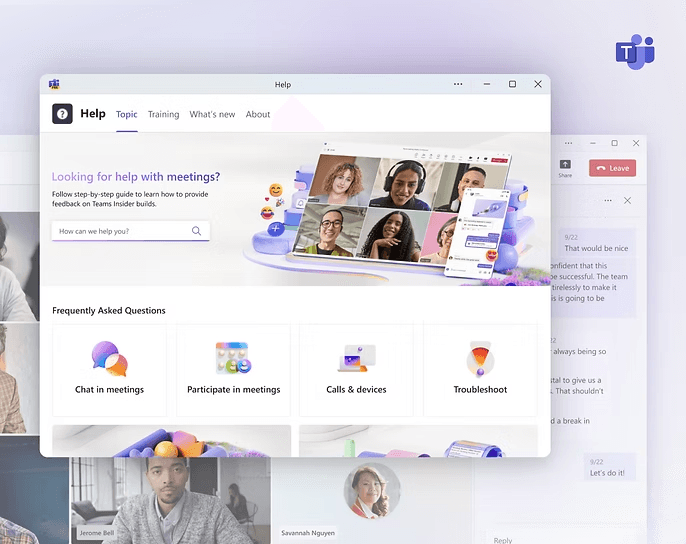
Microsoft Teams Help in Meeting
Redesign of the help experience in Meeting, focusing on providing in-meeting support, contextual help, and seamless access to resources during meetings.
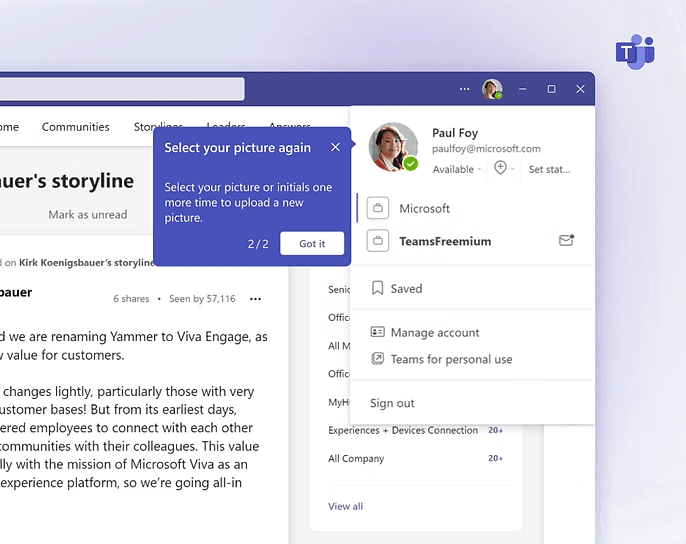
Teams Step-by-Step Guidance
Updating teaching callouts and coachmarks to provide task-based guidance, enhancing self-learning for SMB users, improving both single and multi-task completion.

Microsoft Ignite 2024 - Copilot Lab
Designed UX/UI for Copilot apps (desktop and mobile), the Copilot Labs website, and a component library showcased at Microsoft Ignite 2024.
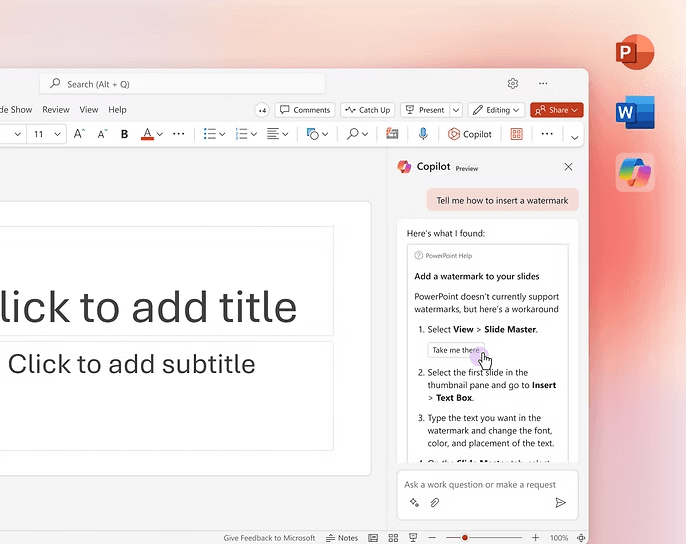
M365 Self-Skill Help Experience
Create a new skill that provides help and how-to instructions within the Copilot experience using existing in-app Quick Answers and Help articles.
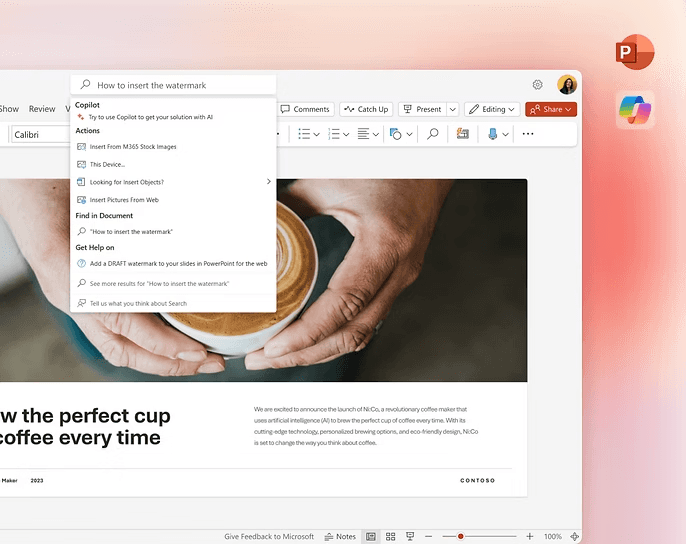
M365 Search and Help Experience
Iteration of the M365 Search and Help experience, improving search accuracy, accessibility, and integrating contextual help for a more intuitive user navigation across Microsoft 365 apps.
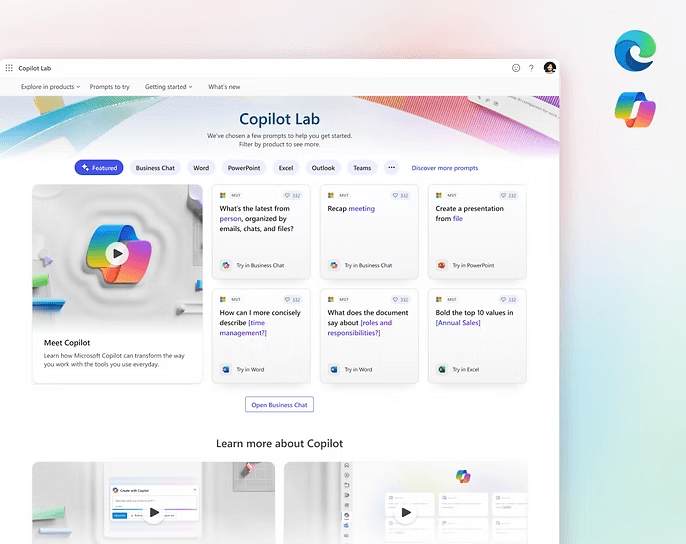
Copilot Prompt Gallery Landing Page
Iteration of the Copilot Prompt Gallery Landing Page, improving prompt organization, user navigation, and overall interaction for seamless discovery.
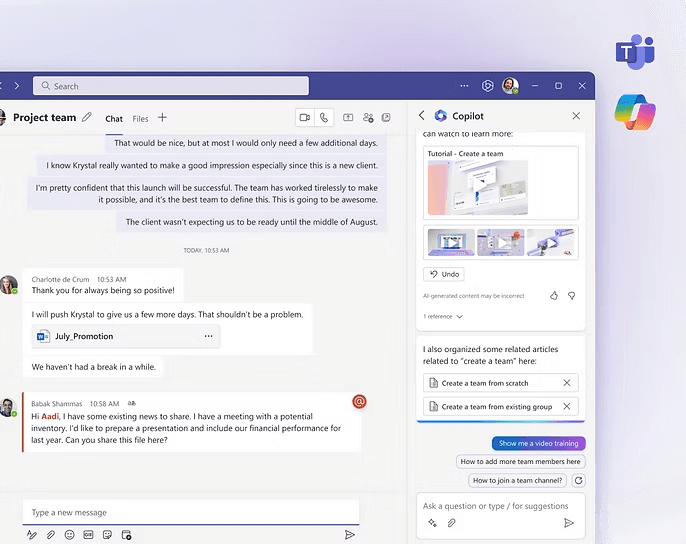
Teams Copilot Concept
Focusing on designing an AI-powered assistant to enhance meeting collaboration, task management, and real-time support within Microsoft Teams.
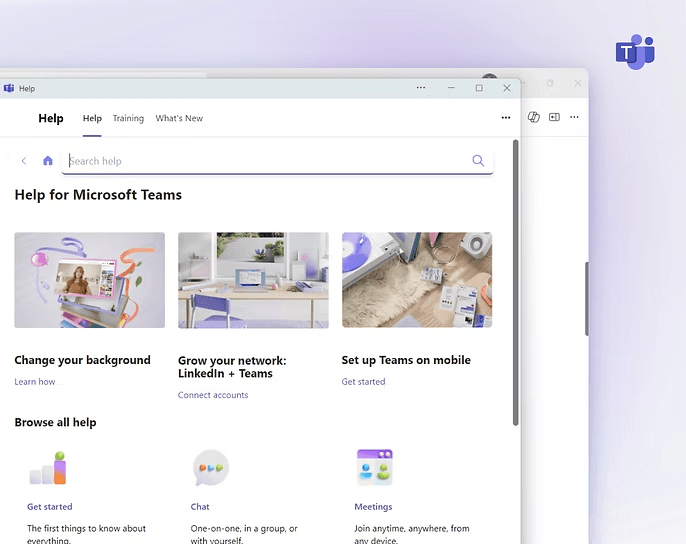
Teams Landing page Refresh
Focusing on UI Visual improvements, including section reorganization, visual redesign, action button enhancements, and a revamped hero section.
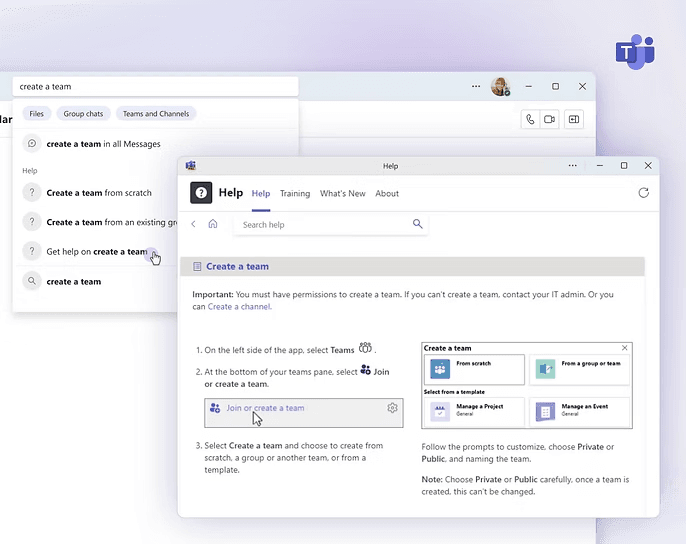
Teams Contextual Help & Global Search
Optimizing in-app help access and search functionality, offering personalized, context-aware assistance and streamlined navigation across the platform.
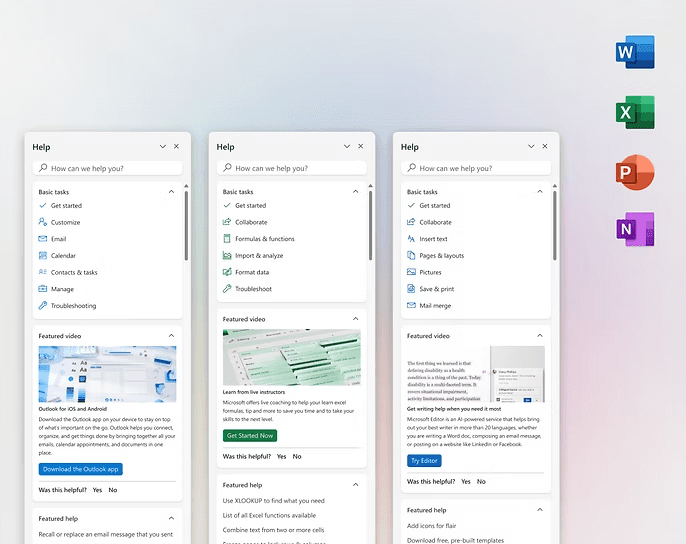
M365 Help Center
Design Concepts and User Studies for In-App Help Landing Page to Increase Landing Page engagement and reduce abandonment rate.
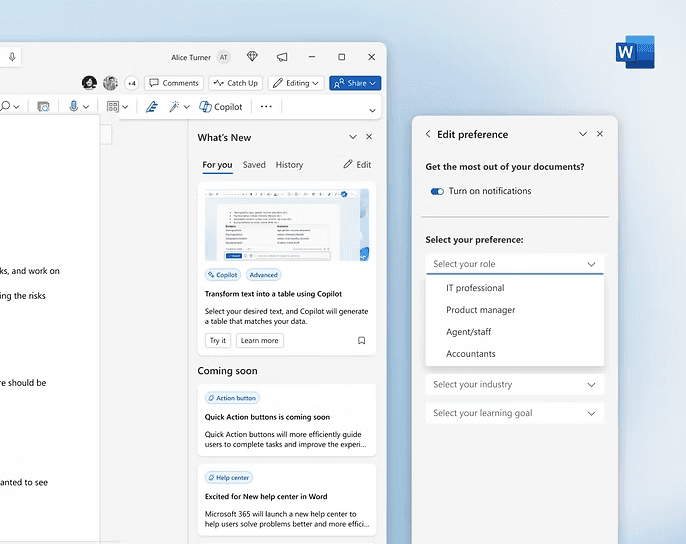
What's New For You Pane - Word
The What’s New feature in M365 will be redesigned to increase user engagement by promoting Copilot and related features in a more personalized way.
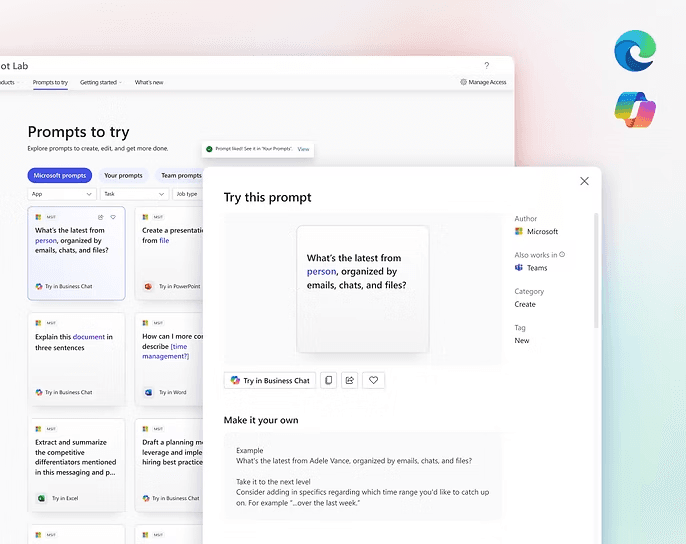
Copilot Prompt Gallery User Experience
Refinement of the Copilot Prompt Gallery UX, enhancing filtering, detail pages/dialogs, and streamlining share/save flows for improved user experience.
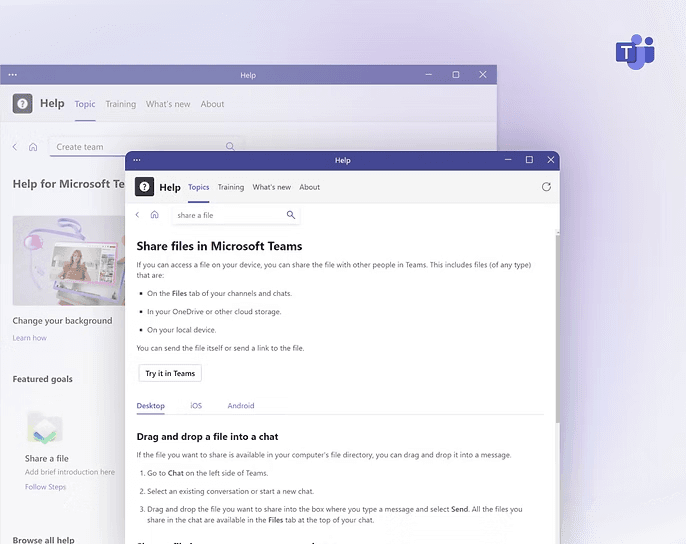
Teams New Help Center
Redesign of the Teams Help Center, improving UX from landing page to L2 pages, optimizing CTA, integrating contextual content, and enhancing search in help.
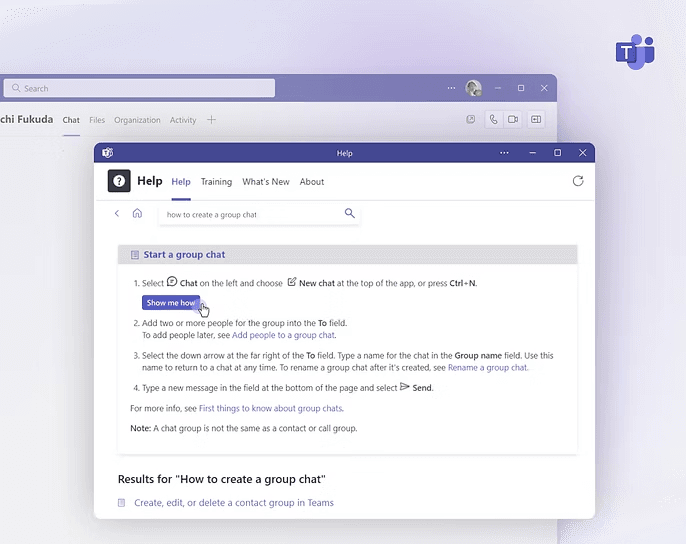
Teams Help Quick Action
Explorations for the use of CTA throughout the Teams help and learning experience to enhance user engagement and streamline access to resources.
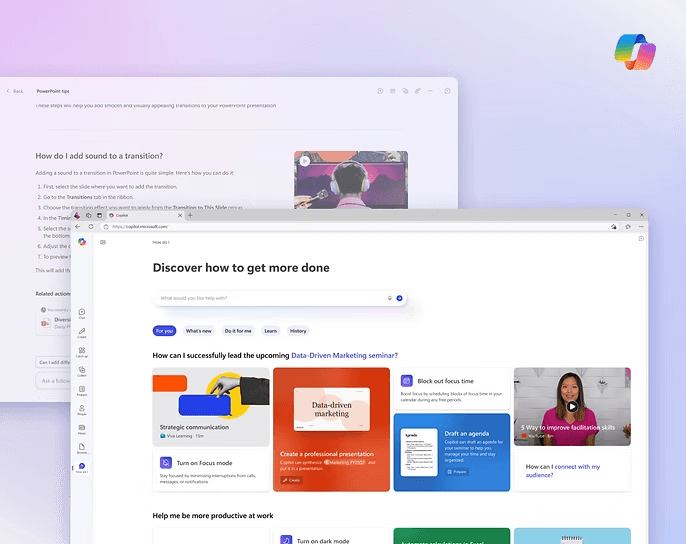
Copilot App - Assist Module
Iteration of the Copilot App's Assist Module, designing the user experience from scratch, creating landing & detail pages, and integrating with other modules/M365 products for seamless functionality.
Microsoft Office
Helping Microsoft office new users get the most out of their subscriptions
M365 Copilot Experience
Deliver personalized and learning hubs focus experiences to end users that increase awareness of key features to improve the perception of value.
Copilot Prompt Gallery UI Library
A UI Kit was created for the Copilot Prompt Gallery website, covering key components for both web and mobile platforms in light and dark modes.
MetaOS Concept
Conceptualization of MetaOS, focusing on the design of an integrated operating system to support seamless cross-platform experiences and optimized workflows.
Microsoft Teams Help in Meeting
Redesign of the help experience in Meeting, focusing on providing in-meeting support, contextual help, and seamless access to resources during meetings.
Teams Step-by-Step Guidance
Updating teaching callouts and coachmarks to provide task-based guidance, enhancing self-learning for SMB users, improving both single and multi-task completion.
Microsoft Ignite 2024 - Copilot Lab
Designed UX/UI for Copilot apps (desktop and mobile), the Copilot Labs website, and a component library showcased at Microsoft Ignite 2024.
M365 Self-Skill Help Experience
Create a new skill that provides help and how-to instructions within the Copilot experience using existing in-app Quick Answers and Help articles.
M365 Search and Help Experience
Iteration of the M365 Search and Help experience, improving search accuracy, accessibility, and integrating contextual help for a more intuitive user navigation across Microsoft 365 apps.
Copilot Prompt Gallery Landing Page
Iteration of the Copilot Prompt Gallery Landing Page, improving prompt organization, user navigation, and overall interaction for seamless discovery.
Teams Copilot Concept
Focusing on designing an AI-powered assistant to enhance meeting collaboration, task management, and real-time support within Microsoft Teams.
Teams Landing page Refresh
Focusing on UI Visual improvements, including section reorganization, visual redesign, action button enhancements, and a revamped hero section.
Teams Contextual Help & Global Search
Optimizing in-app help access and search functionality, offering personalized, context-aware assistance and streamlined navigation across the platform.
M365 Help Center
Design Concepts and User Studies for In-App Help Landing Page to Increase Landing Page engagement and reduce abandonment rate.
What's New For You Pane - Word
The What’s New feature in M365 will be redesigned to increase user engagement by promoting Copilot and related features in a more personalized way.
Copilot Prompt Gallery User Experience
Refinement of the Copilot Prompt Gallery UX, enhancing filtering, detail pages/dialogs, and streamlining share/save flows for improved user experience.
Teams New Help Center
Redesign of the Teams Help Center, improving UX from landing page to L2 pages, optimizing CTA, integrating contextual content, and enhancing search in help.
Teams Help Quick Action
Explorations for the use of CTA throughout the Teams help and learning experience to enhance user engagement and streamline access to resources.
Copilot App - Assist Module
Iteration of the Copilot App's Assist Module, designing the user experience from scratch, creating landing & detail pages, and integrating with other modules/M365 products for seamless functionality.
Microsoft Office
Helping Microsoft office new users get the most out of their subscriptions
M365 Copilot Experience
Deliver personalized and learning hubs focus experiences to end users that increase awareness of key features to improve the perception of value.
Copilot Prompt Gallery UI Library
A UI Kit was created for the Copilot Prompt Gallery website, covering key components for both web and mobile platforms in light and dark modes.
MetaOS Concept
Conceptualization of MetaOS, focusing on the design of an integrated operating system to support seamless cross-platform experiences and optimized workflows.
Microsoft Teams Help in Meeting
Redesign of the help experience in Meeting, focusing on providing in-meeting support, contextual help, and seamless access to resources during meetings.
Teams Step-by-Step Guidance
Updating teaching callouts and coachmarks to provide task-based guidance, enhancing self-learning for SMB users, improving both single and multi-task completion.
Microsoft Ignite 2024 - Copilot Lab
Designed UX/UI for Copilot apps (desktop and mobile), the Copilot Labs website, and a component library showcased at Microsoft Ignite 2024.
M365 Self-Skill Help Experience
Create a new skill that provides help and how-to instructions within the Copilot experience using existing in-app Quick Answers and Help articles.
M365 Search and Help Experience
Iteration of the M365 Search and Help experience, improving search accuracy, accessibility, and integrating contextual help for a more intuitive user navigation across Microsoft 365 apps.
Copilot Prompt Gallery Landing Page
Iteration of the Copilot Prompt Gallery Landing Page, improving prompt organization, user navigation, and overall interaction for seamless discovery.
Teams Copilot Concept
Focusing on designing an AI-powered assistant to enhance meeting collaboration, task management, and real-time support within Microsoft Teams.
Teams Landing page Refresh
Focusing on UI Visual improvements, including section reorganization, visual redesign, action button enhancements, and a revamped hero section.
Teams Contextual Help & Global Search
Optimizing in-app help access and search functionality, offering personalized, context-aware assistance and streamlined navigation across the platform.
M365 Help Center
Design Concepts and User Studies for In-App Help Landing Page to Increase Landing Page engagement and reduce abandonment rate.
What's New For You Pane - Word
The What’s New feature in M365 will be redesigned to increase user engagement by promoting Copilot and related features in a more personalized way.
Copilot Prompt Gallery User Experience
Refinement of the Copilot Prompt Gallery UX, enhancing filtering, detail pages/dialogs, and streamlining share/save flows for improved user experience.
Teams New Help Center
Redesign of the Teams Help Center, improving UX from landing page to L2 pages, optimizing CTA, integrating contextual content, and enhancing search in help.
Teams Help Quick Action
Explorations for the use of CTA throughout the Teams help and learning experience to enhance user engagement and streamline access to resources.
Copilot App - Assist Module
Iteration of the Copilot App's Assist Module, designing the user experience from scratch, creating landing & detail pages, and integrating with other modules/M365 products for seamless functionality.
Other Projects
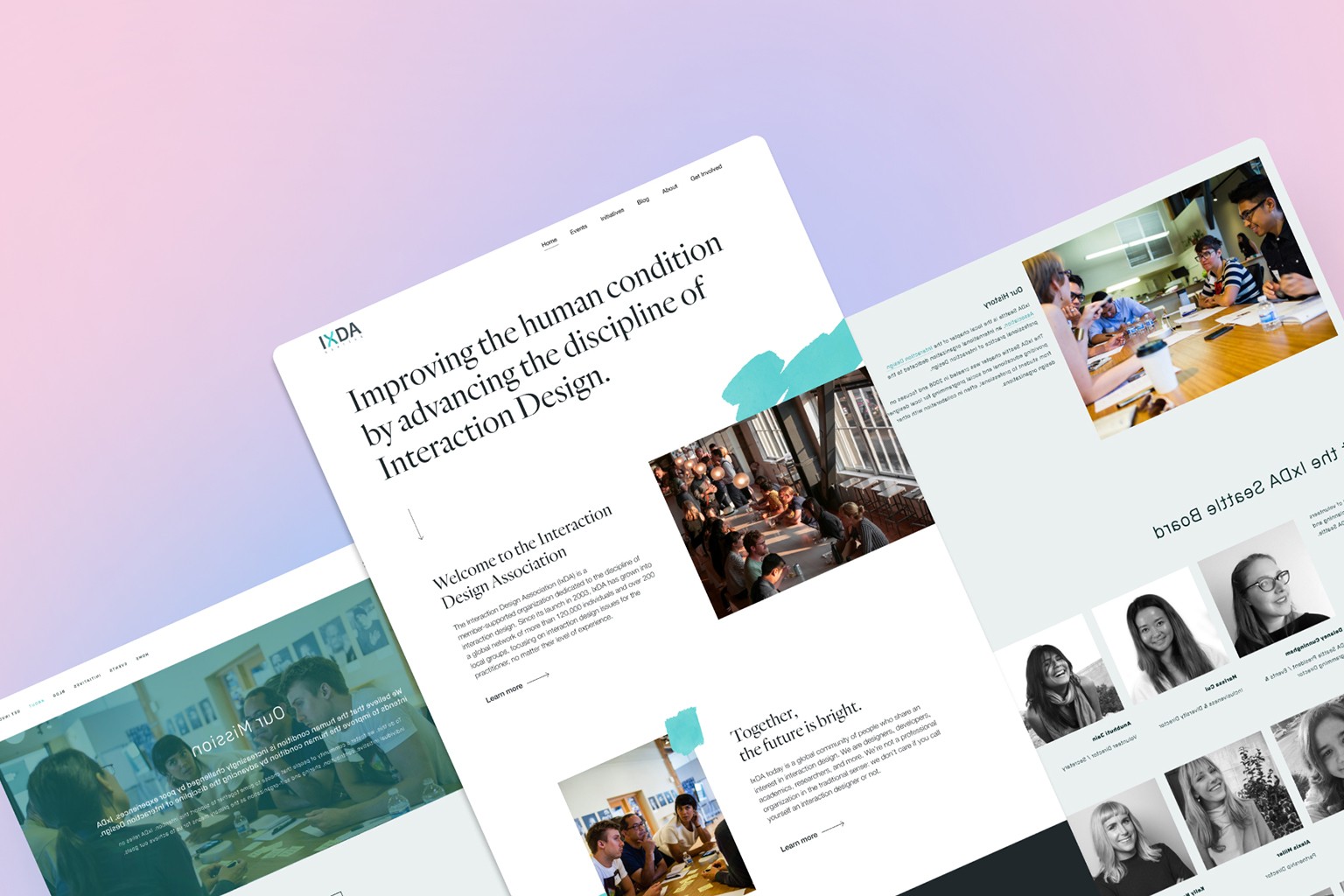
Revamping IxDA Seattle’s Visual Identity
Led a visual system refresh to modernize IxDA Seattle’s brand and improve consistency across event and digital experiences.
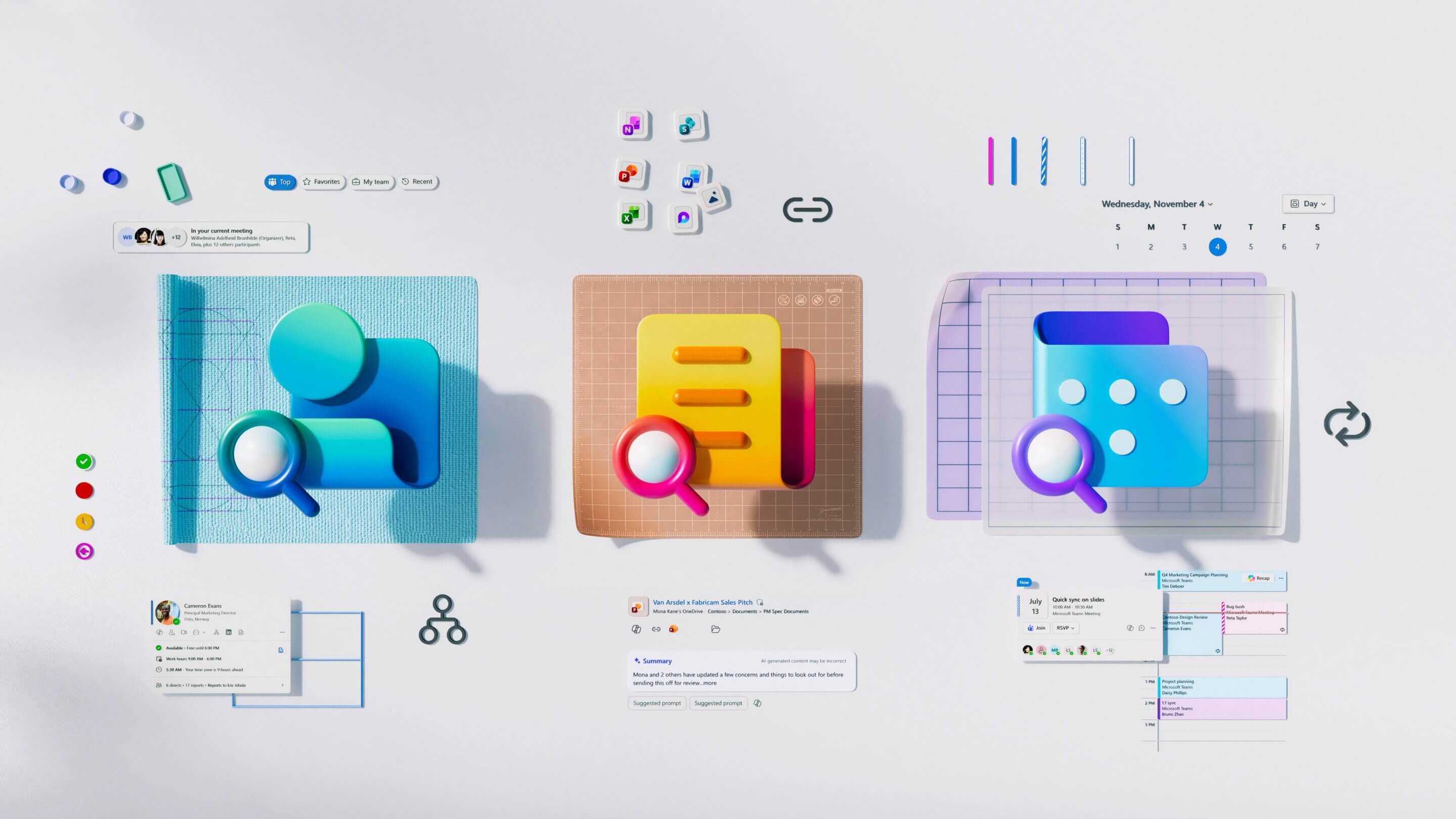
Microsoft Design System: Dashboard Cards
Scaled a core design system component into a flexible dashboard card system, enabling reuse across surfaces and improving product scalability.
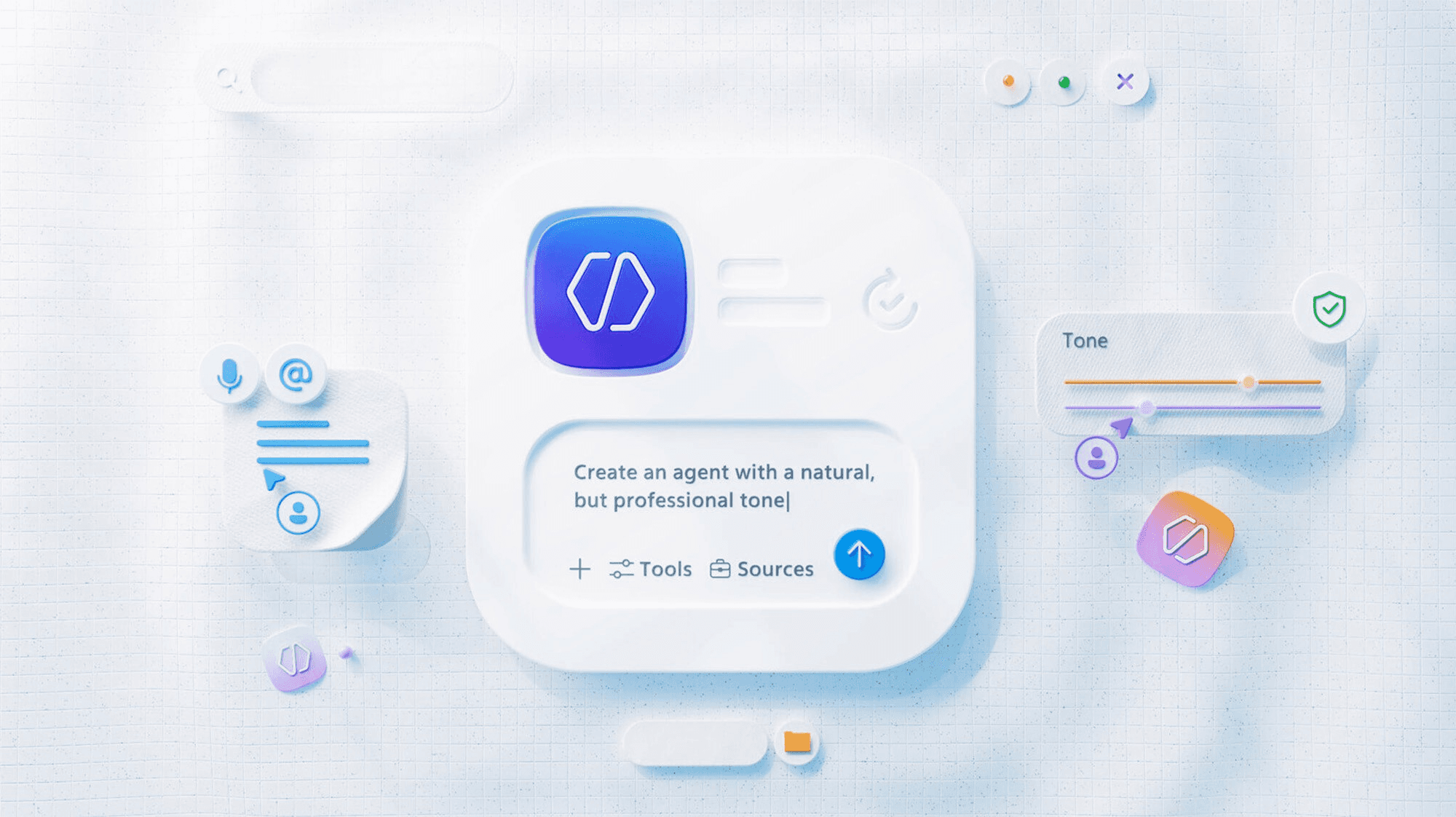
Microsoft Knowledge Experience Adoption
Redesigned the homepage to streamline activation and enable administrators to integrate knowledge experiences across Microsoft 365 workflows.
Other Projects
Revamping IxDA Seattle’s Visual Identity
Led a visual system refresh to modernize IxDA Seattle’s brand and improve consistency across event and digital experiences.
Microsoft Design System: Dashboard Cards
Scaled a core design system component into a flexible dashboard card system, enabling reuse across surfaces and improving product scalability.
Microsoft Knowledge Experience Adoption
Redesigned the homepage to streamline activation and enable administrators to integrate knowledge experiences across Microsoft 365 workflows.
Other Projects
Revamping IxDA Seattle’s Visual Identity
Led a visual system refresh to modernize IxDA Seattle’s brand and improve consistency across event and digital experiences.
Microsoft Design System: Dashboard Cards
Scaled a core design system component into a flexible dashboard card system, enabling reuse across surfaces and improving product scalability.
Microsoft Knowledge Experience Adoption
Redesigned the homepage to streamline activation and enable administrators to integrate knowledge experiences across Microsoft 365 workflows.