01
/
Intro
Game for changes
In November 2019, I was looking for chances to practice my interaction design skills in some real-world projects. When I was browsing DemocracyLab, A/B Street caught my eyes. I’ve long been interested in persuasive design and gamification. “Game for changes” plus design for complex game UI sounded so fascinated that I sent a message to Dustin, the founder & developer of the game, as long as I finished reading the project brief. Since then, I’ve been working as a UX designer for the game.
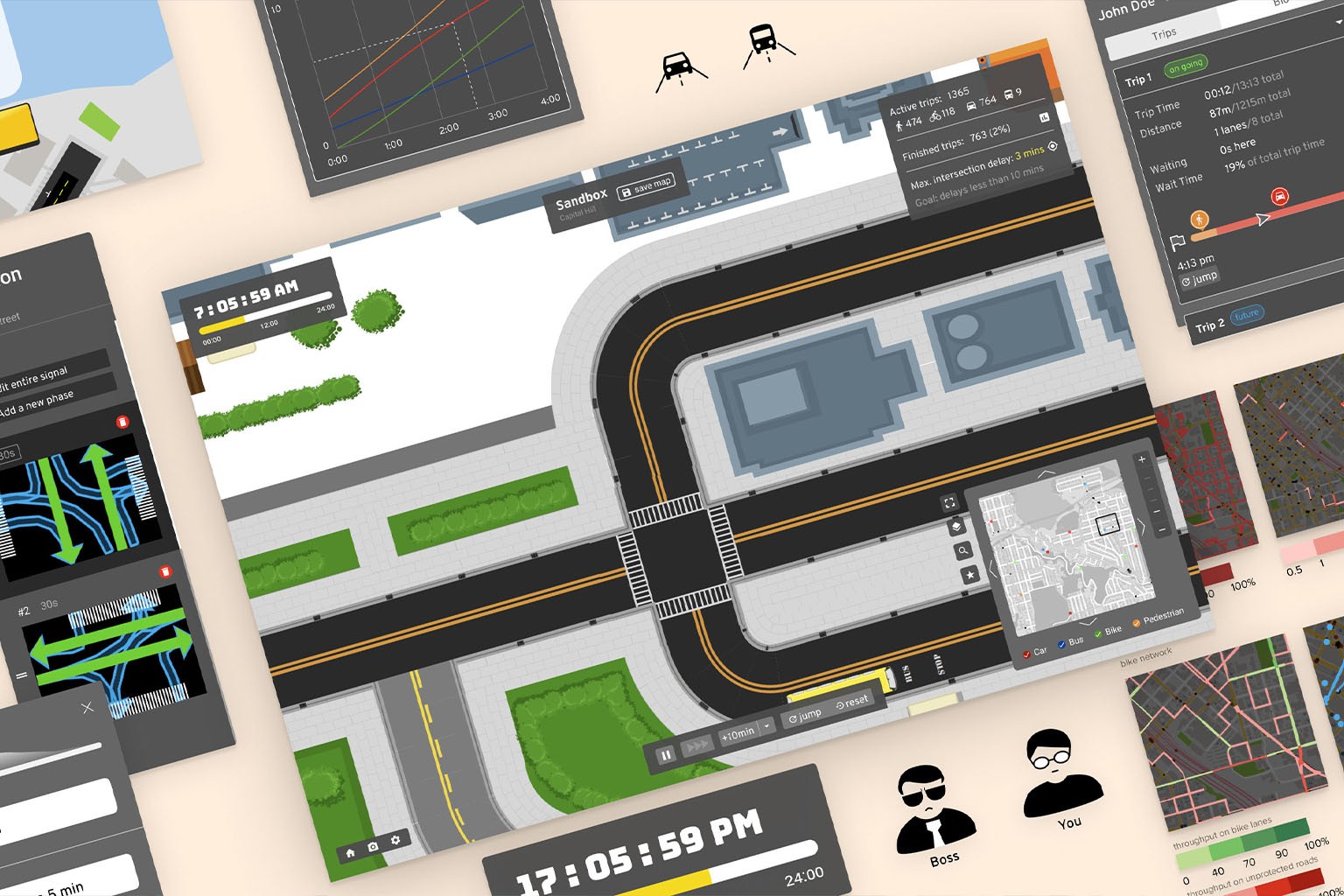
At the point when I joined the project, Dustin has already built up a complex game with complete simulations of traffic in Seattle where players can make changes to roads and intersections or take various challenges about traffic improvements.
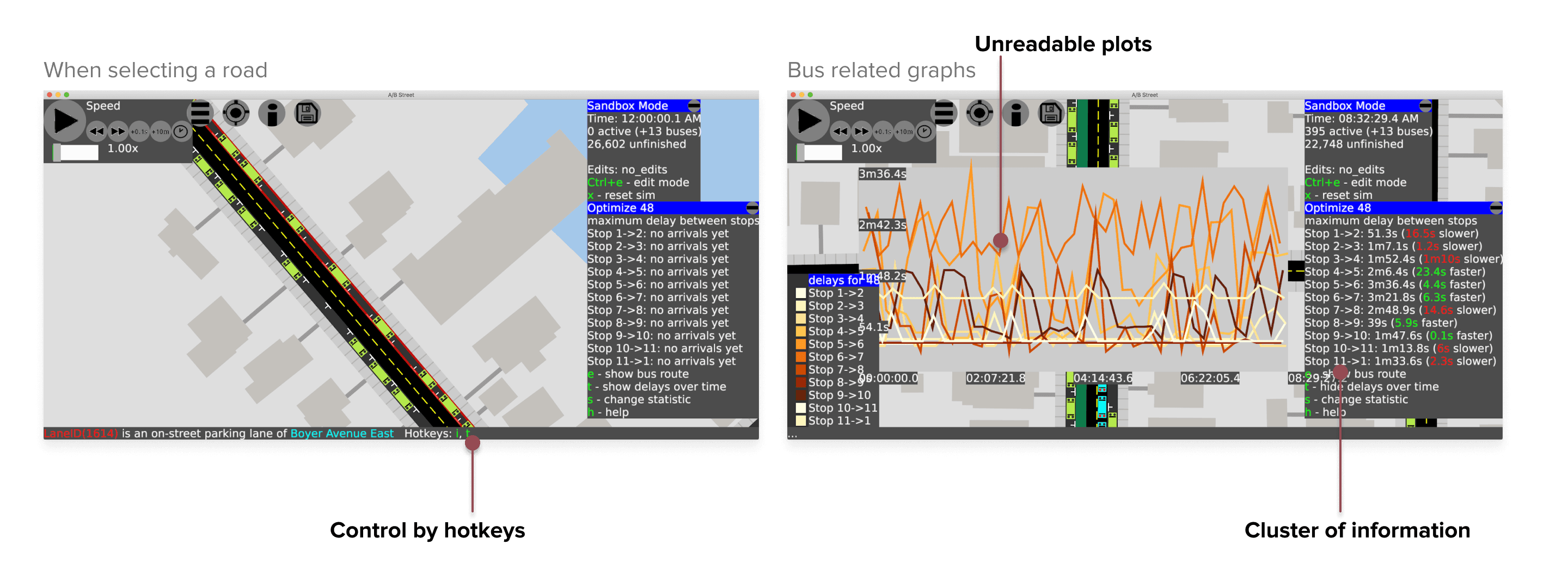
However, the interactions of the game were highly depended on hotkeys and the interface was clustered with information and data visualization. To attract not only civil engineering and GIS enthusiasts but the general public as well, a clearer and more intuitive game interface was needed.
02
/
Approach
How I started and planned out the design
The whole process consists of multiple design sprints:

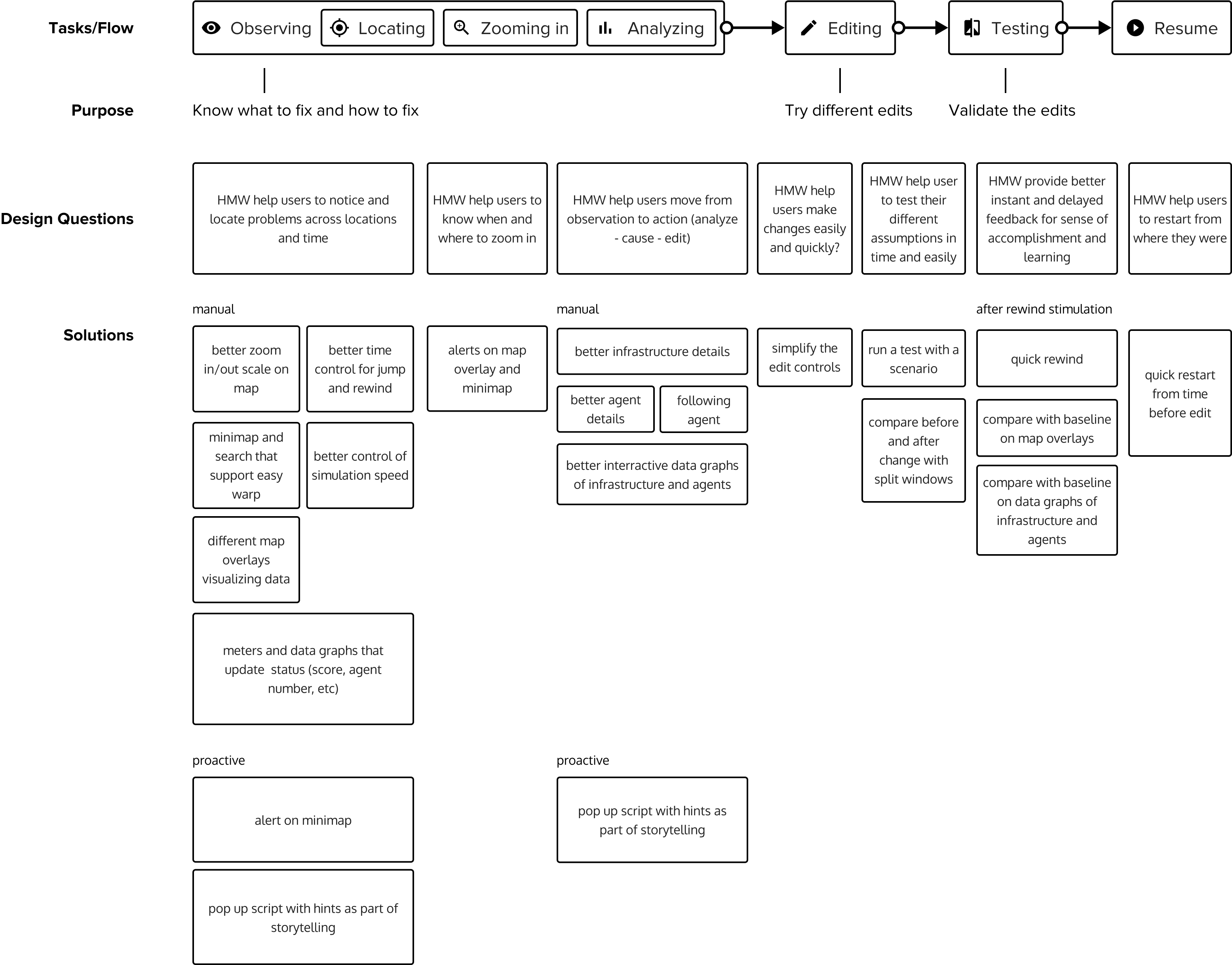
Before started, I diagramed the basic tasks and flows of the game and the purposes of each task after discussing with the founder. With this in mind, in each sprint, I conducted in-group cognitive walkthroughs to identify the key usability problems and design questions for a specific task. Then, we ideated solutions for each question one by one as a group and I prototyped the solutions after the brainstorming. After the design was implemented, I conducted usability testing with the target audience or another walkthrough to validate and adjust the design along the way.
03
/
Research & Ideate
Game Design & Player Flow
Game UI design is different from normal UI since the goals of players’ actions are devised by game mechanisms and the tasks and flows are defined by rules. However, similar to normal UI design, a good UI makes it fast and easy for the players to learn what is available, perform the tasks, and pick up the flows.
Here is the key player flow we mapped out for the game, the problems players have when completing each task, and the proposed solutions for the problems:
04
/
Solution
Solution
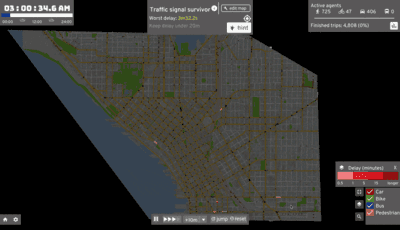
Locate and zoom in to a problem
“Oh! There is a huge delay at this intersection."
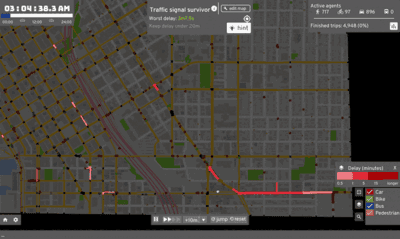
Analyze the causes
"Emmm, seems like a lot of cars are rushing into the intersection from this direction."
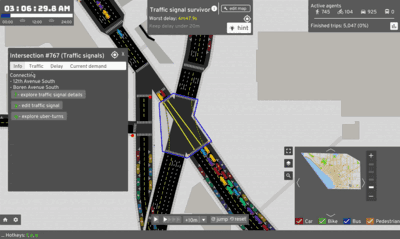
Edit the map to fix the problem
"Let's change the traffic signal to increase the time for this direction."
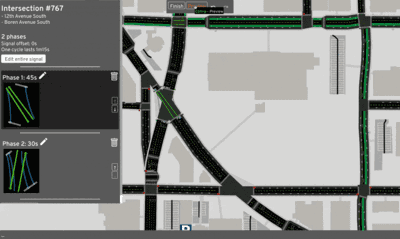
Test the solution in simulation
"Things seem to get little better. What else should I do?"
05
/
Interaction Design
How to support player flow with better Game UIs
1. Locate and zoom in to a problem
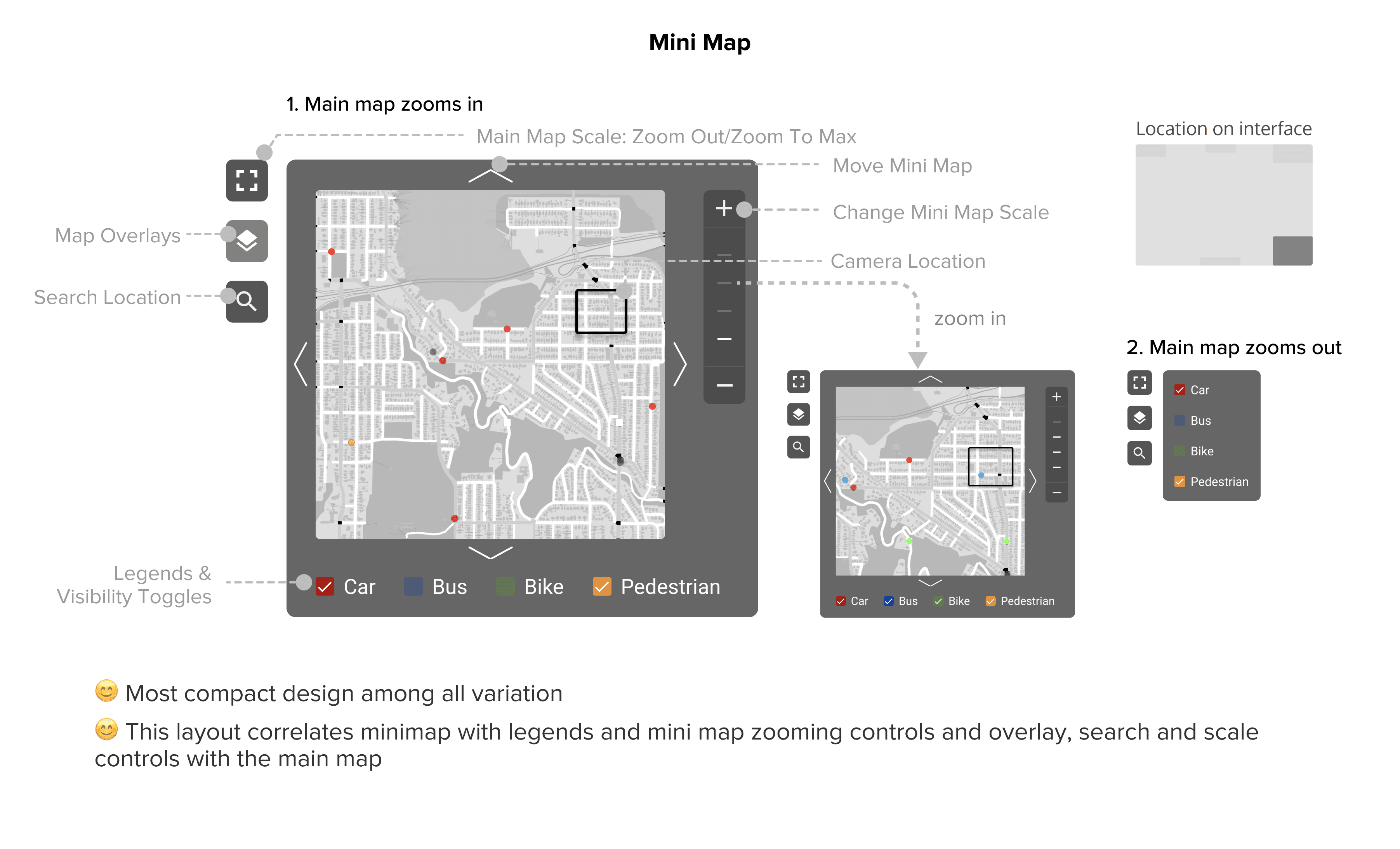
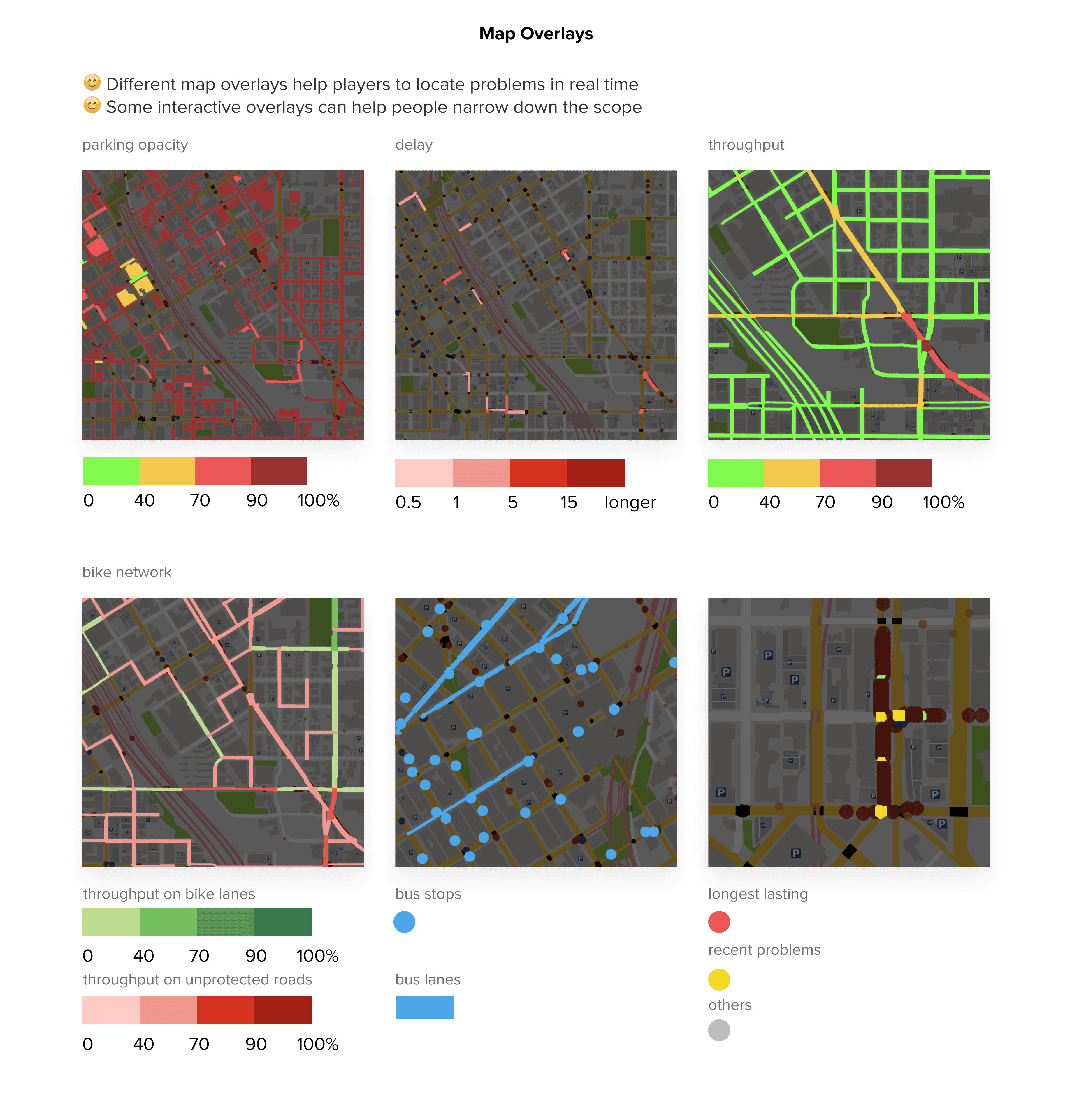
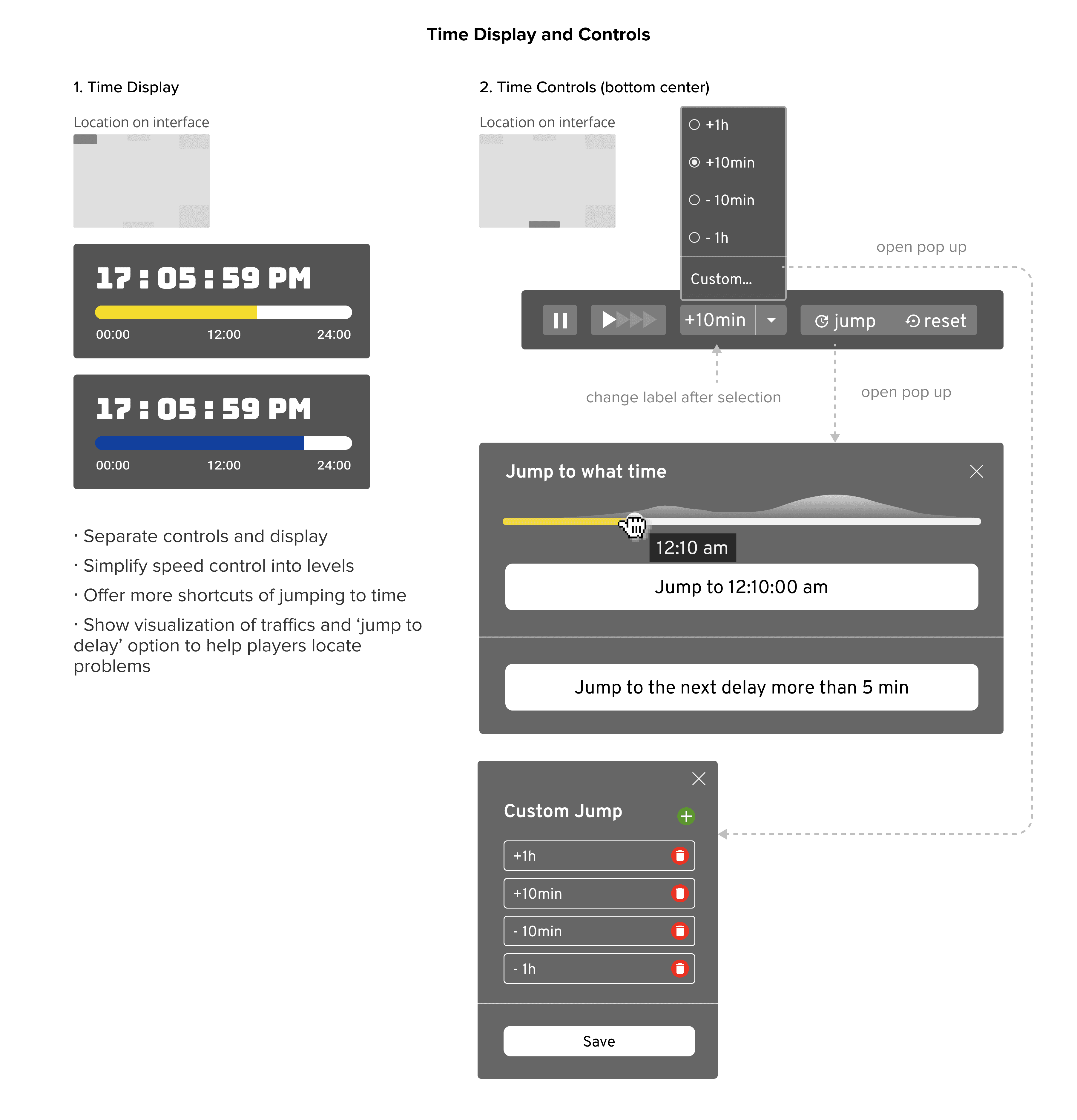
On the one hand, players need to locate problematic areas on the map. On the other hand, they need to locate problematic periods of time in certain areas. Therefore, a better way to navigate on map and time is important. Also, players focus on different problems in different challenges. A better way to display game goals and check current performance against the goals is also very helpful for players to discover problems.
#1 Map Navigation
💡 Reflection
Some of the colors apply here are not accessible to people with visual impairment. More work need to be done to improve the accessibility.
#2 Time Navigation
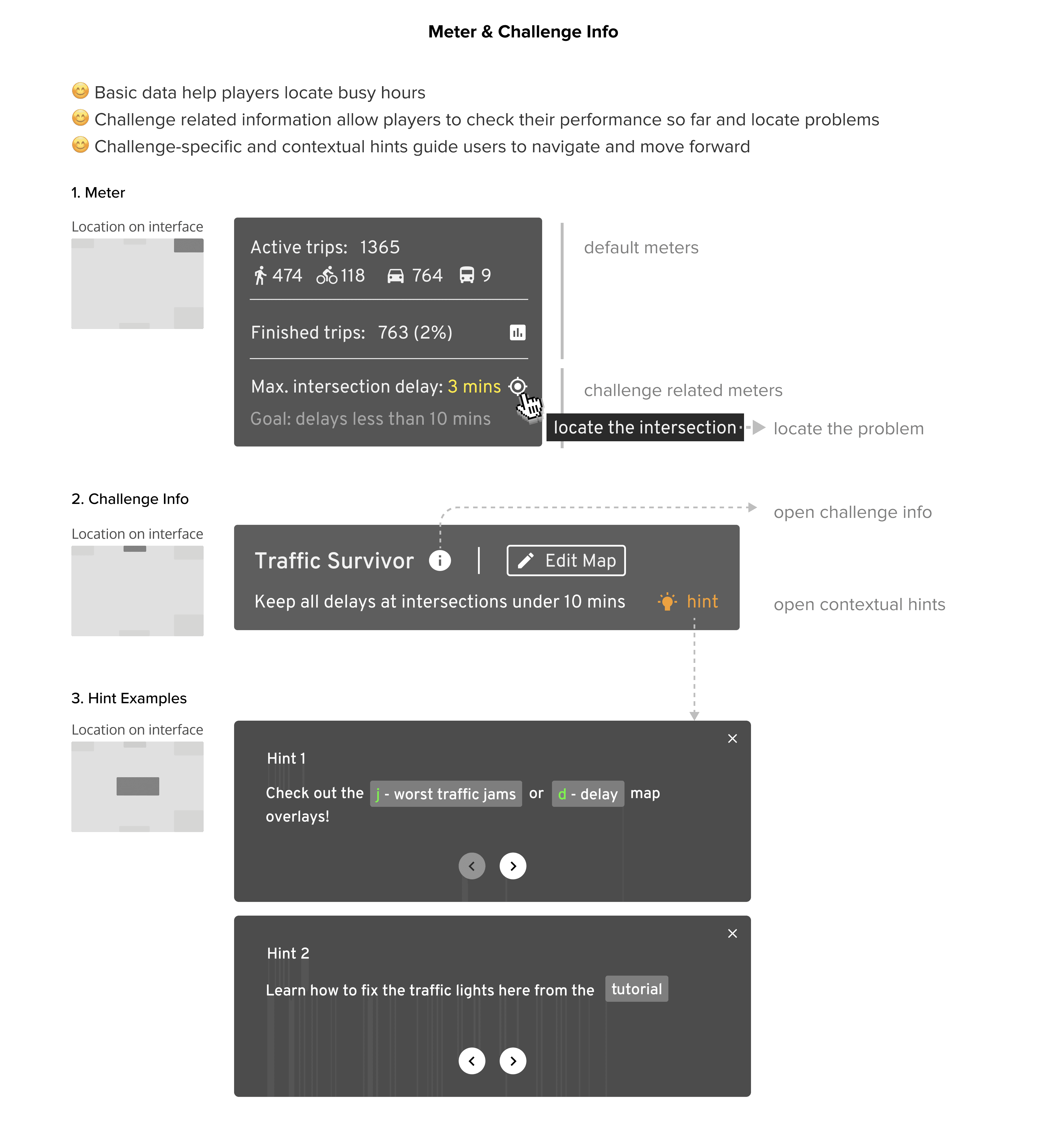
#3 Goals and Current Status
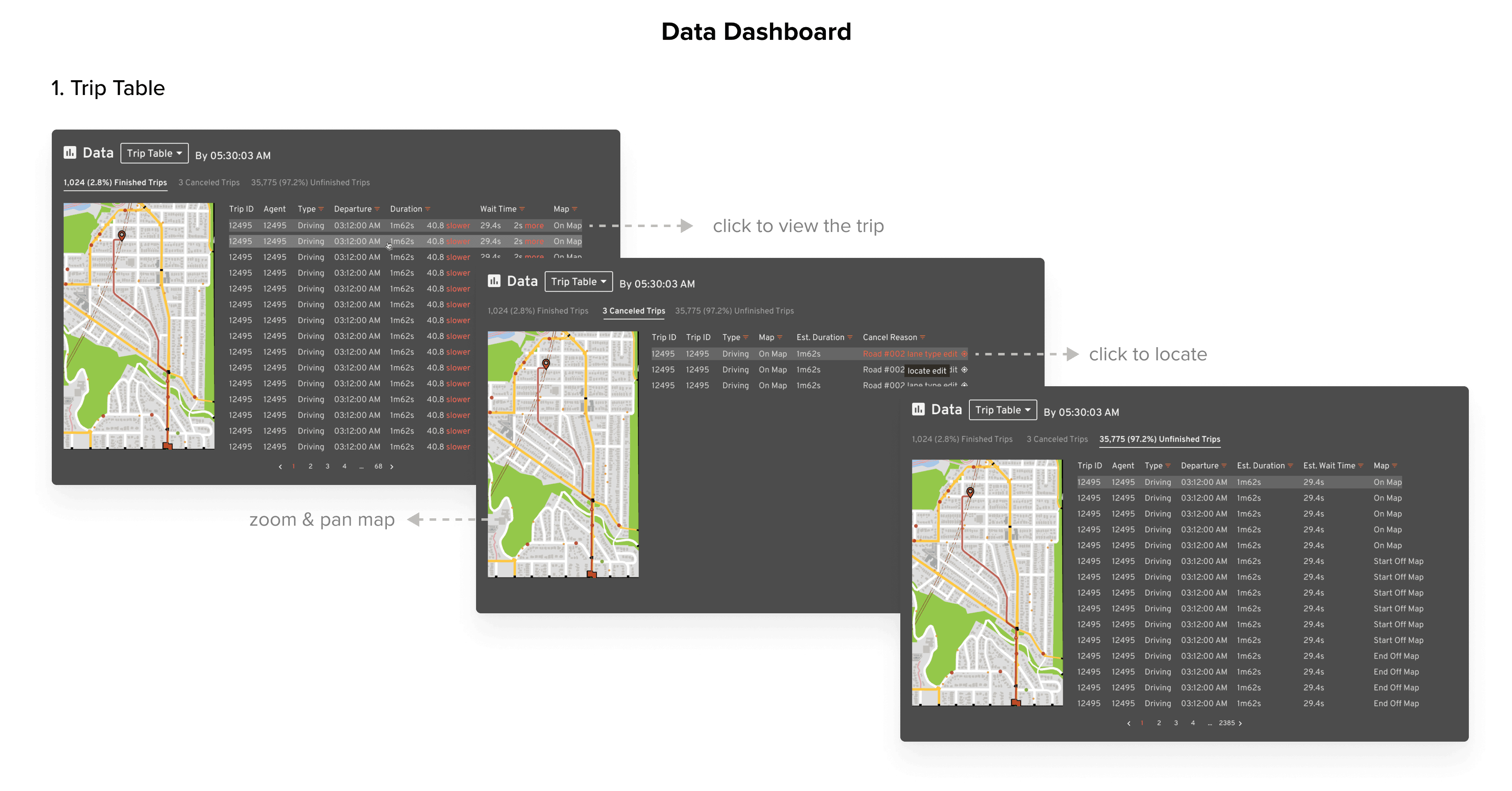
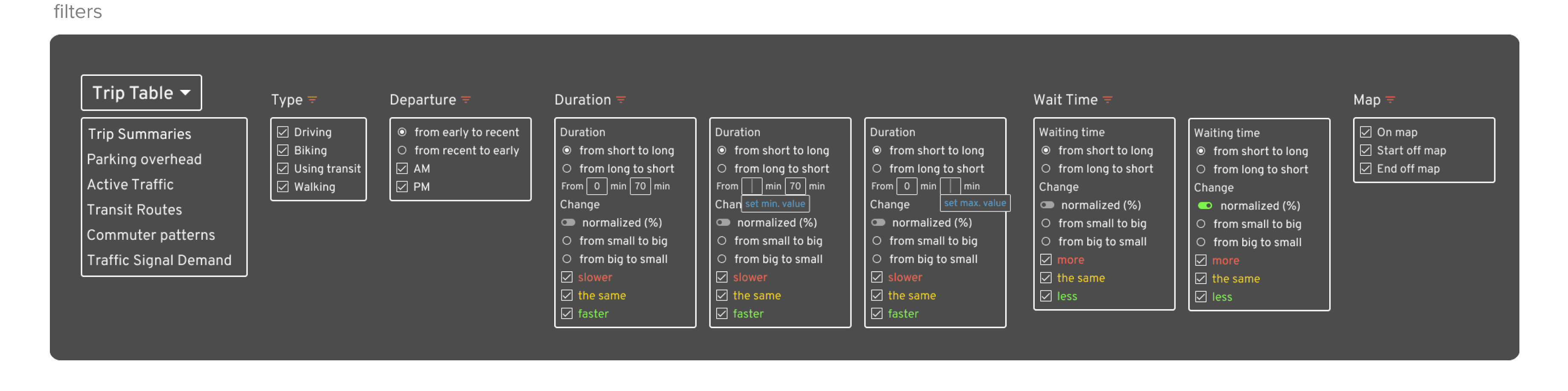
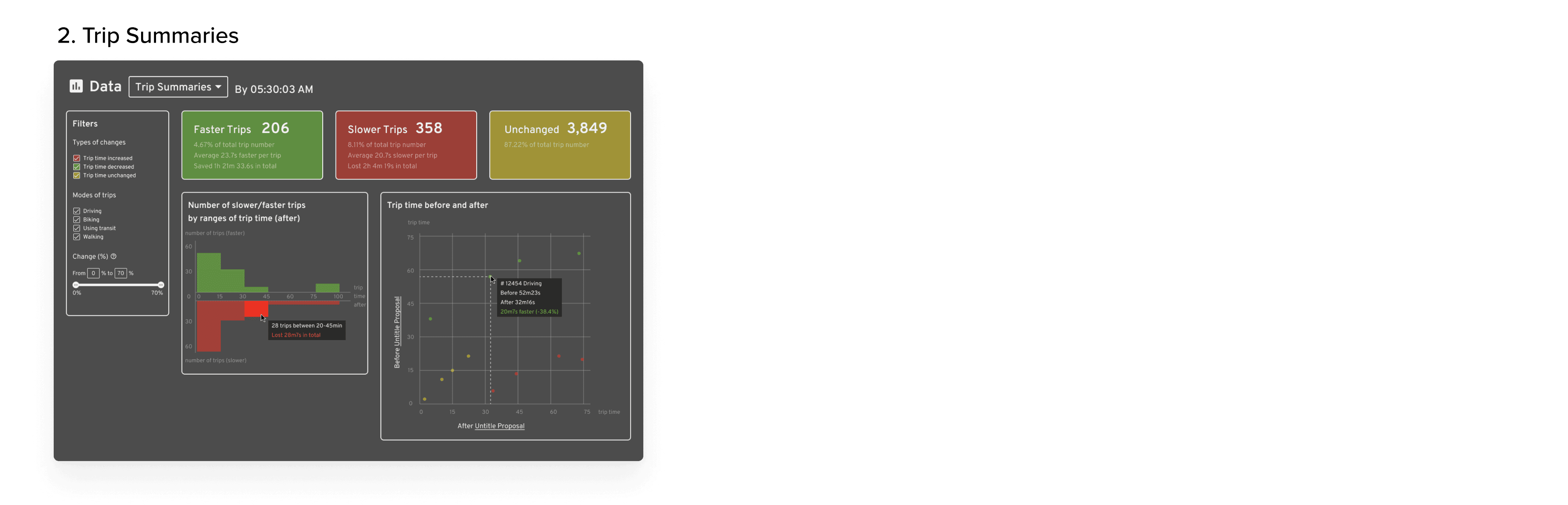
#4 Data Dashboard
2. Analyze the causes
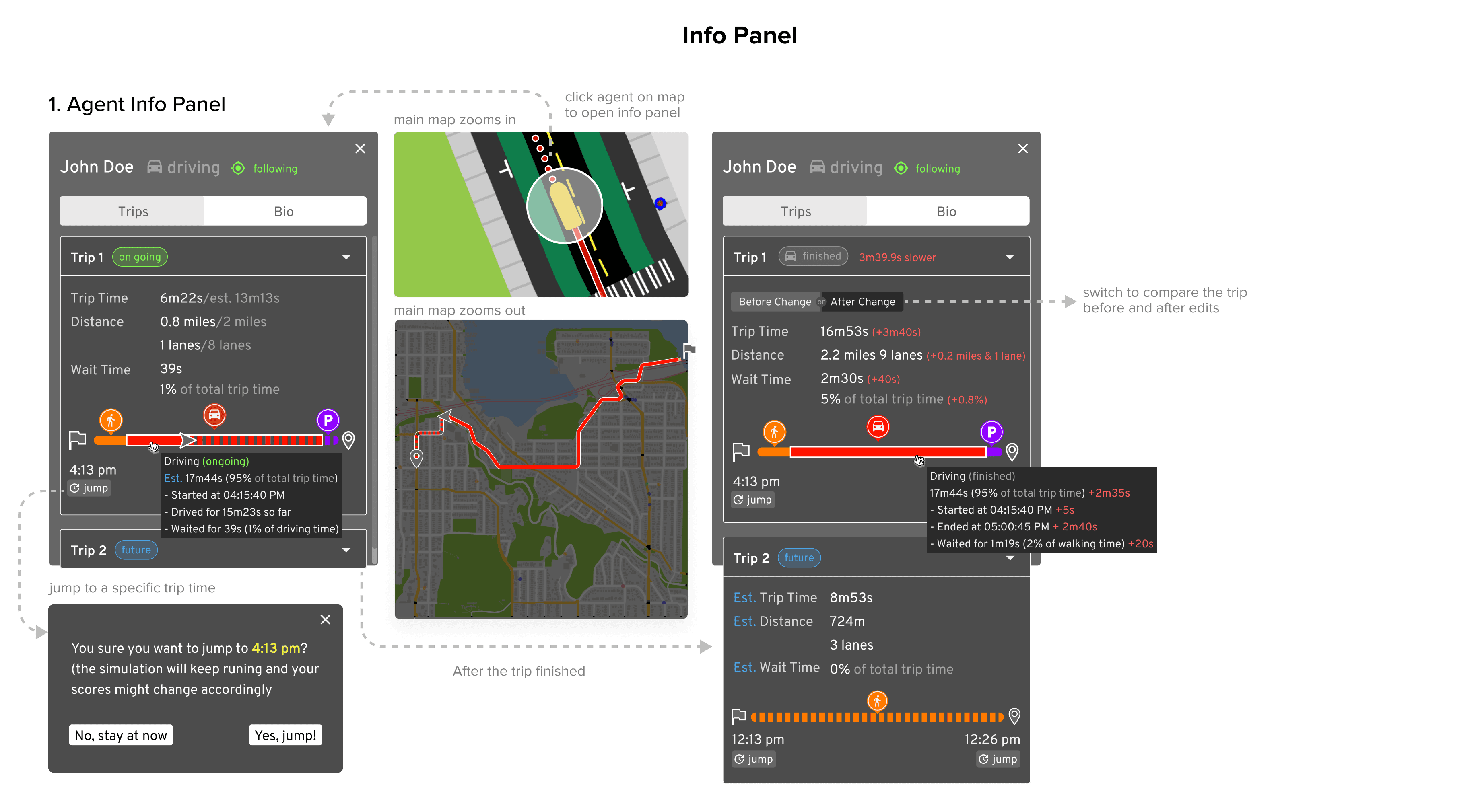
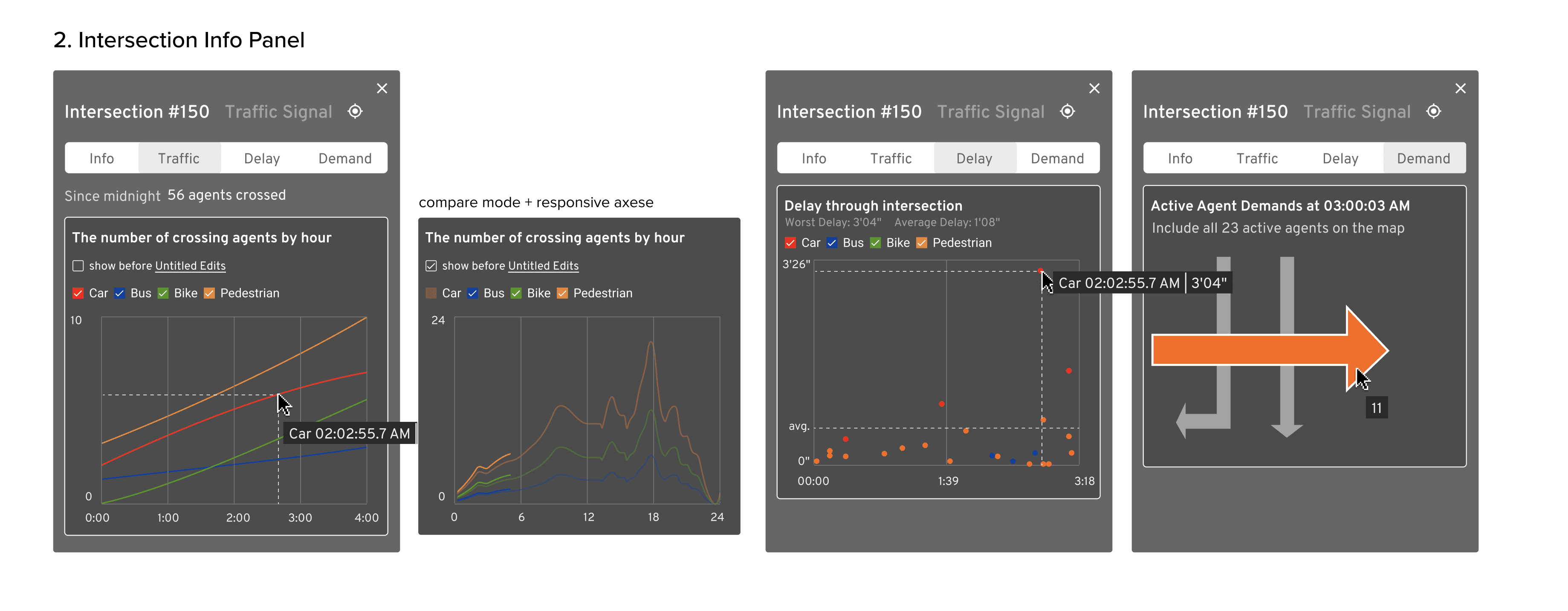
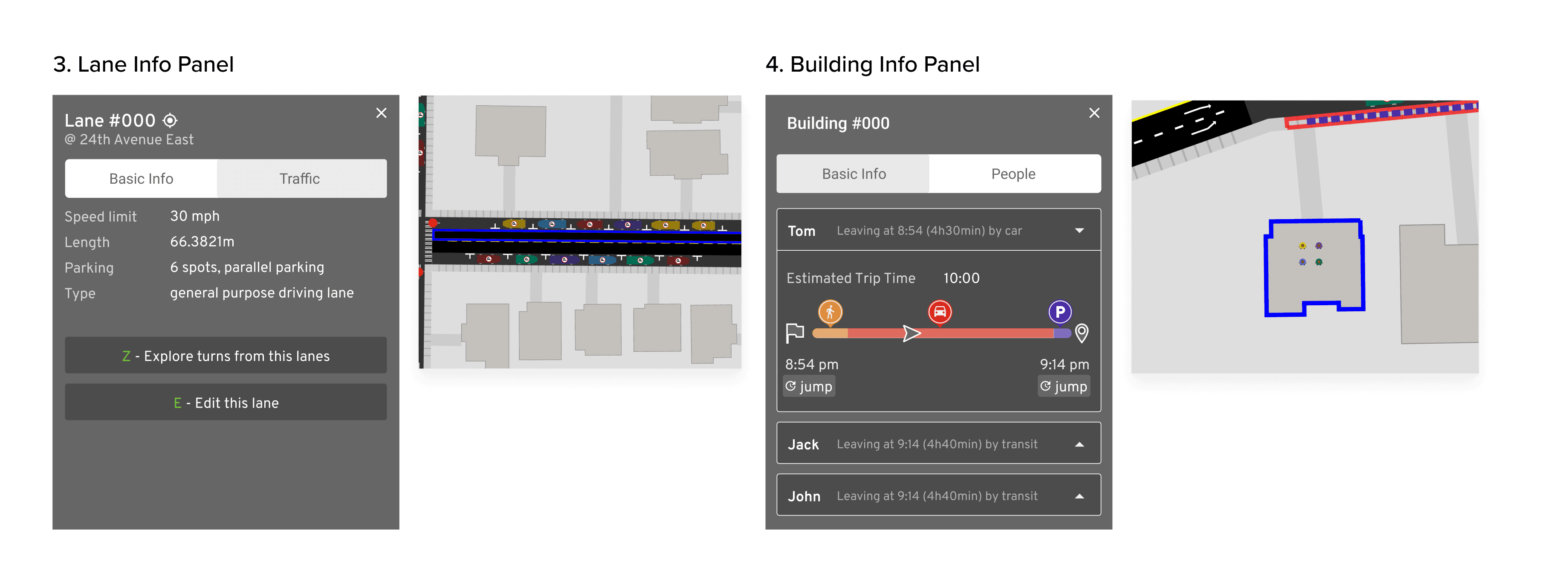
When analyzing the cause of a problem, for example, a traffic jam at an intersection, the players want data related to the intersection and areas around, and also data of the people and vehicles around. They can click down to see details of the intersection and other infrastructure, or follow a pedestrian or a car.
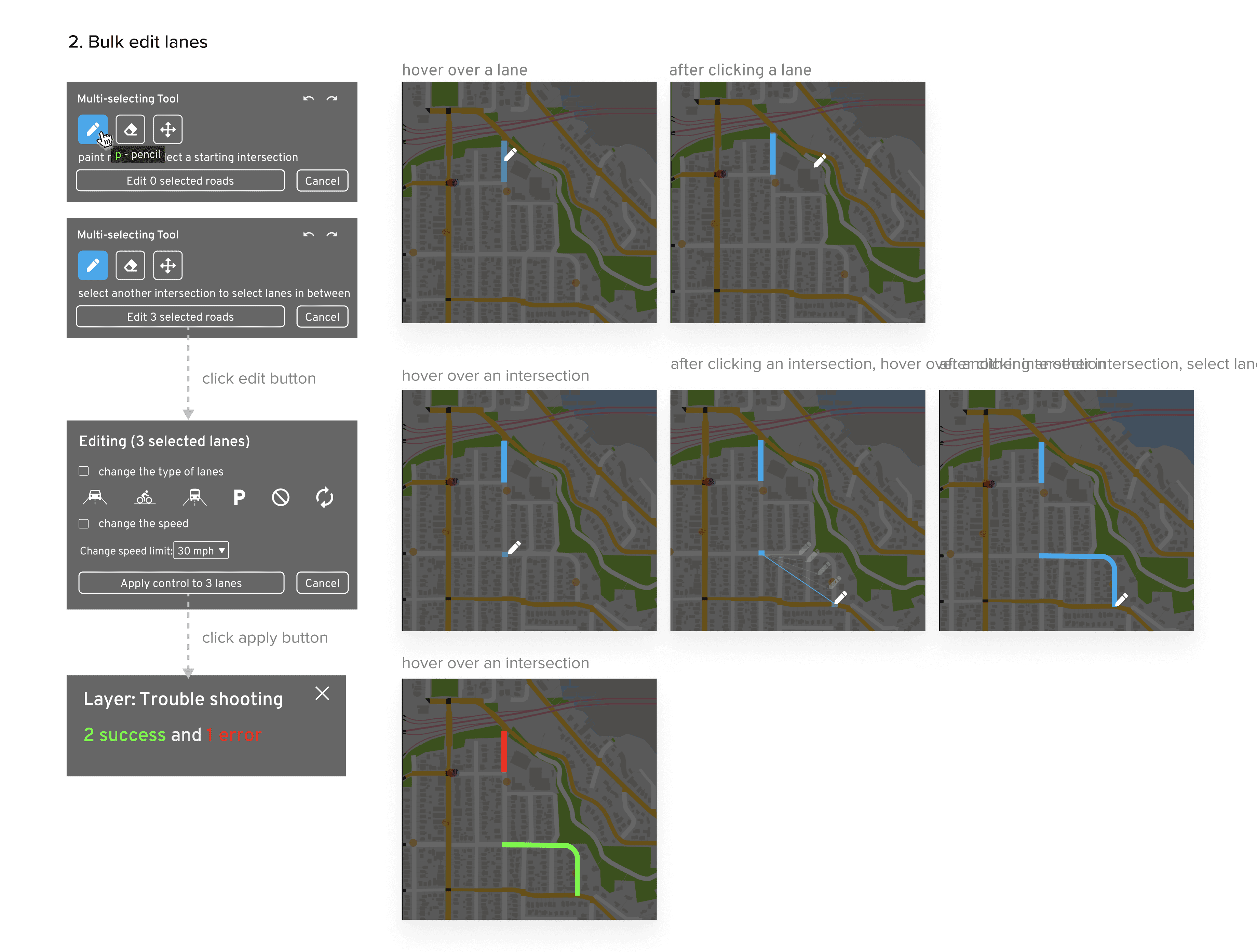
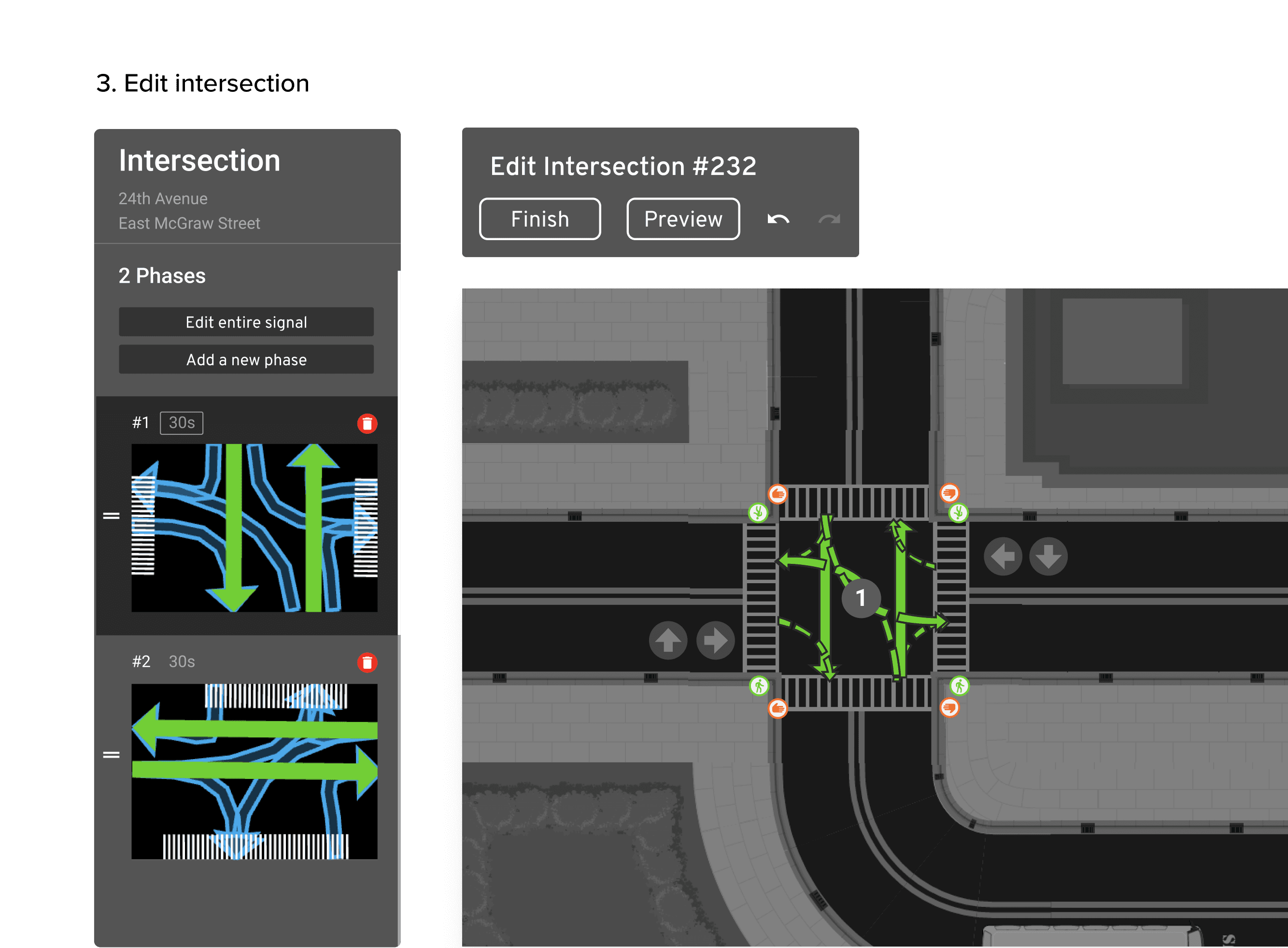
3. Edit the map to fix the problem
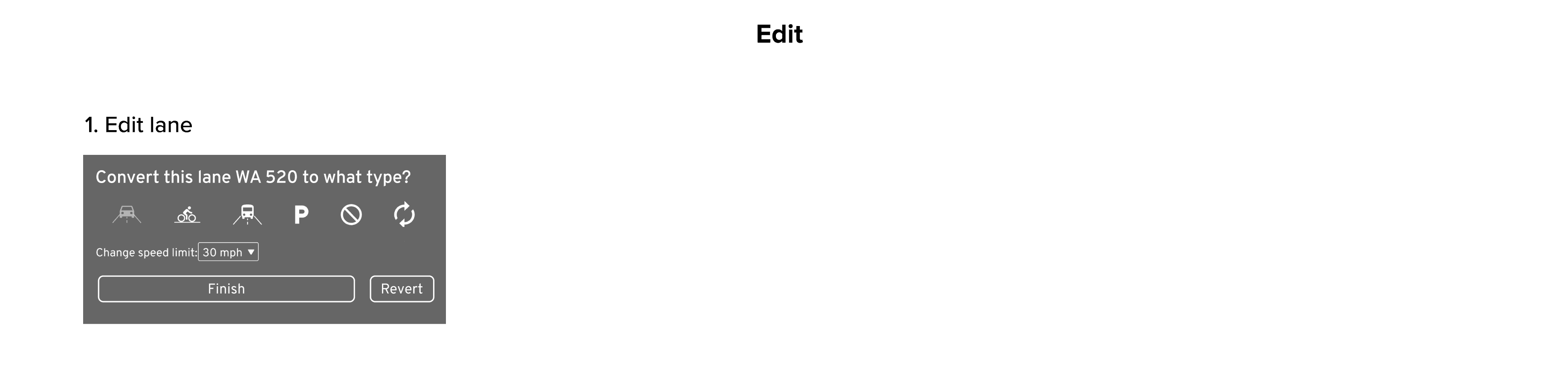
Once players figure out how to solve the problems, they can start editing the lanes or the intersections to fix the problems.
4. Test the solution in simulation
After players editing something, how the edits are going to affect the areas, and how they are going to affect the score. Also, by knowing this they can learn and form their own strategy. Short-term feedback and long-term feedback are both important for these purposes.
For short-term feedback, a preview mode for intersection editing is provided. Players can add random agents to the map or run similar scenarios as the time they paused to test the concept without applying the edits to the real map and time.

Use preview mode to quickly validate some edits. Here I found that the two intersections' traffic signals were not synced after preview so I adjusted my edits and validated that reordering the phases would improve the traffic.
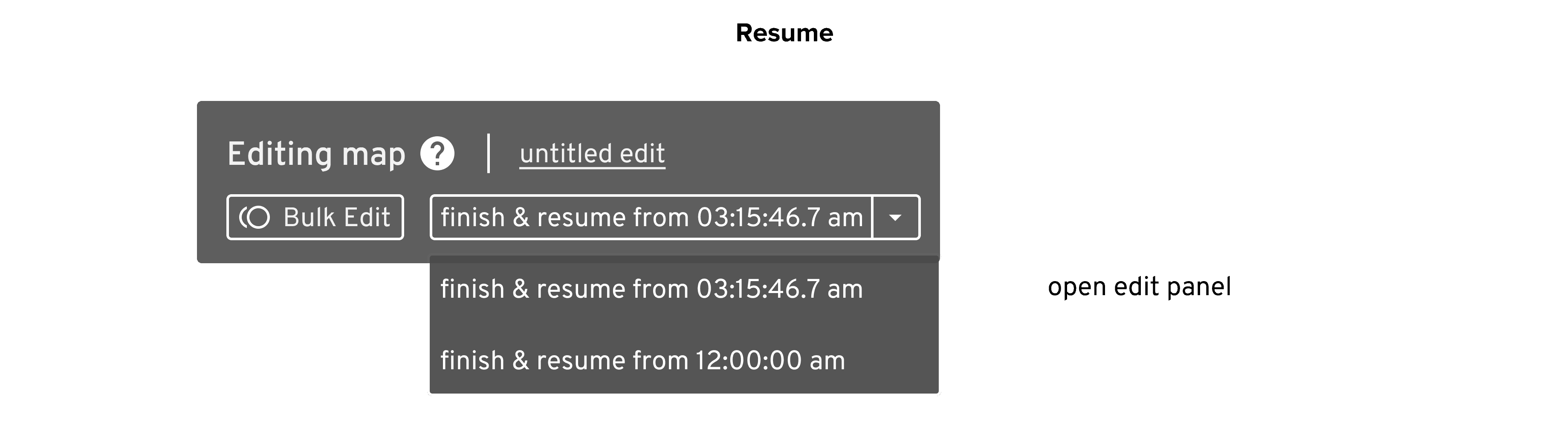
For longer-term feedback, they can observe agents and see how their scores and other meters change after resume the simulation. Players are able to easily resume from the time when they pause for the editing or from the very start to get a real accurate 24-hour simulation.
5. Version Control & Resume
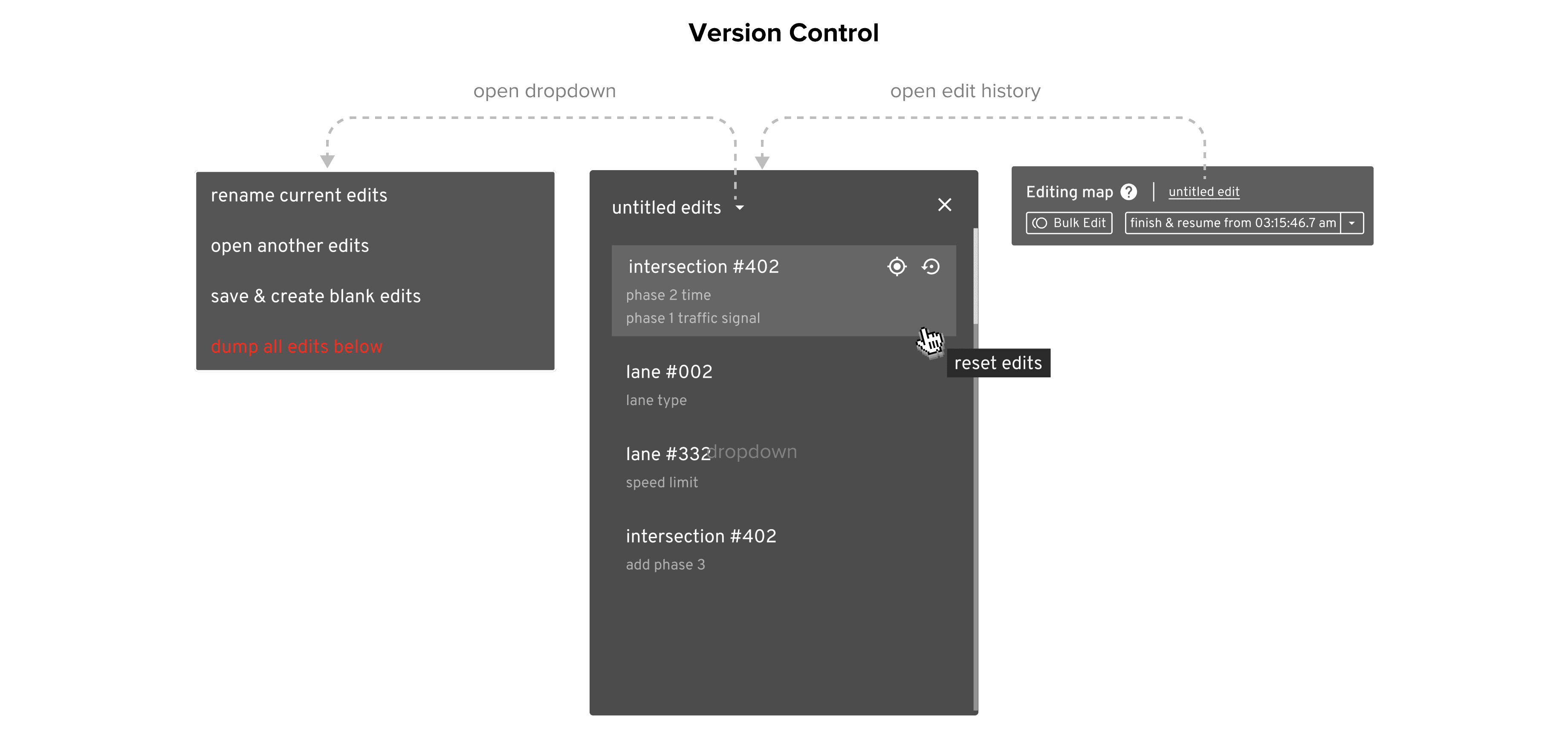
After edits, players want to quickly Since the ultimate goal of the game is to promote changes in traffic infrastructure. We encourage to players to test on various assumptions and propose different edits. Therefore, it is important to help them learn from trial and error and manage different versions of the edits.
06
/
Visual Design
Explore the Style of the Game
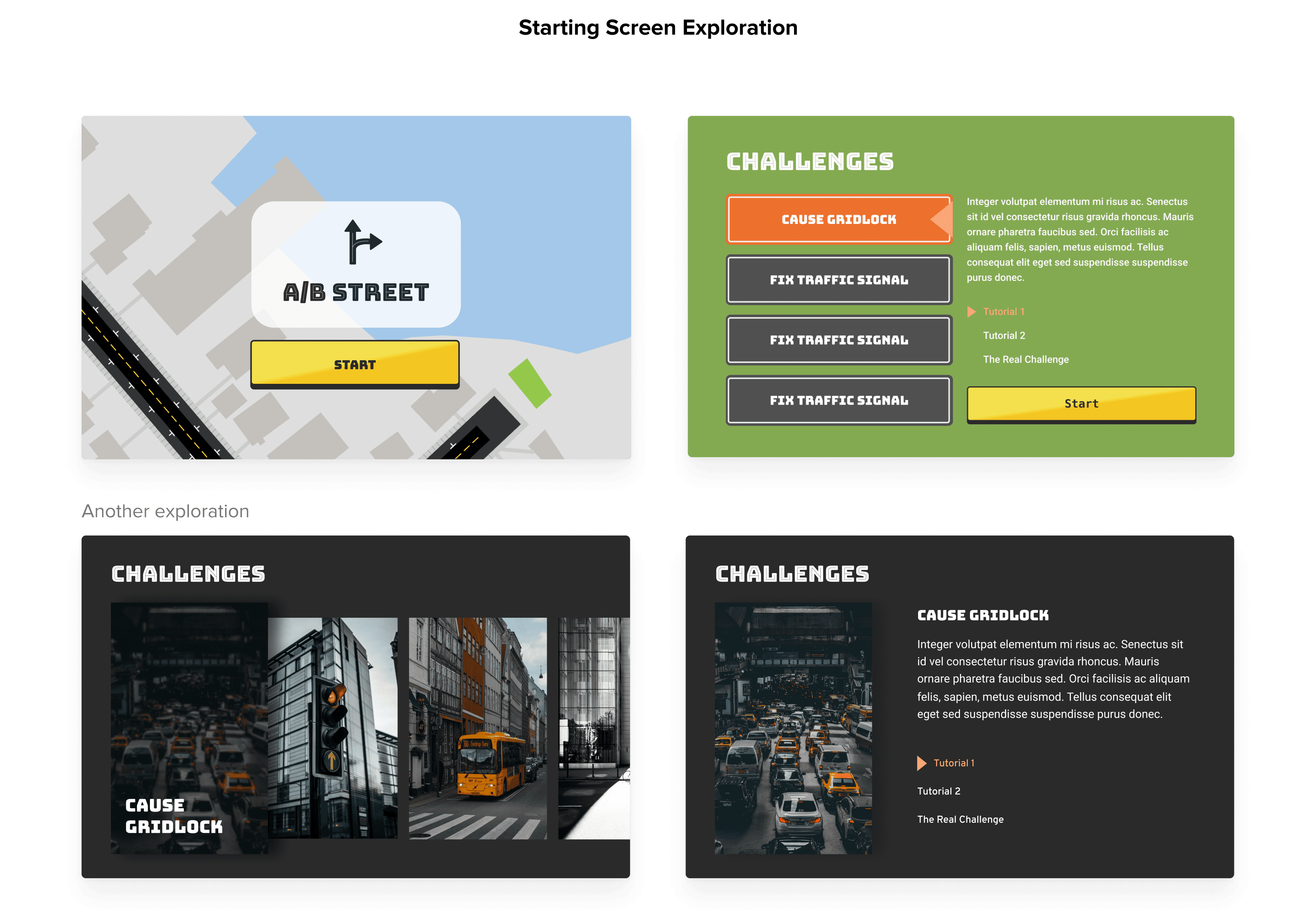
To improve the storytelling and make the game more appealing, I also explored the visual design of game starting screen and game script characters.

07
/
To-Dos
Set up feedback channel and do more testing with players
Explore more ways to give more in-time feedback to help players validate edits and learn
Improve the learnability of the game with better help document and contextual hints & guidances
Experiment with bringing in sounds to improve experience
Work with game designers to improve game mechanisms, rules and storytelling.
Focus more on improving and visual of the game